-
Type:
 Story
Story
-
Resolution: Done
-
Priority:
 High
High
-
Affects Version/s: None
-
FLW Sprint 34, FLW Sprint 35, FLW Sprint 36
-
FLW Mobile App
-
All
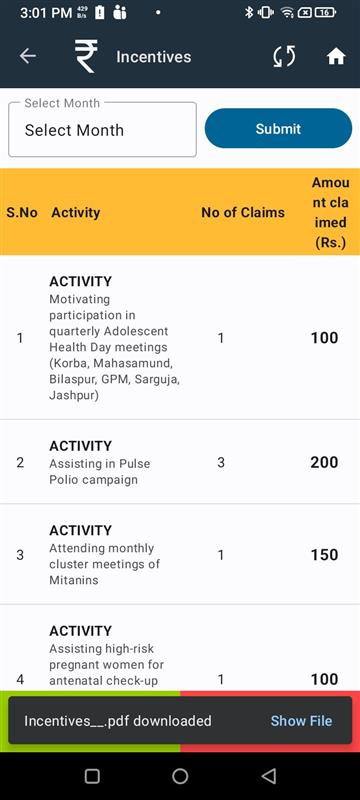
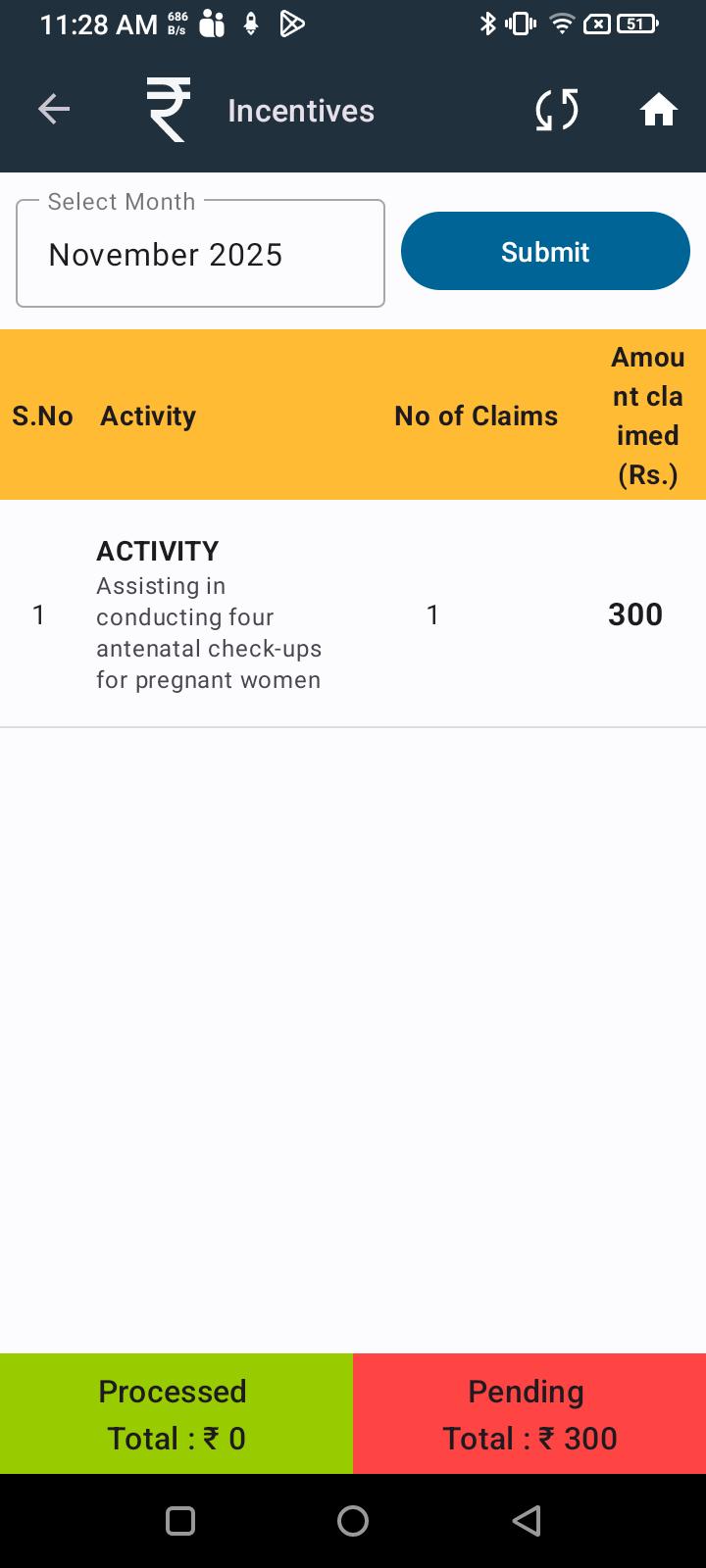
As an ASHA, I want to see the monthly default incentive activities displayed clearly and in an organized order, so that I can easily distinguish between monthly default activities, meeting-related activities, and beneficiary-related activities, and view relevant beneficiary details where required.
Acceptance Criteria:
1. Display Order and Grouping
- Monthly Default Incentive Activities – shown on top, with a distinct background color, and no click action.
- ASHA Meeting Related Activities – shown after the default activities, with a different background color, and no click action.
- Beneficiary Related Activities – shown after meeting-related activities, with count of beneficiaries and clickable, navigating to the Beneficiary Details screen.
2. Beneficiary Details Screen
Given I click on a Beneficiary Related Activity,
When the Beneficiary Details screen opens,
Then it should display the following fields for each beneficiary:
- Name
- RCH ID
- ABHA Number
3. State-based Configurations
- For Chhattisgarh State:
- Activity group name and Download Claim Form PDF are not applicable (should be hidden).
- For Assam State:
- Activity group name and Download Claim Form PDF are required and should be visible.
- is blocked by
-
AMM-1962 Monthly Default Incentive Activities – shown on top, with a distinct background color, and no click action.
-

- Closed
-
- relates to
-
-
- Closed
-
-
-
- Closed
-
-
-
- Closed
-
-
-
- Closed
-

