-
Type:
Task
-
Resolution: Done
-
Priority:
 High
High
-
Affects Version/s: None
-
FLW Sprint 34, FLW Sprint 35, FLW Sprint 36
-
FLW Mobile App
-
All
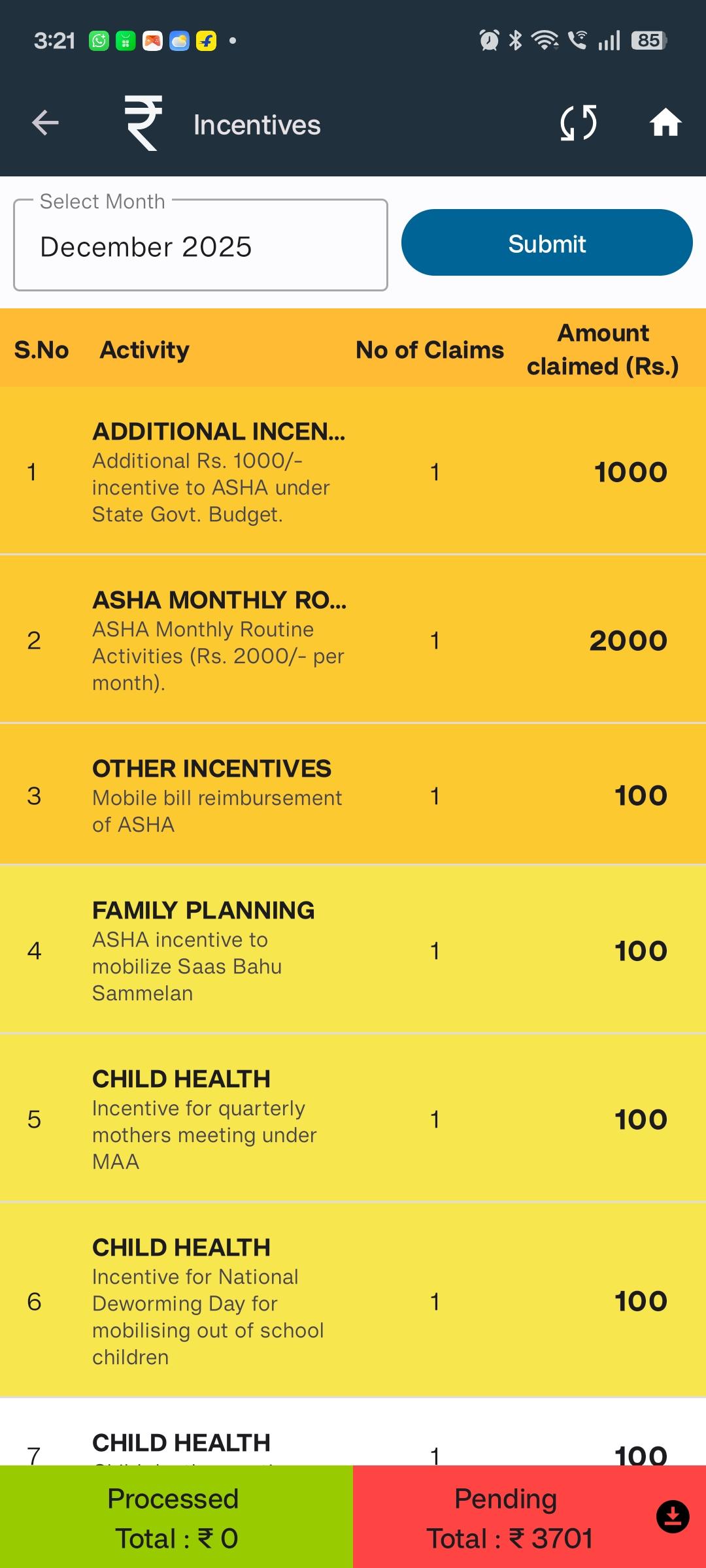
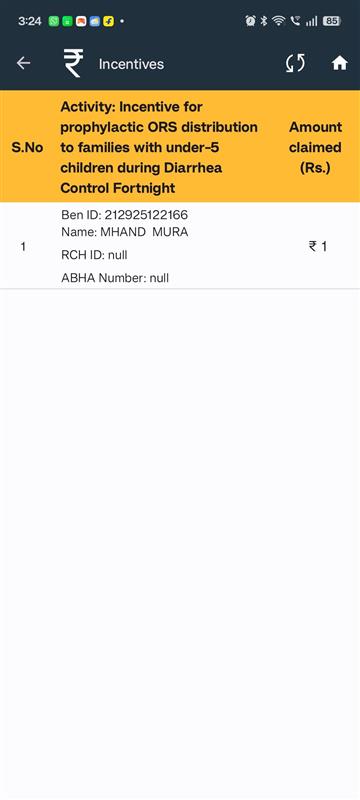
Create the Beneficiary Details screen and display essential fields when a user selects a Beneficiary Related Activity.
Description
When the user taps on a Beneficiary Related Activity, they should be navigated to the Beneficiary Details screen.
This screen must list all beneficiaries associated with the selected activity, along with key identifying information.
- Screen should load after clicking a Beneficiary Related Activity.
- Display each beneficiary as a row/item.
- Each beneficiary entry must include:
- Name
- RCH ID
- ABHA Number
- relates to
-
 FLW-555
Enhance Incentive Screen – Display Order, color, and State-based Configurations for ASHA Users
FLW-555
Enhance Incentive Screen – Display Order, color, and State-based Configurations for ASHA Users
-
- Closed
-

