-
Type:
Bug
-
Resolution: Done
-
Priority:
 High
High
-
Affects Version/s: None
-
None
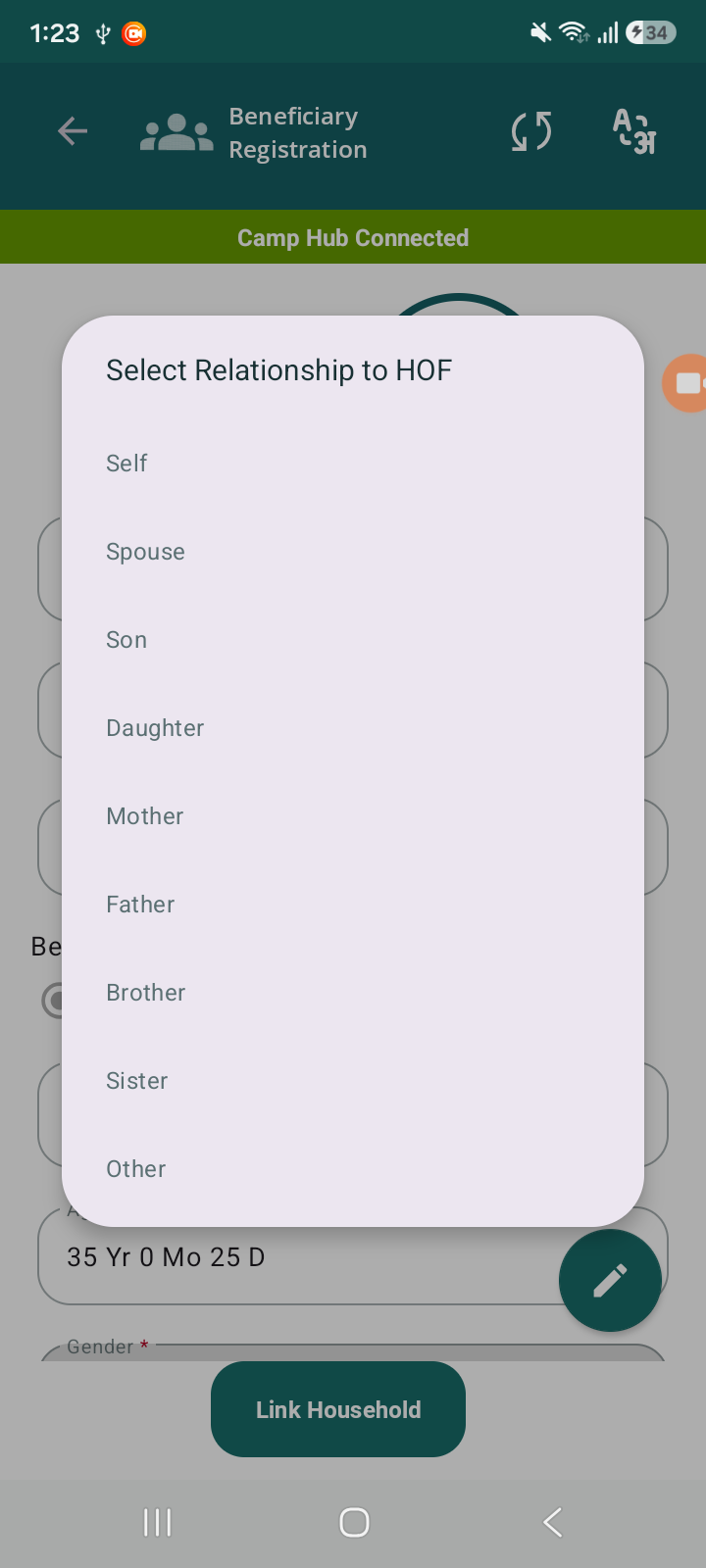
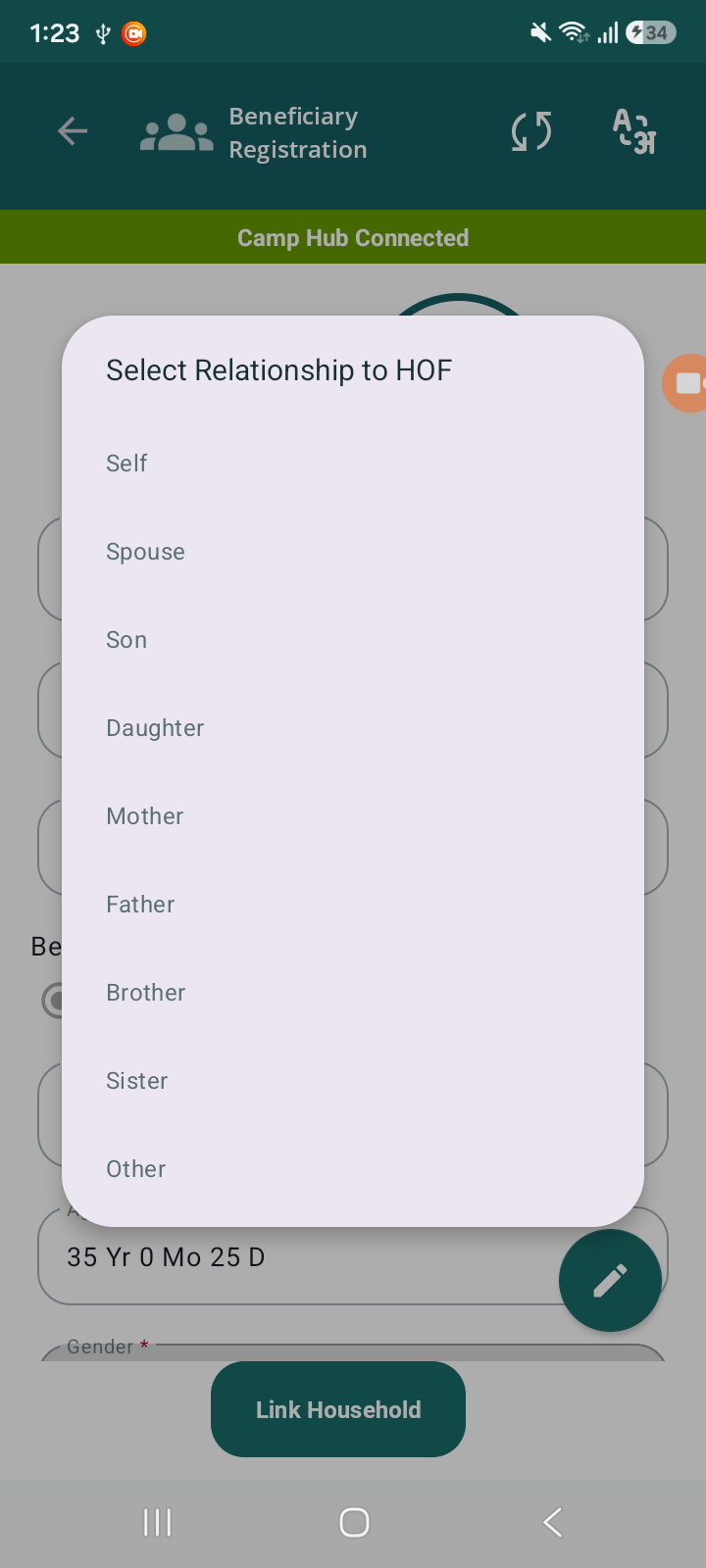
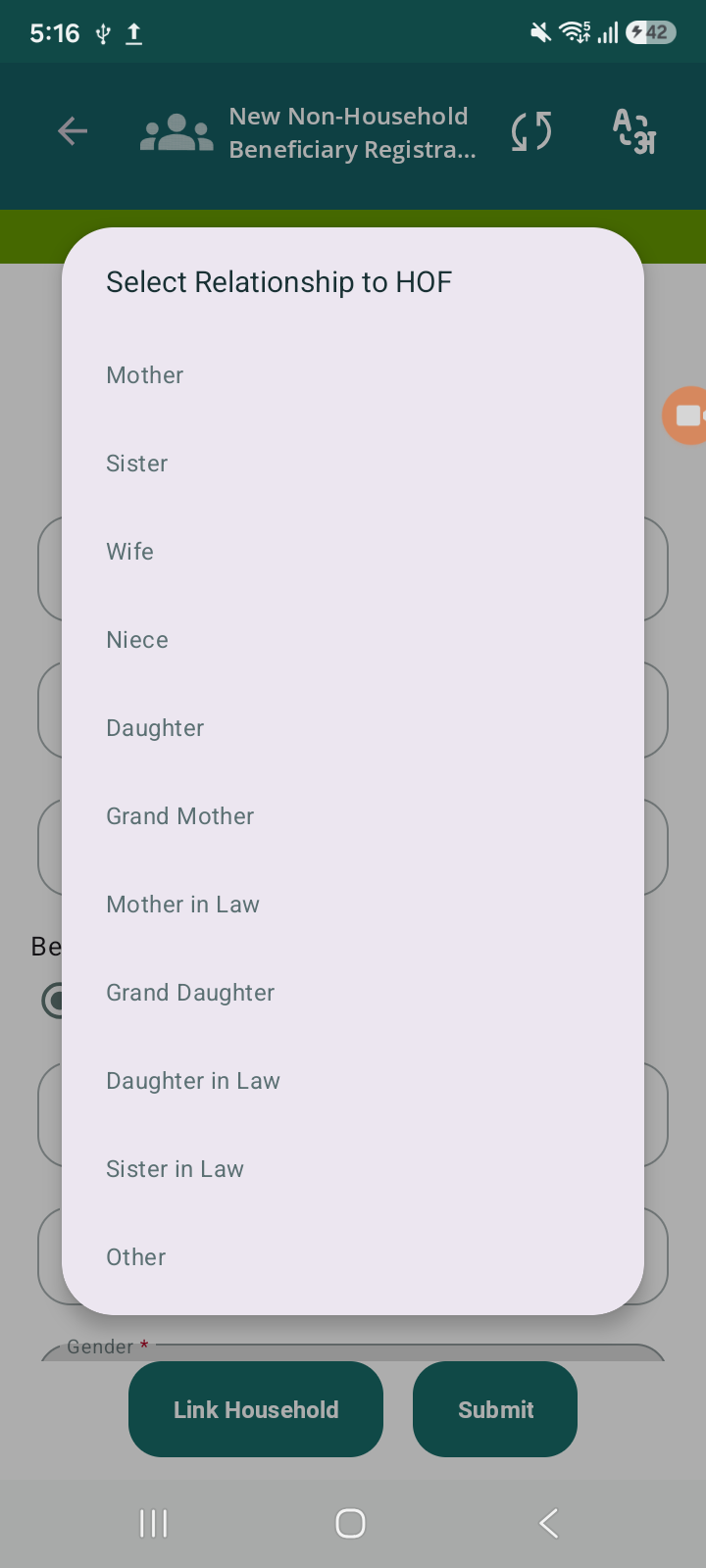
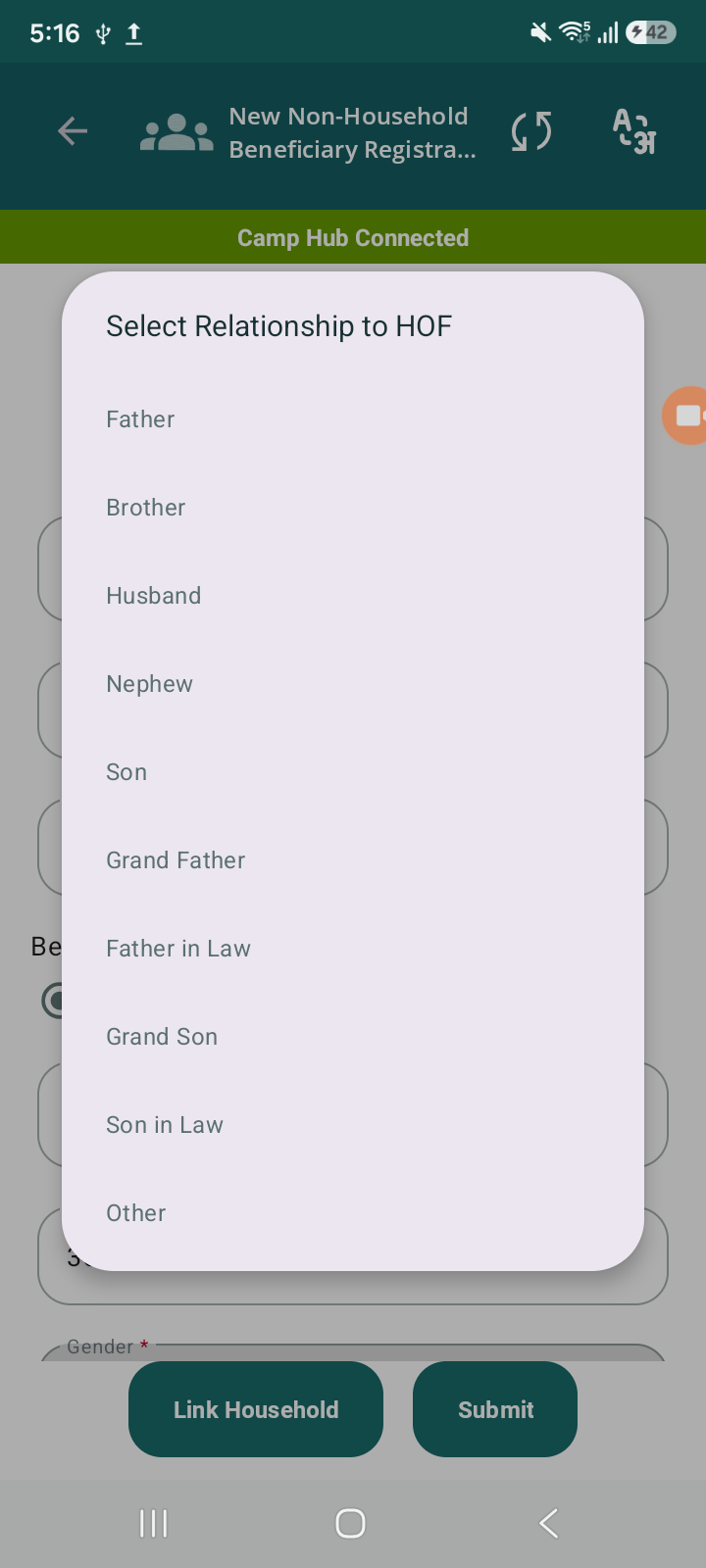
In the Household Link flow, the Relation with Family Head dropdown shows all relation options irrespective of the selected Gender.
This leads to incorrect combinations such as:
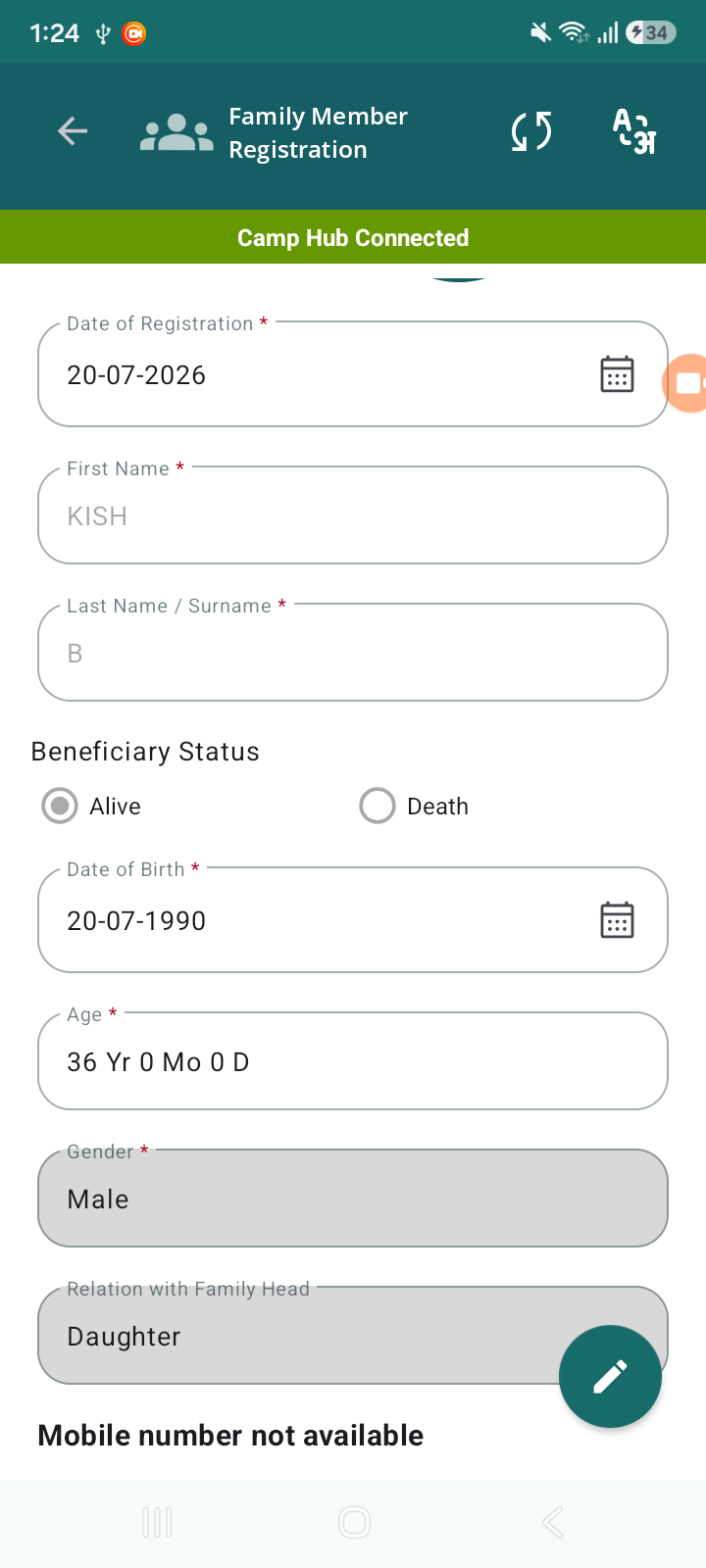
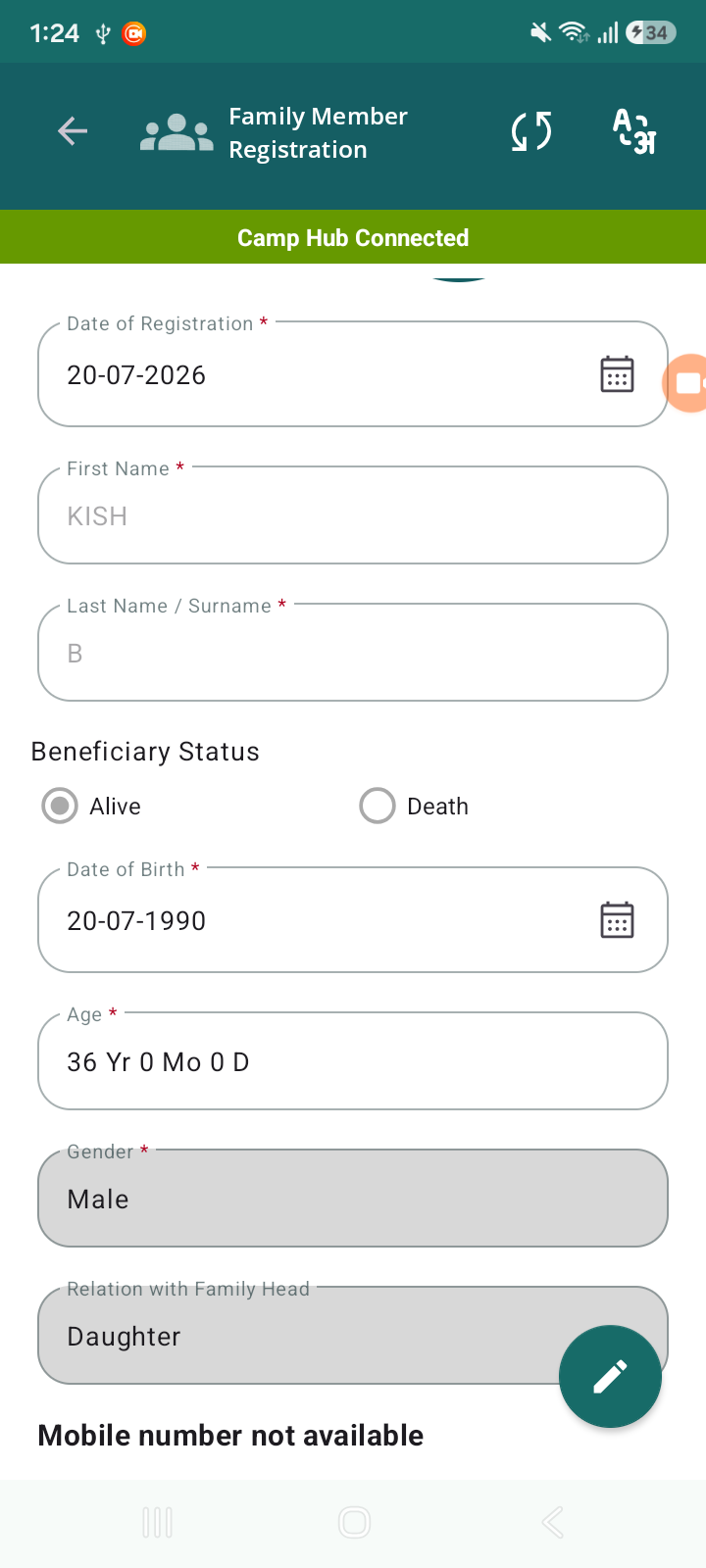
- Selecting Gender = Male but Relation = Daughter / Sister
- Selecting Gender = Female but Relation = Father / Brother
As seen in the screenshots, the system allows inconsistent Gender vs Relation mapping.
Steps to Reproduce:
- Click on Non Household card
- Click on Link Household.
- Click to Link existing household.
- Observe all relations are displayed (Son, Daughter, Mother, Father, etc.)
- Select an invalid combination (e.g., Male + Daughter)
Actual Result:
- All relation values are shown regardless of selected gender
- Invalid gender–relation combinations can be selected and saved
Expected Result:
- Relation dropdown should be filtered based on selected Gender
Example:
- Male → Father, Son, Brother
- Female → Mother, Daughter, Sister
- Common (both) → Self, Spouse, Other
- blocks
-
 STOP-140
Register Beneficiaries Without Household (No HH) Linkage
STOP-140
Register Beneficiaries Without Household (No HH) Linkage
-
- Closed
-
