-
Type:
Bug
-
Resolution: Done
-
Priority:
 High
High
-
Affects Version/s: None
-
None
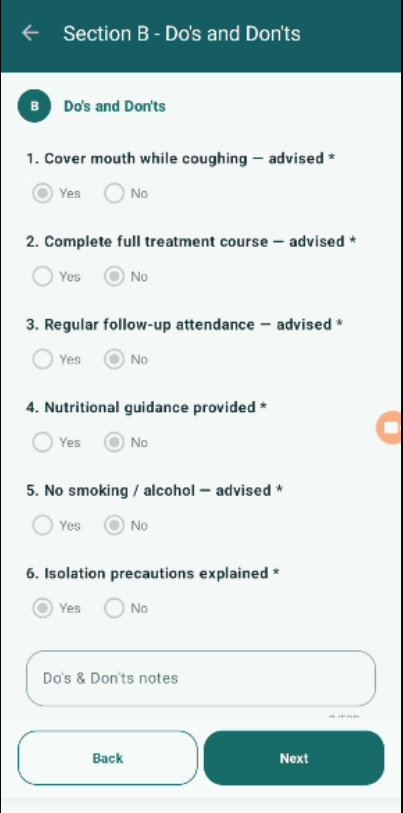
After completing and submitting the counselling form, all sections remain editable when the user reopens the same beneficiary record.
As per expected workflow and PRD behavior, once the counselling is completed and submitted (status = Complete), the data should become read-only to prevent further modification.
Currently, users are able to edit all sections even after submission, which can lead to unintended data changes.
Steps to Reproduce:
- Navigate to Counselling module.
- Open a beneficiary record.
- Complete all sections (A, B, C, etc.).
- Set "Counselling completion status" to "Complete".
- Click Submit.
- Reopen the same beneficiary record.
- Try editing any section.
Expected Result:
- All sections should be non-editable (read-only) after successful submission.
- Data should be locked to maintain integrity.
Actual Result:
- All sections remain editable even after submission.
- Users can modify previously submitted data.
- blocks
-
 STOP-141
Counselling Module
STOP-141
Counselling Module
-
- Closed
-
