Changes in Anthropometry Screen

XMLWordPrintable

    • Type: Task
    • Resolution: Unresolved
    • Priority: High
    • 2.1
    • Affects Version/s: None
    • None

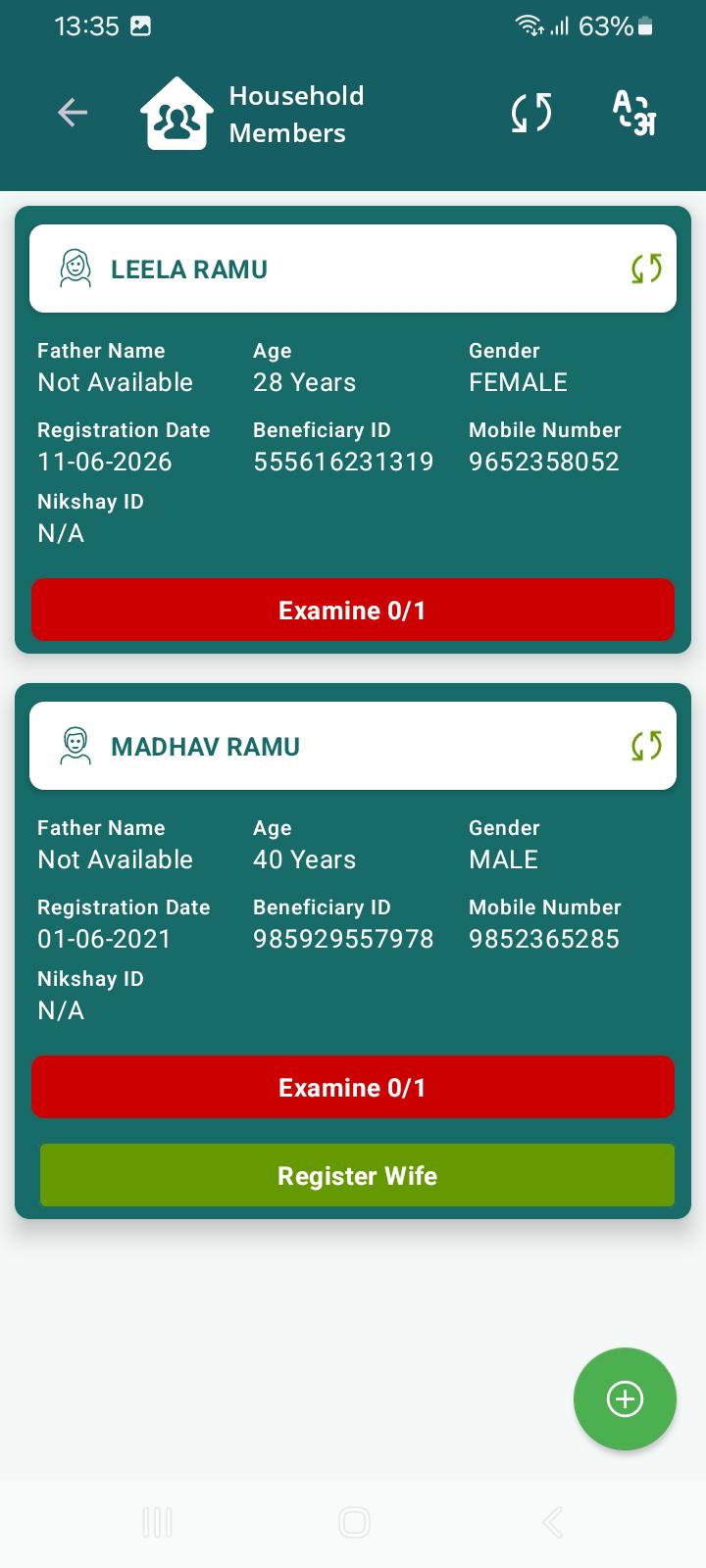
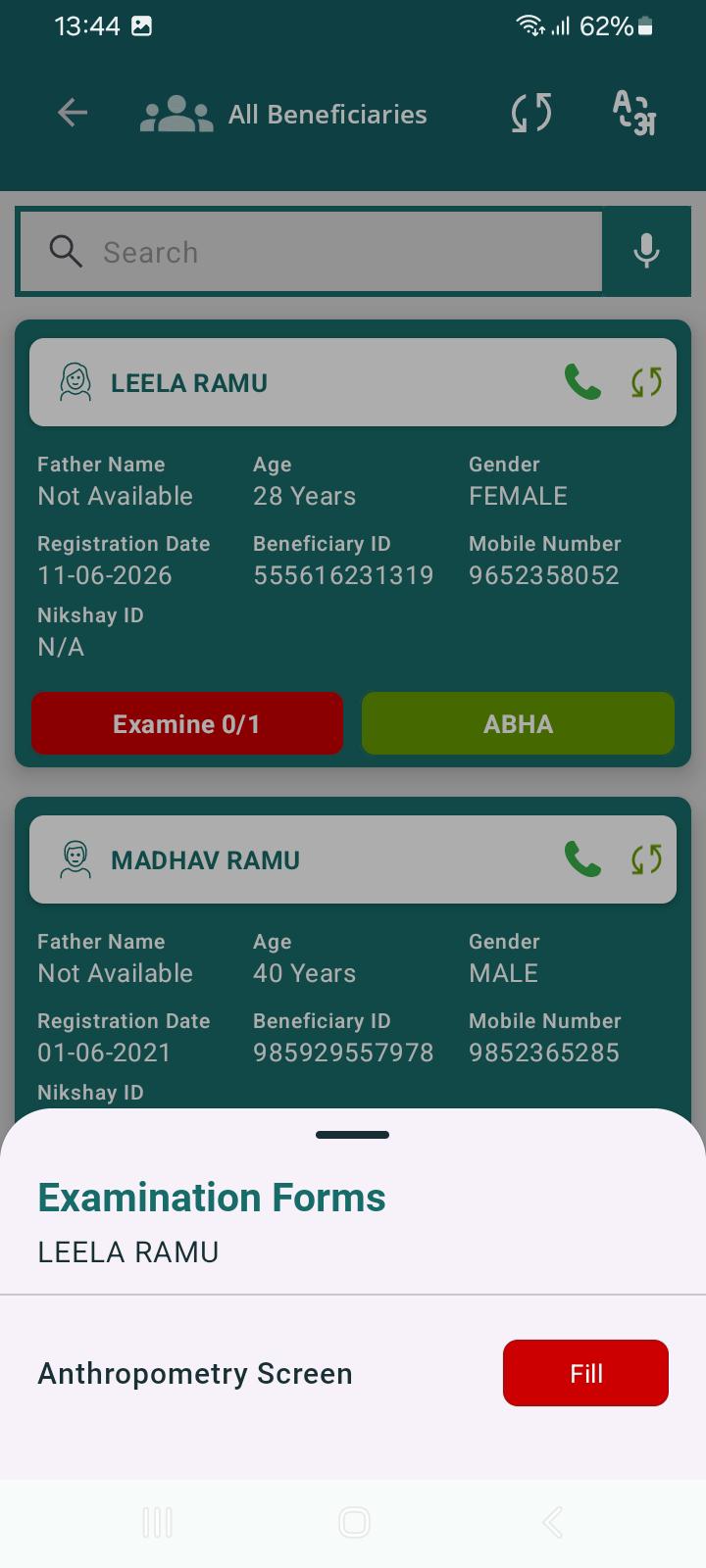
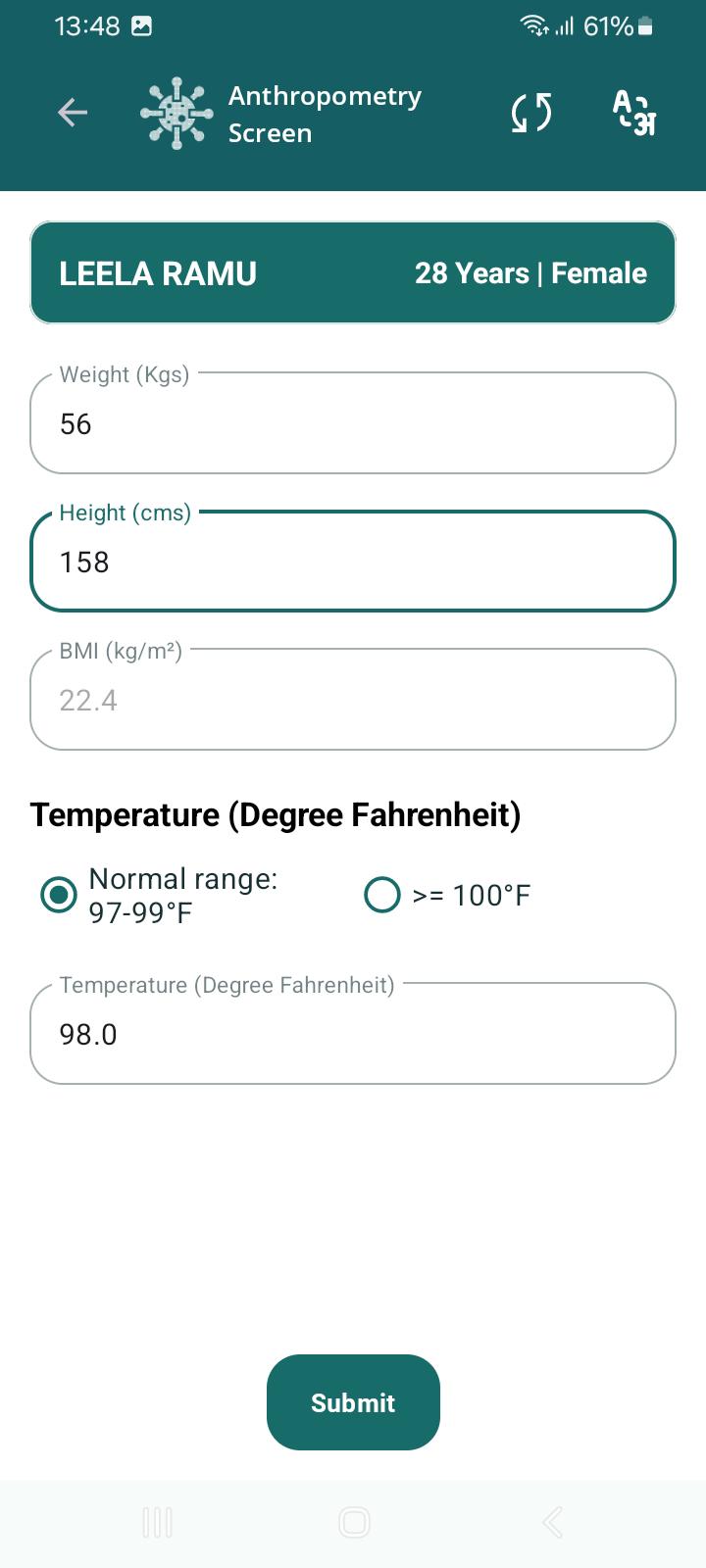
      Do the following changes in the Anthropometry Screen-

      1. Change Examine text to Anthropometry. On clicking it directly navigate to anthropometry screen (remove bottom screen) to reduce clicks for the user.
      2. Remove 0/1  adjacent to the "Examine" text as only one examination is to be done by registrar. 
      3. Examine button can be green if done and red if not done.
      4. Add number picker along with editable text to capture weight, height.
      5.  Make the text bold for height, weight.
        1. Media (3).jpeg
          Media (3).jpeg
          82 kB
        2. Media (2)-1.jpeg
          Media (2)-1.jpeg
          87 kB
        3. Media (1).jpeg
          Media (1).jpeg
          59 kB

              Assignee:
              Rohit.Prajapati
              Reporter:
              Dr. Vanshika Gupta
              Votes:
              0 Vote for this issue
              Watchers:
              1 Start watching this issue

                Created:
                Updated: