-
Type:
Task
-
Resolution: Unresolved
-
Priority:
 High
High
-
Affects Version/s: None
-
None
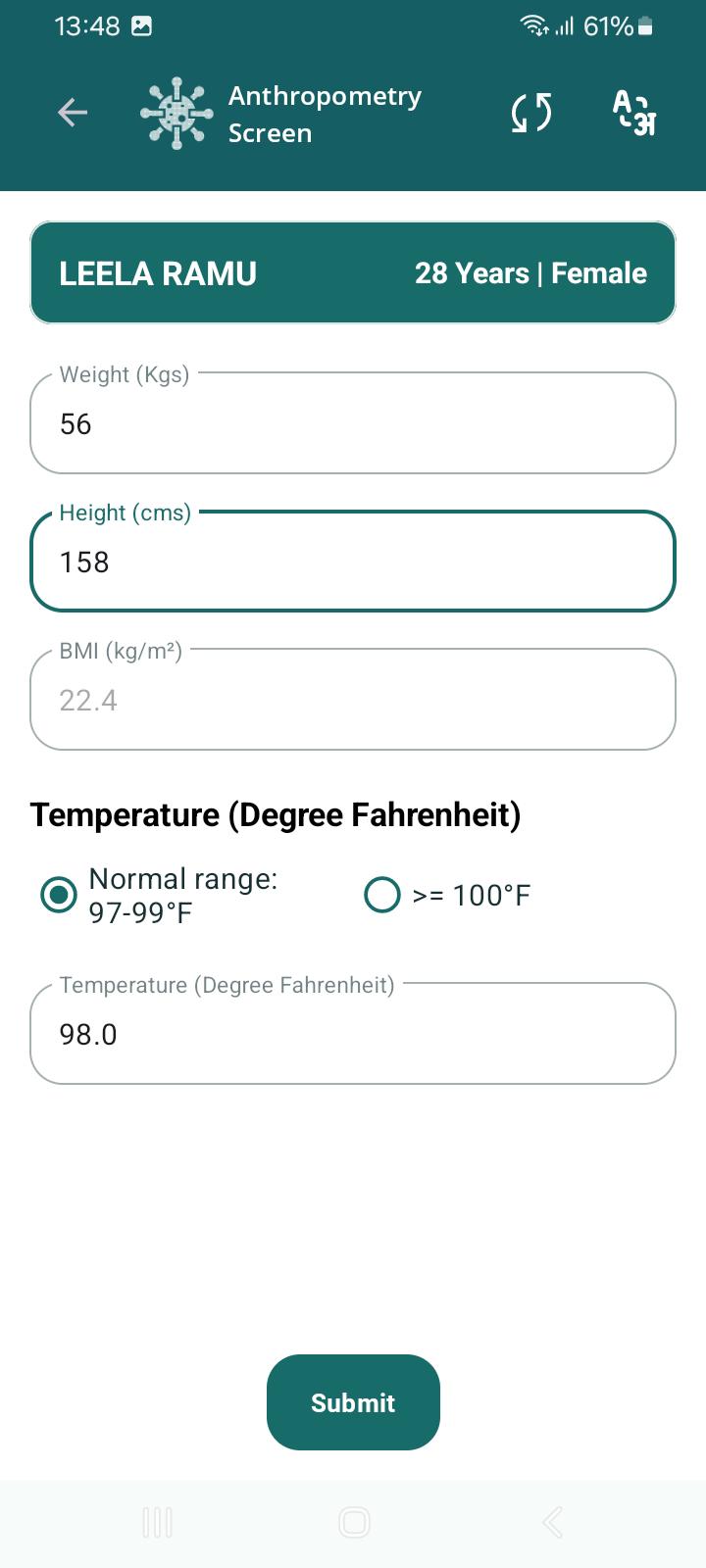
Do the following changes in the Anthropometry Screen-
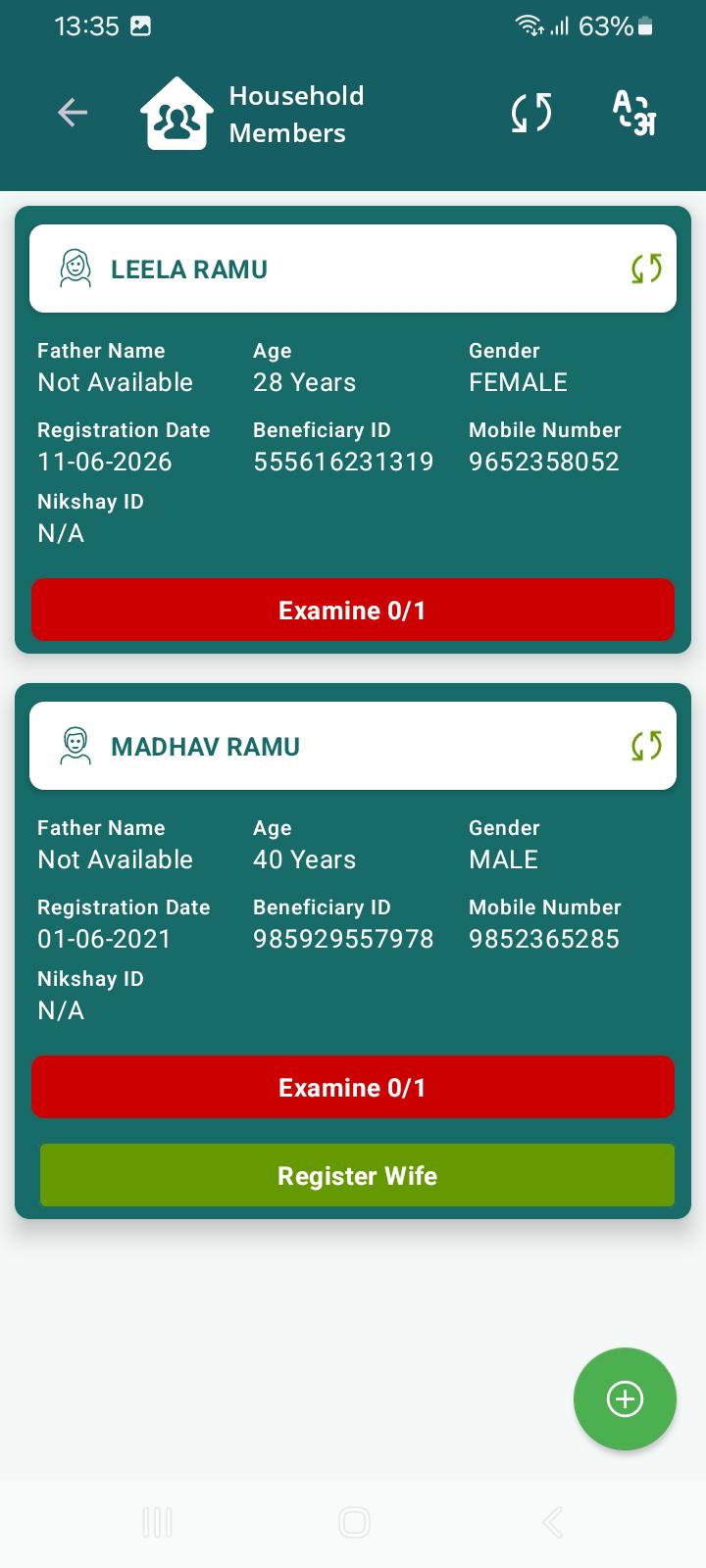
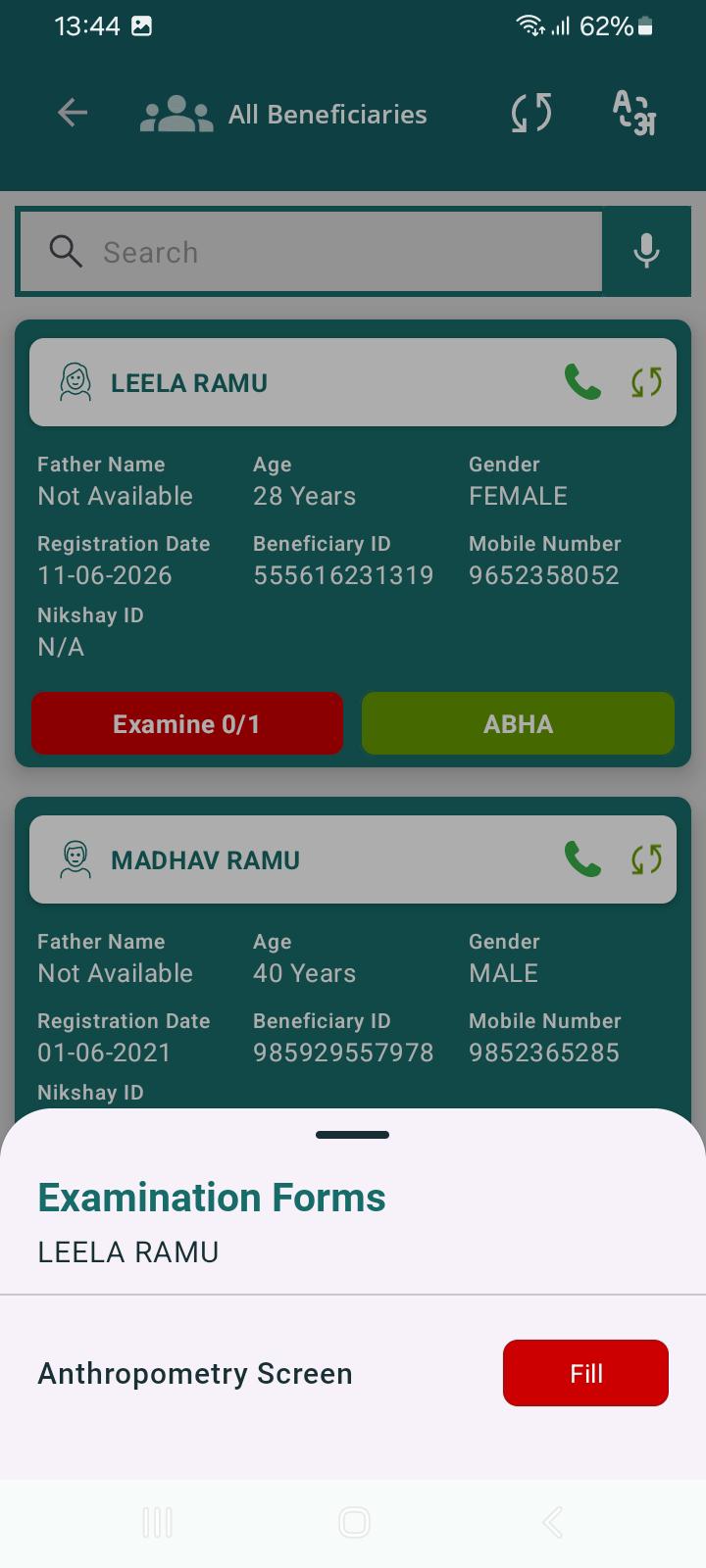
- Change Examine text to Anthropometry. On clicking it directly navigate to anthropometry screen (remove bottom screen) to reduce clicks for the user.
- Remove 0/1 adjacent to the "Examine" text as only one examination is to be done by registrar.
- Examine button can be green if done and red if not done.
- Add number picker along with editable text to capture weight, height.
- Make the text bold for height, weight.