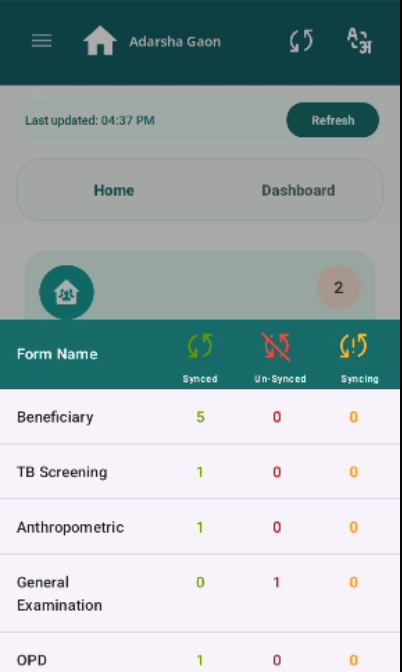
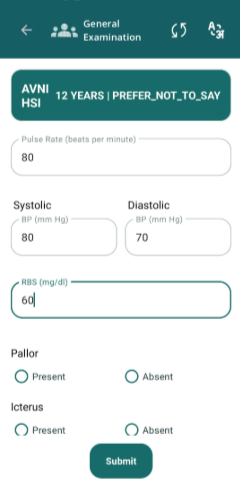
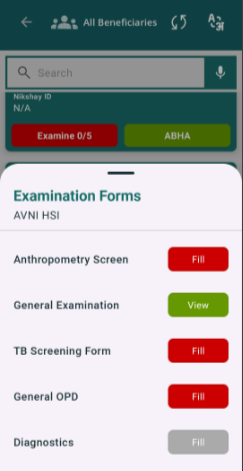
General Examination data is not syncing

XMLWordPrintable

    • Type: Bug
    • Resolution: Done
    • Priority: High
    • 1.0
    • Affects Version/s: None
    • None

      After filling General Examination form, data is showing Un-synced and after clicking on Refresh still it is not syncing.

      Steps to Reproduce:

      1. Login with Nurse credentials.
      2. Go to any Beneficiary and click Examine.
      3. Fill General Examination data.
      4. Click on Sync button on Top Header.
      5. Observe the General Examination status.

      Expected Result:

      General Examination data should be synced successfully.

      Actual Result:

      Currently it is showing un-synced and clicking on Refresh button still it is not syncing.

        1. Gen.png
          73 kB
          Nidhi Saini
        2. image-2026-06-12-15-03-33-461.png
          43 kB
          Nidhi Saini
        3. image-2026-06-12-15-03-50-789.png
          42 kB
          Nidhi Saini

              Assignee:
              Nidhi Saini
              Reporter:
              Nidhi Saini
              Votes:
              0 Vote for this issue
              Watchers:
              1 Start watching this issue

                Created:
                Updated:
                Resolved: