-
Type:
 Story
Story
-
Resolution: Done
-
Priority:
 Low
Low
-
Affects Version/s: None
-
FLW Sprint 52, FLW Sprint 53
-
FLW Mobile App
-
All
Overview
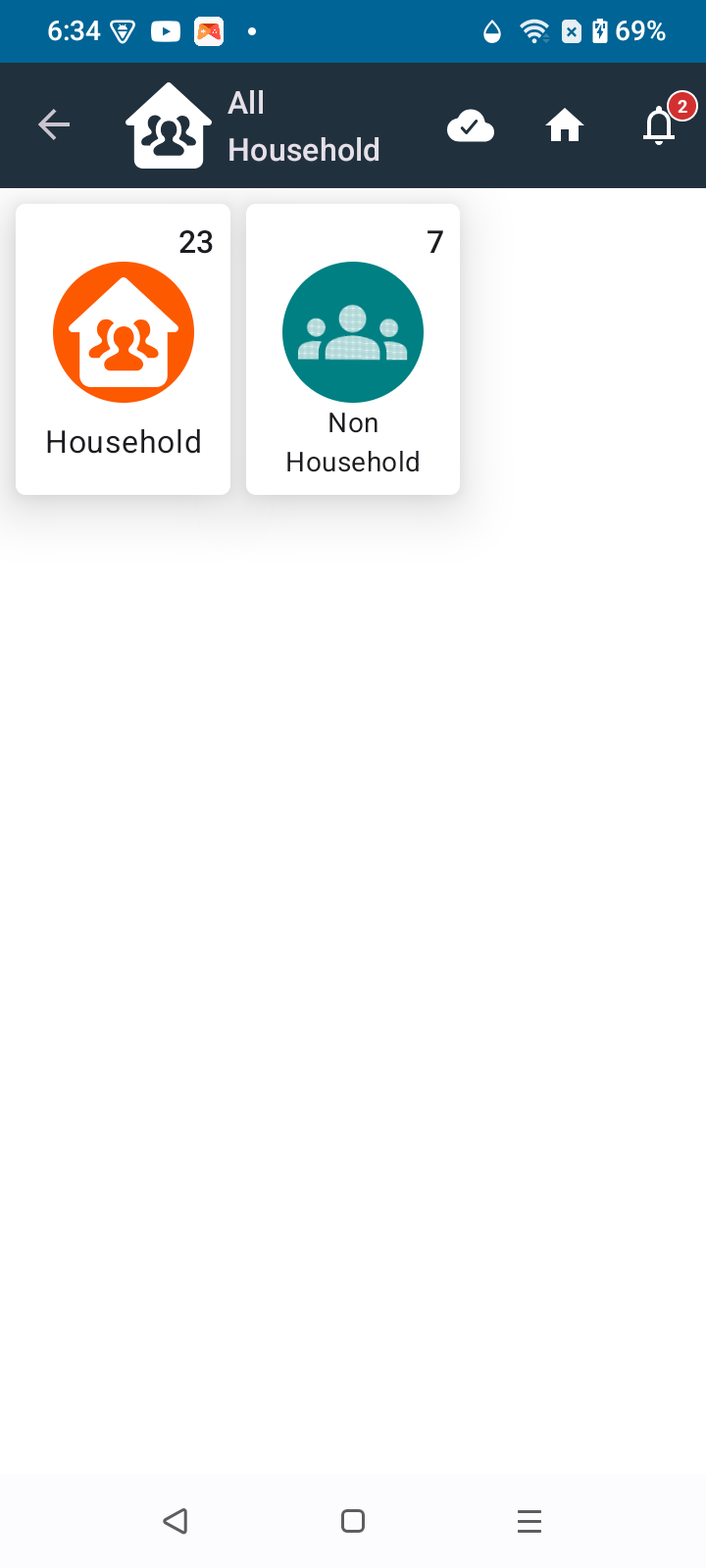
Under "All Household," split the landing screen into two separate sections:
- Household — move all existing Household functionality here as-is.
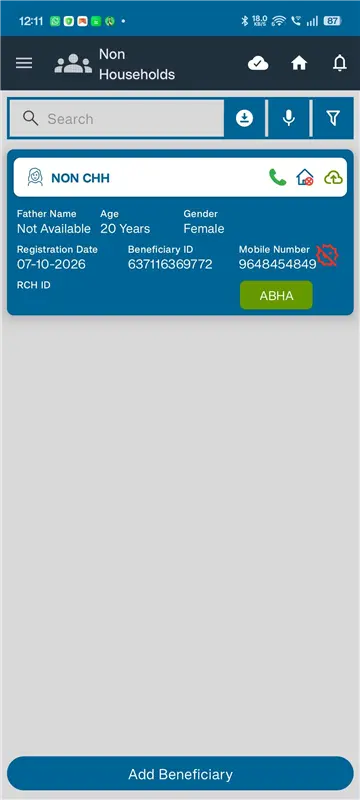
- Non-Household (new) — for individuals who do not reside in a conventional household, including wanderers, homeless persons, hostel residents, and institutional residents.
Reference prototype: Non Household (standalone).html
Why this ticket
Today every beneficiary must be registered under a Household. There is no way to register someone who has no household to link to (homeless persons, migrants, wanderers, institutional residents, etc.). This ticket introduces a parallel registration and listing path for such individuals, with the ability to link them to a Household later if and when that happens.
Core Requirements
1. Non-HH registration & listing
- Register such individuals as a standalone beneficiary with no HH linkage.
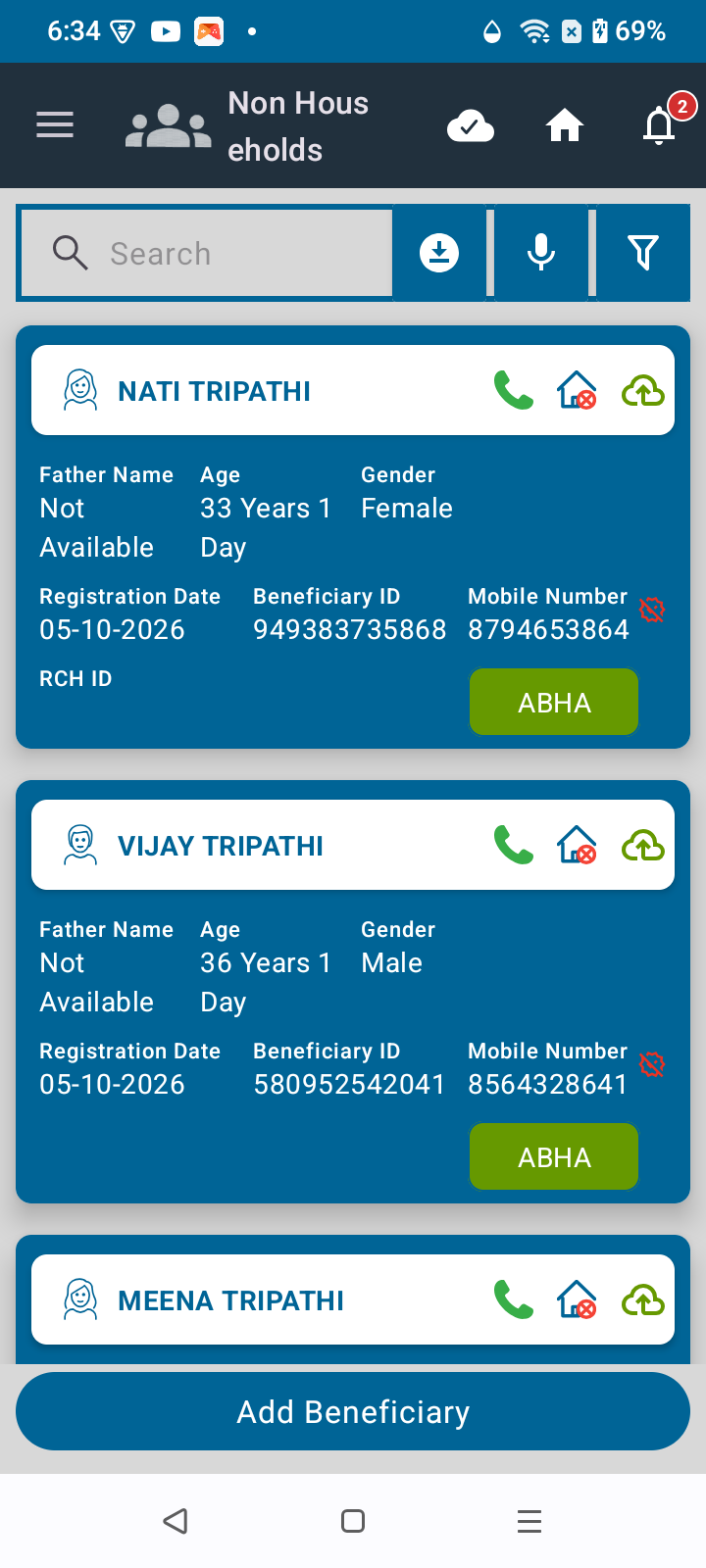
- Show a "No HH" flag on the beneficiary card — a cross mark on the home icon.
- Once registered, the beneficiary also appears in the list of all beneficiaries, irrespective of whether they have a HH or not.
- Reuse the same beneficiary registration form used for HH beneficiaries — no separate/duplicate form.
2. Registration flow — "Place of current living"
Before the standard beneficiary registration form opens, first ask (or place as the first question on top of the registration form):
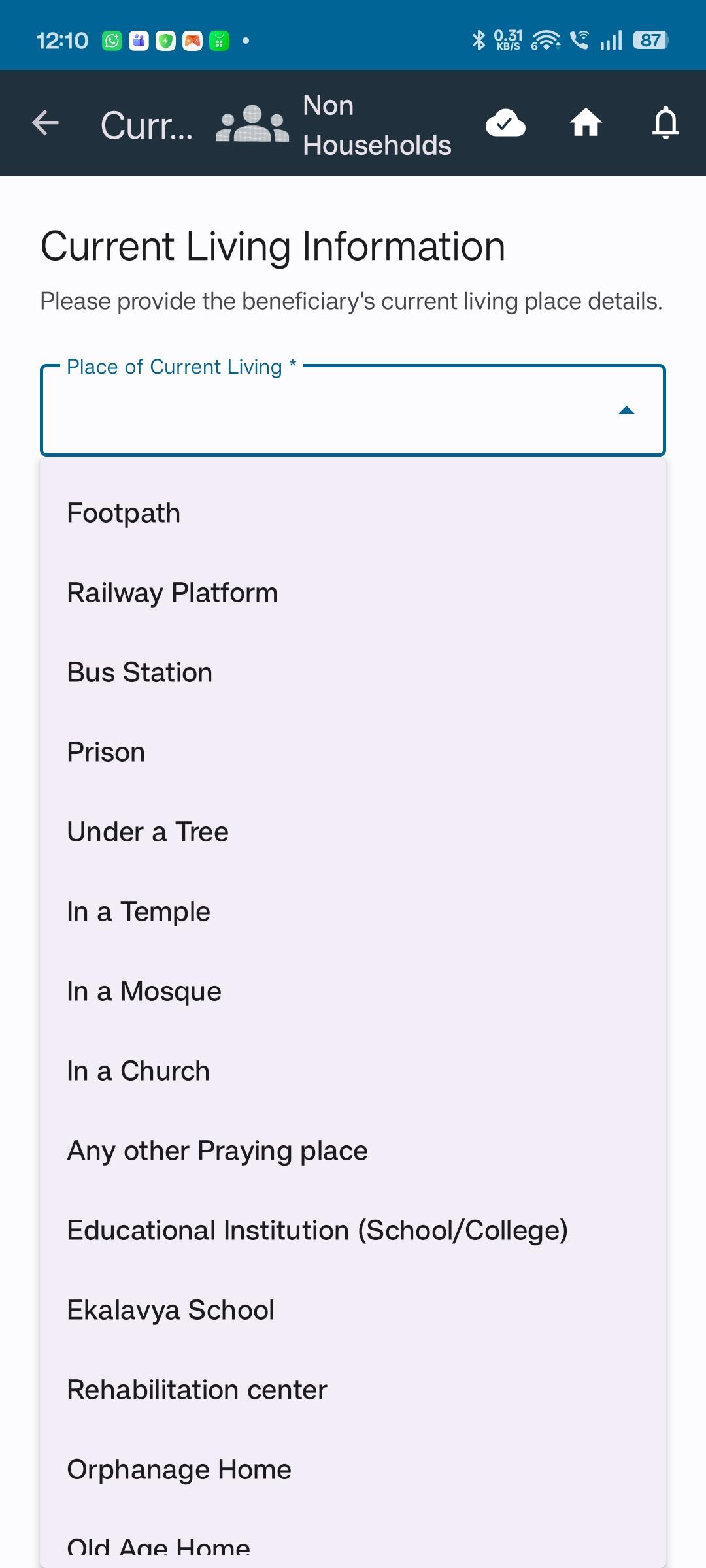
"Place of current living" — dropdown with the following options:
- Footpath
- Railway Platform
- Bus Station
- Prison
- Under a Tree
- In a Temple
- In a Mosque
- In a Church
- Any other Praying place
- Educational Institution (School/College)
- Ekalavya School
- Rehabilitation center
- Orphanage Home
- Old Age Home
- Private Hostel
- Govt Hostel
- NGO's Hostel
- Other
Conditional fields:
- If "Other" is selected → show an "Other places" free-text field (max 200 characters).
- If any of the following are selected → show an additional "Name of the institution" text field:
- Educational Institution (School/College)
- Rehabilitation center
- Orphanage Home
- Old Age Home
- Private Hostel
- Govt Hostel
- NGO's Hostel
Once "Place of current living" (and any conditional fields) is captured, the standard beneficiary registration form opens to capture all individual details as usual.
User Flow
Home → Non-HH section → Add Beneficiary button → "Place of current living" question (conditional fields) → Beneficiary registration form (standard, same as HH) → Beneficiary saved → appears in Non-HH list & All Beneficiaries list, flagged "No HH"
Acceptance Criteria
- Split "All Household" landing screen into Household and Non-Household sections/tabs
- Move all existing Household screens/logic under the Household section without regression
- Build the Non-Household section: list view of individually-registered (no-HH) beneficiaries
- Add Beneficiary flow in Non-HH section asks "Place of current living" first, with the dropdown options listed above
- Conditional "Other places" textbox (200 char max) appears only when "Other" is selected
- Conditional "Name of the institution" textbox appears only for the 7 institutional options listed above
- After the above, standard beneficiary registration form opens and captures full individual details (same form as HH registration)
- Non-HH beneficiary card shows a "No HH" flag (cross on the home icon)
- Non-HH beneficiary appears in the global "All Beneficiaries" list regardless of HH linkage
- Validate full flow against prototype: Non Household (standalone).html
Open questions for engineering/design review
- Should "Place of current living" remain visible/editable after registration (e.g., on the beneficiary profile), or is it only captured at intake?