-
Type:
 Story
Story
-
Resolution: Done
-
Priority:
 High
High
-
Affects Version/s: None
-
None
-
FLW Sprint 51, FLW Sprint 52, FLW Sprint 53
-
FLW Mobile App
-
All
Applicable to both Utprerona and Mitanin
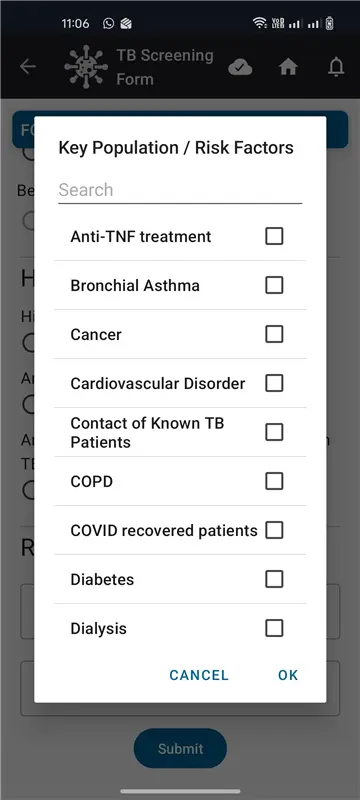
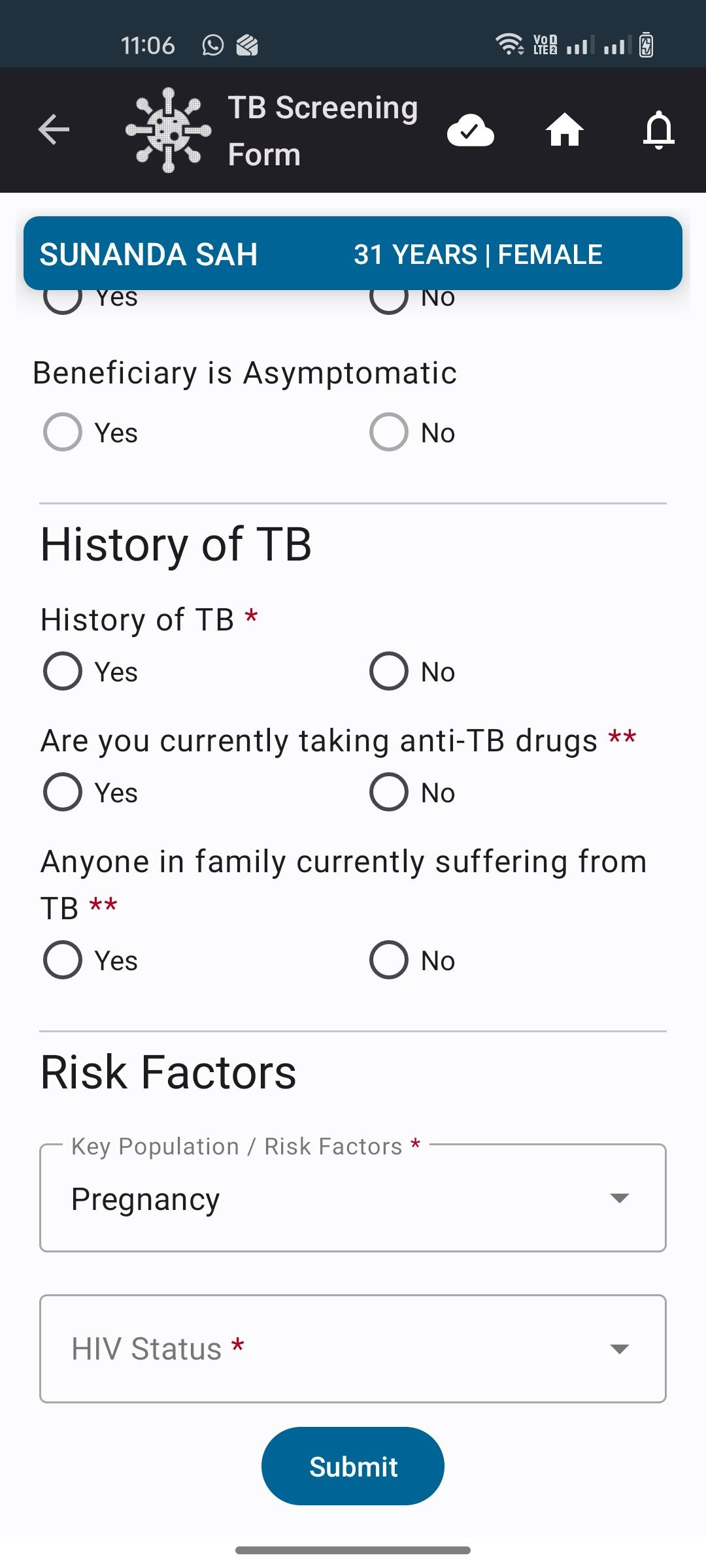
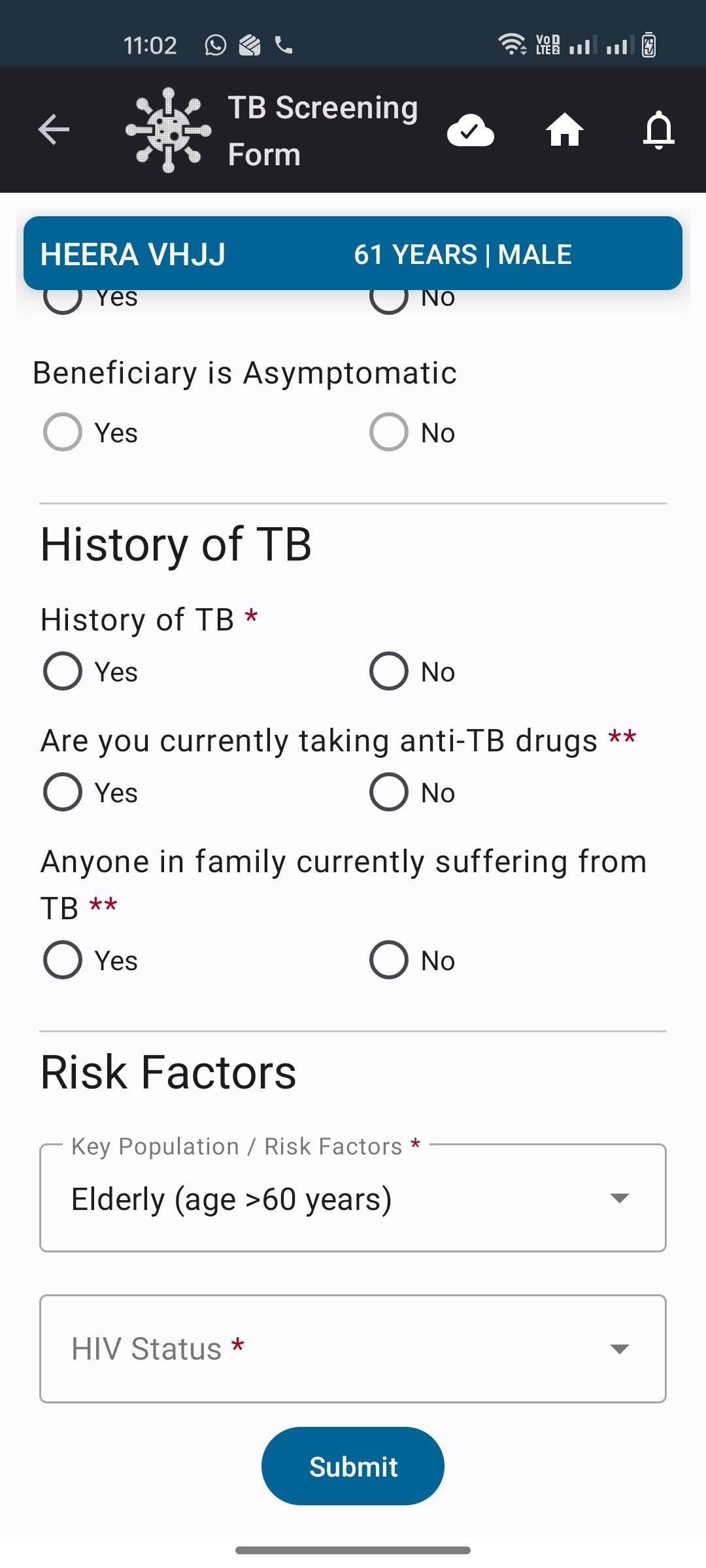
Module: Disease Control → Tuberculosis (TB) → Tuberculosis Preventive Treatment (TPT)
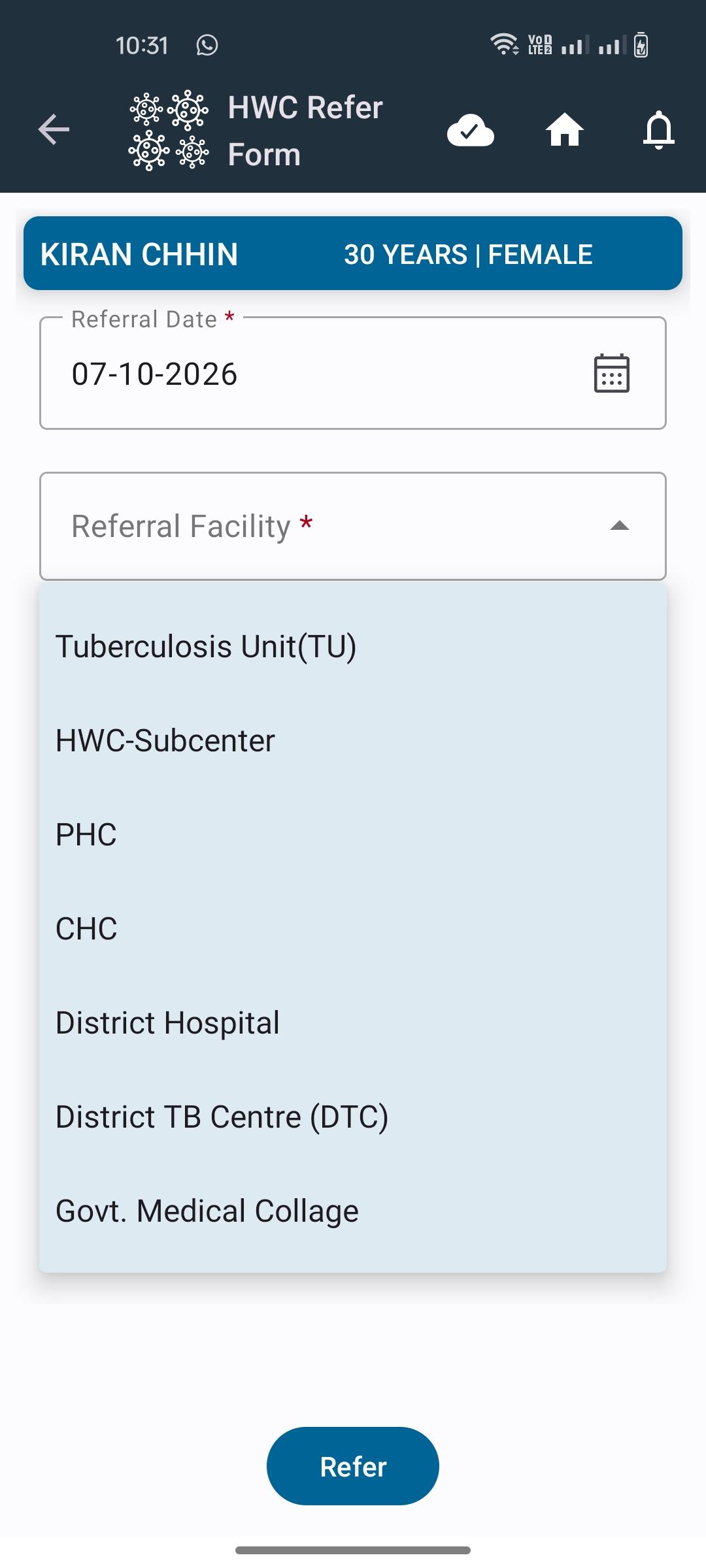
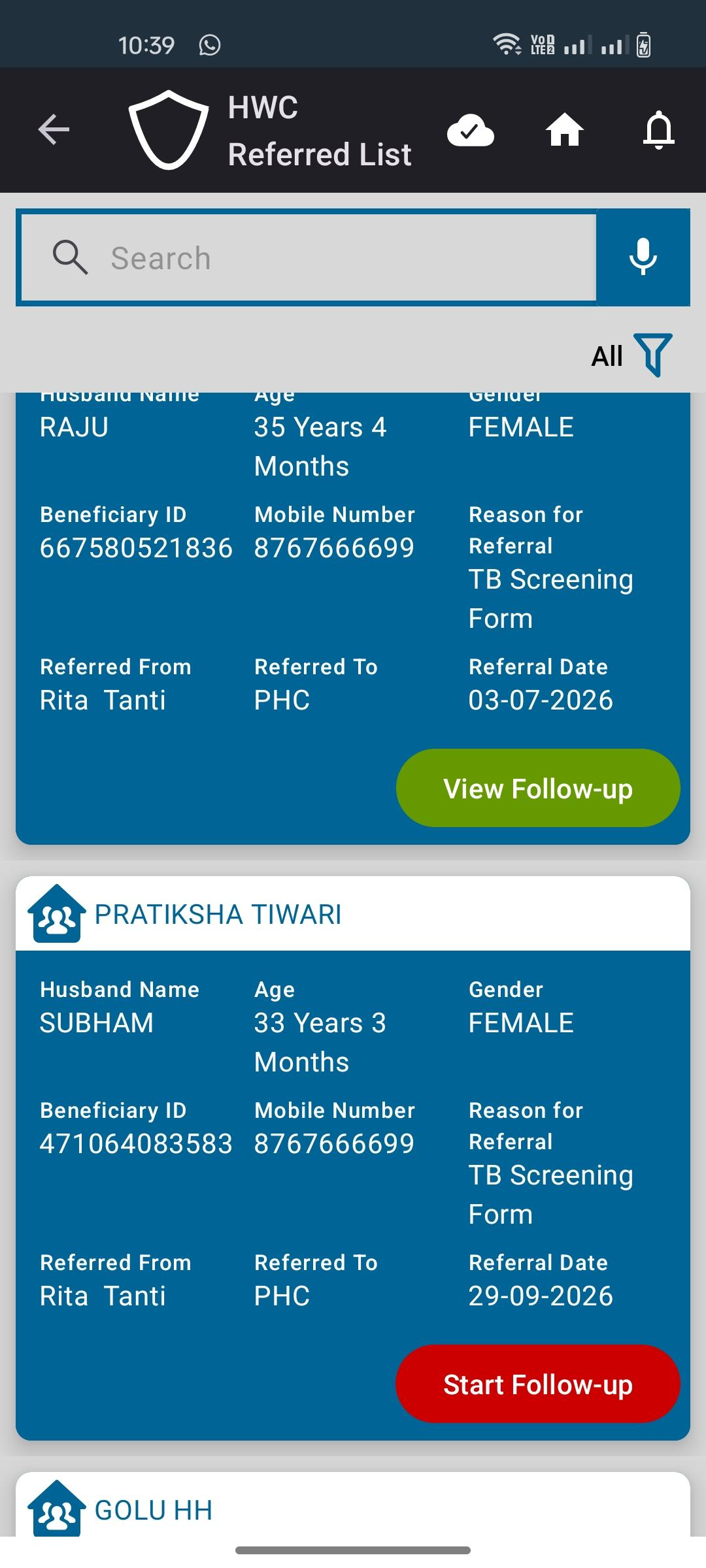
Update TPT Module to Include Household Contacts of DS-TB and DR-TB cases and Route Referrals to HWC Referrals
Background
Tuberculosis Preventive Treatment (TPT) is intended to prevent the development of active TB among eligible household contacts of confirmed TB cases.
The TPT workflow should allow the ASHA/FLW to identify eligible household contacts, view their screening status, and refer family members to the appropriate facility.
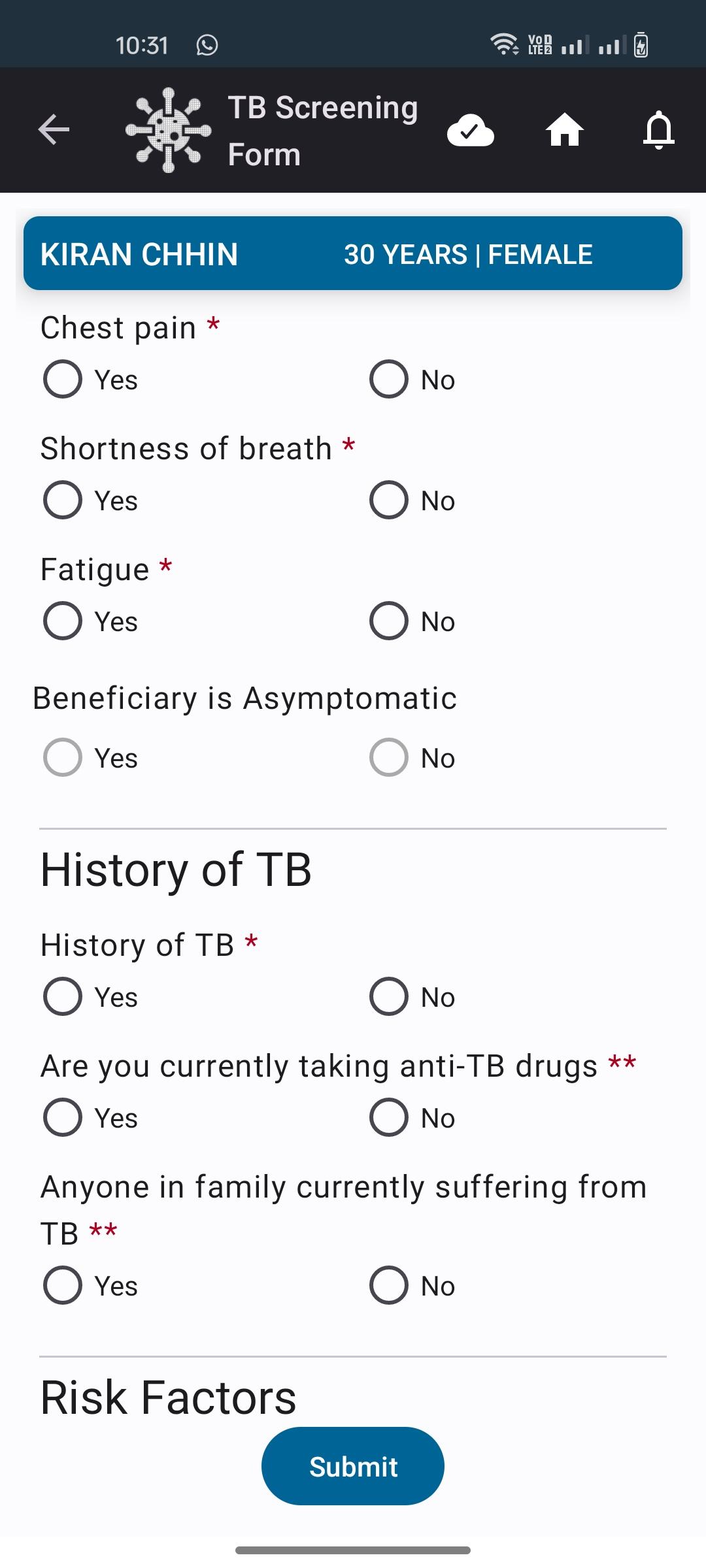
Reference Prototype : TB Screening Form and TPT module Prototype (standalone).html
Reference BRD :
Requirements
Develop the Tuberculosis Preventive Treatment (TPT) logic with suggested eligibility logic, navigation and details as mentioned in the BRD.
Acceptance Criteria
1. TPT Initiation: TPT Follow-up should allow selection of the prescribed Regimen Type and Treatment Start Date. Treatment Start Date must be ≥ TB Identification and Diagnosis Visit Date and ≤ today's date.- Completion Date: Expected Treatment Completion Date should be automatically calculated and read-only based on the selected regimen: 1HP +1 month; 3HP/3RH +3 months; 6H/6Lfx +6 months; 4R +4 months.
- Monthly Follow-up: Capture Follow-up Date, Monthly Follow-up (Month-1 to Month-6), Medicine Adherence (Regular/Irregular), and Any Discomfort (Yes/No). Allow only one follow-up per month and maintain the follow-up history.
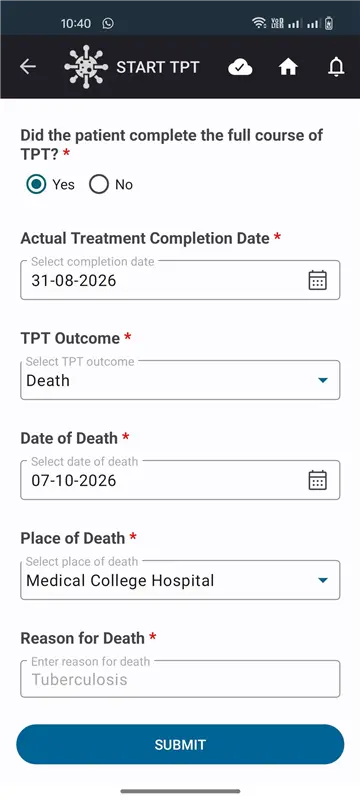
- Treatment Completion & Outcome: Capture treatment completion (Yes/No), actual completion date where applicable, and TPT Outcome (Cured/Failed/LFU/Death). If Death is selected, capture Date of Death, Place of Death and Reason for Death, update Beneficiary Status to Death, and sync the details to AMRIT.