High
Dear Team,
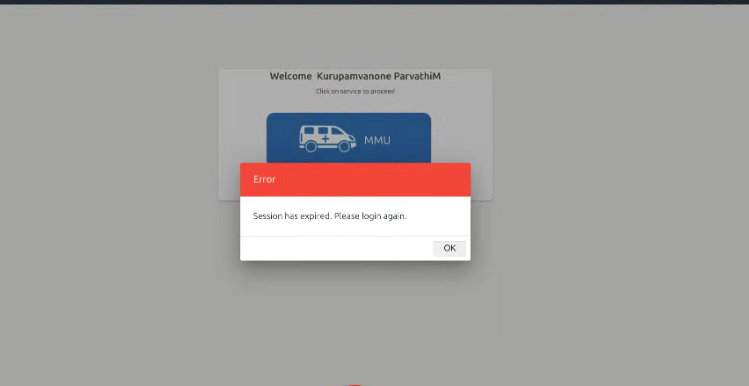
While attempting to log in to the MMU (Mobile Medical Unit) application to synchronize data with the central server, the application displays the following popup:
Error: "Session has expired. Please login again."
The issue is occurring in Van IDs 416 and 415, preventing the users from proceeding with the login and data synchronization process.
Technical Investigation
The backend logs from the affected laptops have been inspected and attached for further investigation.
Upon inspecting the backend response, the following error was observed:
Parameter
Response
Error
Unauthorized
Message
Full authentication is required to access this resource
This indicates that the backend API request is receiving an Unauthorized (401) response due to an authentication-related issue.
Expected Behaviour
Users should be able to log in successfully to the MMU application and synchronize the collected data with the central server without encountering session expiration or authentication errors.
Actual Behaviour
The application displays a "Session has expired. Please login again" popup during the login process, and users are unable to proceed with data synchronization.
Attachments
1.Screenshot of the session-expired popup.
2.Backend logs collected from the affected laptops.