-
Type:
Bug
-
Resolution: Unresolved
-
Priority:
 High
High
-
Affects Version/s: None
-
None
-
Environment:
App: TBMJA-UAT
Version: 2.2.3
-
STOP TB Sprint 10
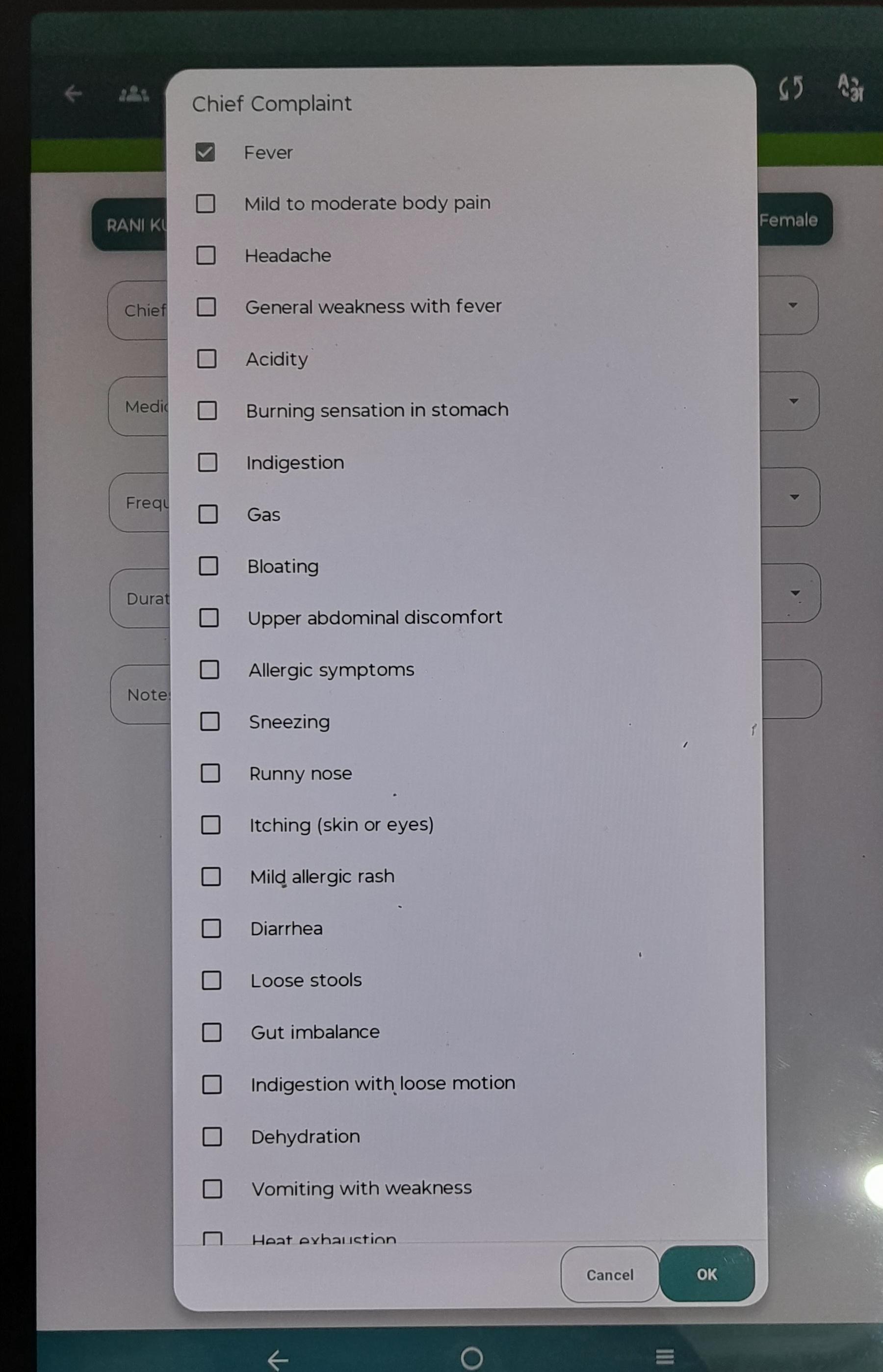
Description: In the Chief Complaint popup, the OK and Cancel action buttons are incorrectly positioned and appear to overlap/are too closely aligned at the bottom-right of the dialog.
Steps to Reproduce:
- Open the application.
- Navigate to the screen containing the Chief Complaint field.
- Open the Chief Complaint selection popup.
- Scroll/view the popup until the bottom action buttons are visible.
- Observe the OK and Cancel buttons at the bottom-right of the popup.
Expected Result: The OK and Cancel buttons should be properly aligned with sufficient spacing between them.
Actual Result: The OK and Cancel buttons are overlapping/positioned too closely together at the bottom-right of the popup.