-
Type:
Task
-
Resolution: Done
-
Priority:
 High
High
-
Affects Version/s: None
-
None
-
STOP TB Sprint 10
Summary
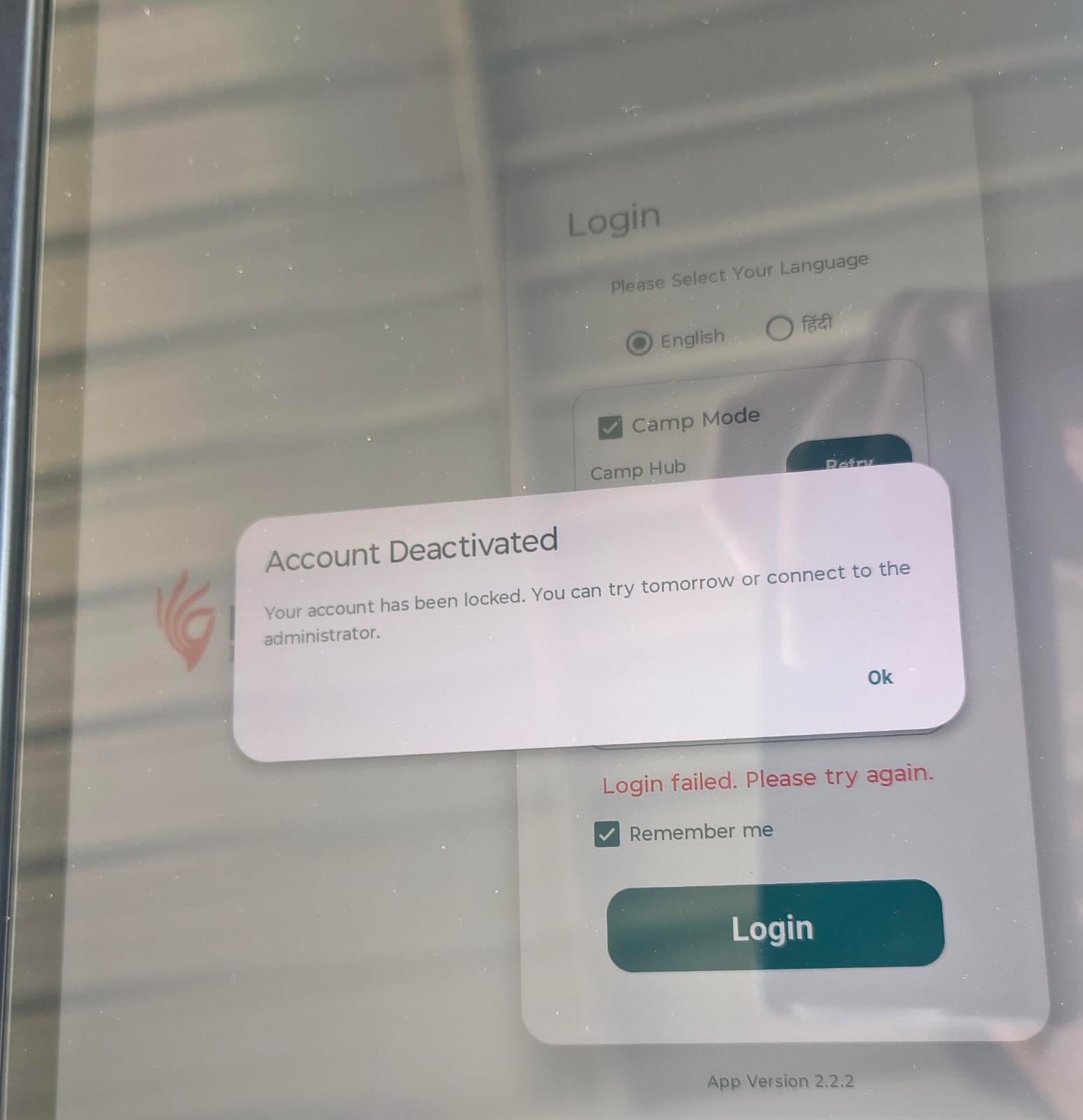
Login error message for wrong password is not appropriate; display the number of attempts remaining
Type / Priority
Improvement, high priority
Background / Context
Raised as an observation during testing. Application/login screen affected: The screen is getting locked if an individual is adding wrong password, there is not pop up coming for how many attempts are left.
Problem Statement
When a user enters a wrong password, the error message shown is not appropriate and doesn't tell the user how many attempts remain.
Current Behaviour
No error message appears on wrong password entry, and also it does not show remaining attempts. Exact current message text: Error, the screen is getting locked.
Expected Behaviour
On a wrong password entry, a clear, appropriate error message is shown that includes the number of login attempts remaining, visible to the user.
User Story
As a user, I want to see how many login attempts I have left after entering a wrong password, so that I can avoid getting locked out.
Acceptance Criteria
Given a user enters a valid username and an incorrect password,
When they submit the login,
Then an appropriate error message is shown stating the number of attempts remaining.
Given the user enters an incorrect password again,
When they submit,
Then the remaining-attempts count shown decreases accordingly.
Given the user has used all allowed attempts,
When they submit an incorrect password,
Then [TBD/CLARIFICATION REQUIRED: lockout message/behaviour].
Business Rules / Validations
Maximum allowed attempts: 5
Dependencies
Existing login-attempt/lockout logic must expose the remaining-attempt count to the UI (to confirm with the dev team).
QA / Testing Considerations
Test each attempt up to lockout; verify the count is accurate, the message is visible, and behaviour for invalid username (security consideration: whether remaining attempts should be shown when the username doesn't exist).