-
Type:
Bug
-
Resolution: Unresolved
-
Priority:
 Blocker
-
Affects Version/s: None
-
None
-
Environment:
App: TBMJA-UAT
Version: 2.3.25
Device: Lenovo(TAB-HNY0F0SH)
-
STOP TB Sprint 9, STOP TB Sprint 10
Description
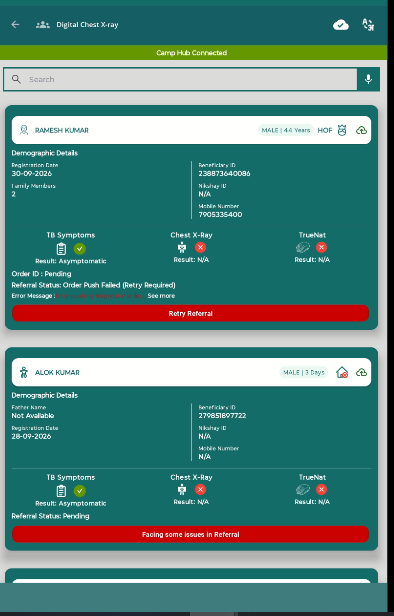
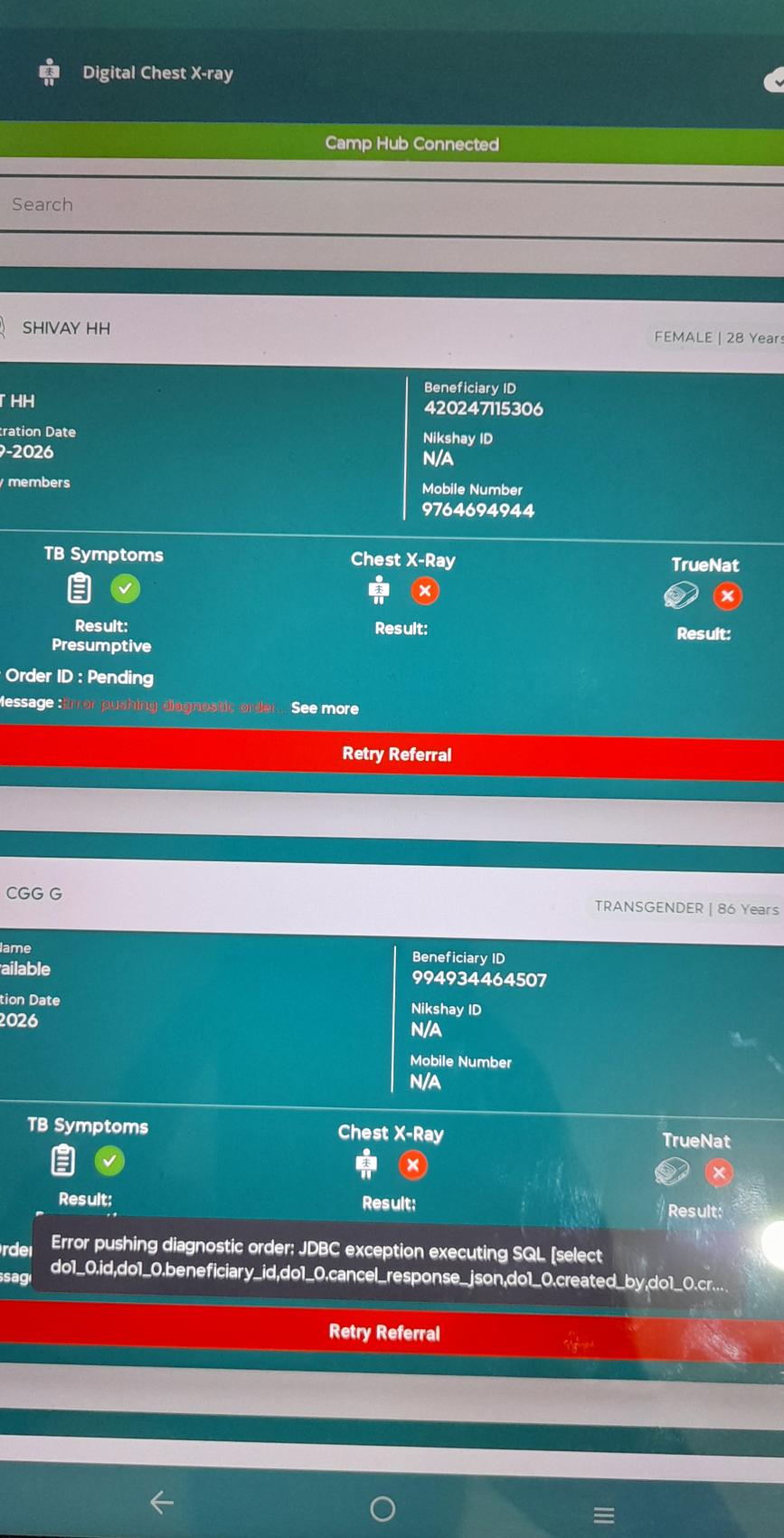
On the Digital Chest X-ray beneficiary list, the referral card for a beneficiary shows the status "Order Push Failed (Retry Required)" and a red "Retry Referral" button. The order ID is still "Pending", so the referral should show a Pending state. Because of the incorrect status and button, the user can't complete the order for the beneficiary.
Steps to Execute
- Log in to the app and open Digital Chest X-ray.
- Confirm the banner shows "Camp Hub Connected".
- Search for or scroll to beneficiary section.
- Check the TB Symptoms result and the Order ID.
- Look at the Referral Status and the button at the bottom of the card.
- Tap the button and try to complete the order.
Expected Result
Referral status should show Pending, consistent with the Order ID being Pending.
Actual Result
"Retry Referral" button is displayed instead of Pending.