-
Type:
Bug
-
Resolution: Done
-
Priority:
 Highest
-
Affects Version/s: None
-
None
-
STOP TB Sprint 8, STOP TB Sprint 9
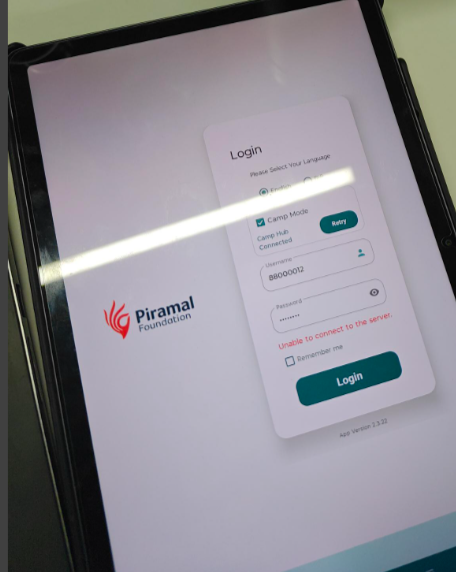
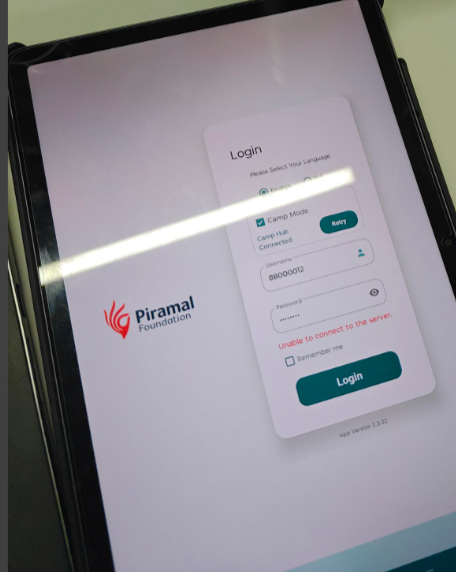
Users are intermittently facing login issues on the application where an error message “Unable to connect to the server” is displayed during login. This issue is not consistent and gets resolved automatically after multiple retry attempts.
Steps to Reproduce:
- Open the application on tablet/mobile.
- Navigate to the Login screen.
- Enter valid credentials.
- Click on Login button.
Actual Result:
- Error message appears: “Unable to connect to the server.”
- User is unable to login at that moment.
- After retrying multiple times, login works successfully.
Expected Result:
- User should be able to login successfully on first attempt with valid credentials.
- Proper error handling/message should be shown only in case of actual server/network issues.