-
Type:
Bug
-
Resolution: Done
-
Priority:
 High
High
-
Affects Version/s: None
-
None
-
STOP TB Sprint 7
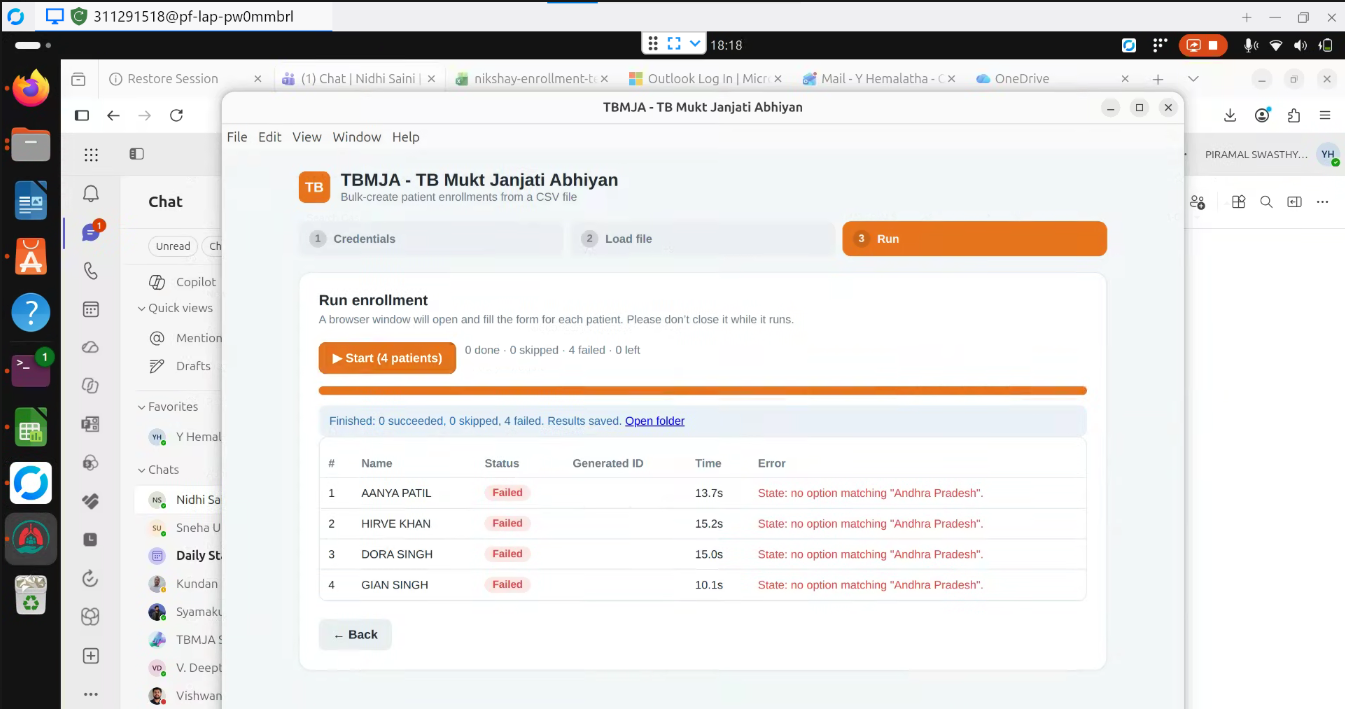
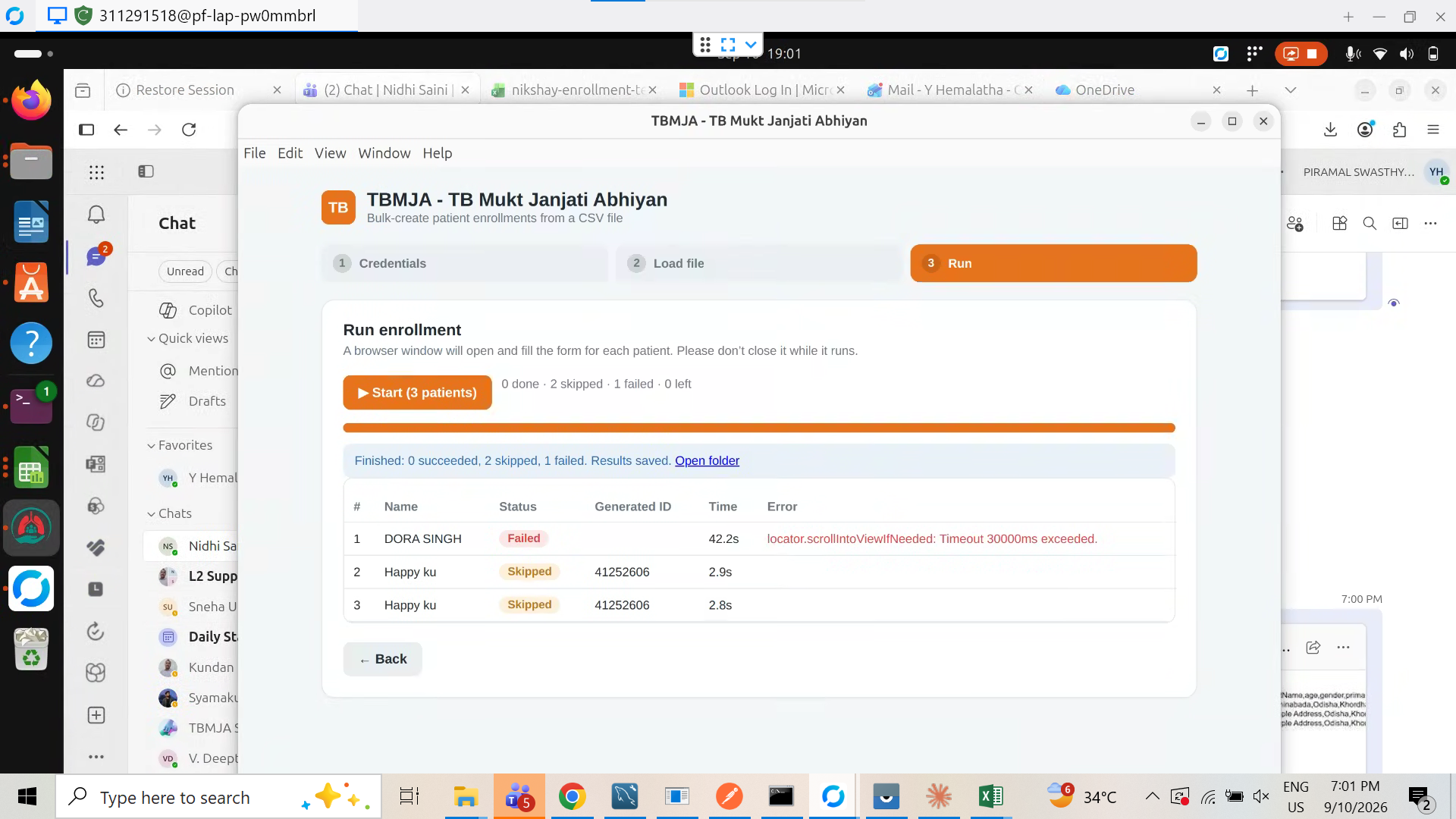
During bulk patient enrollment / Nikshay ID generation, when some records fail, the system only displays a generic failure status without providing sufficient details about the cause of failure.
Currently, users cannot:
- Identify the exact reason for failure
- Take corrective action
Steps to Reproduce:
- Login to the application
- Navigate to Bulk Enrollment (CSV upload)
- Upload a file and start enrollment
- Observe results after execution
- Check records with Failed status
Actual Result:
- Failed records show generic errors (e.g., timeout messages)
- No detailed explanation or validation error provided
- No option to:
- View full error details
Expected Result:
- Each failed record should display:
- Clear and actionable error message (e.g., validation issue, API failure, missing data)
- Provide options to:
- Retry failed records
- Download detailed failure report
- Highlight problematic fields

- relates to
-
 STOP-367
As a camp admin, I must be able to generate Nikshay IDs for all the beneficiaries who visited the camp
STOP-367
As a camp admin, I must be able to generate Nikshay IDs for all the beneficiaries who visited the camp
-
- Closed
-