-
Type:
Task
-
Resolution: Done
-
Priority:
 Medium
-
Affects Version/s: None
-
None
-
STOP TB Sprint 9, STOP TB Sprint 10
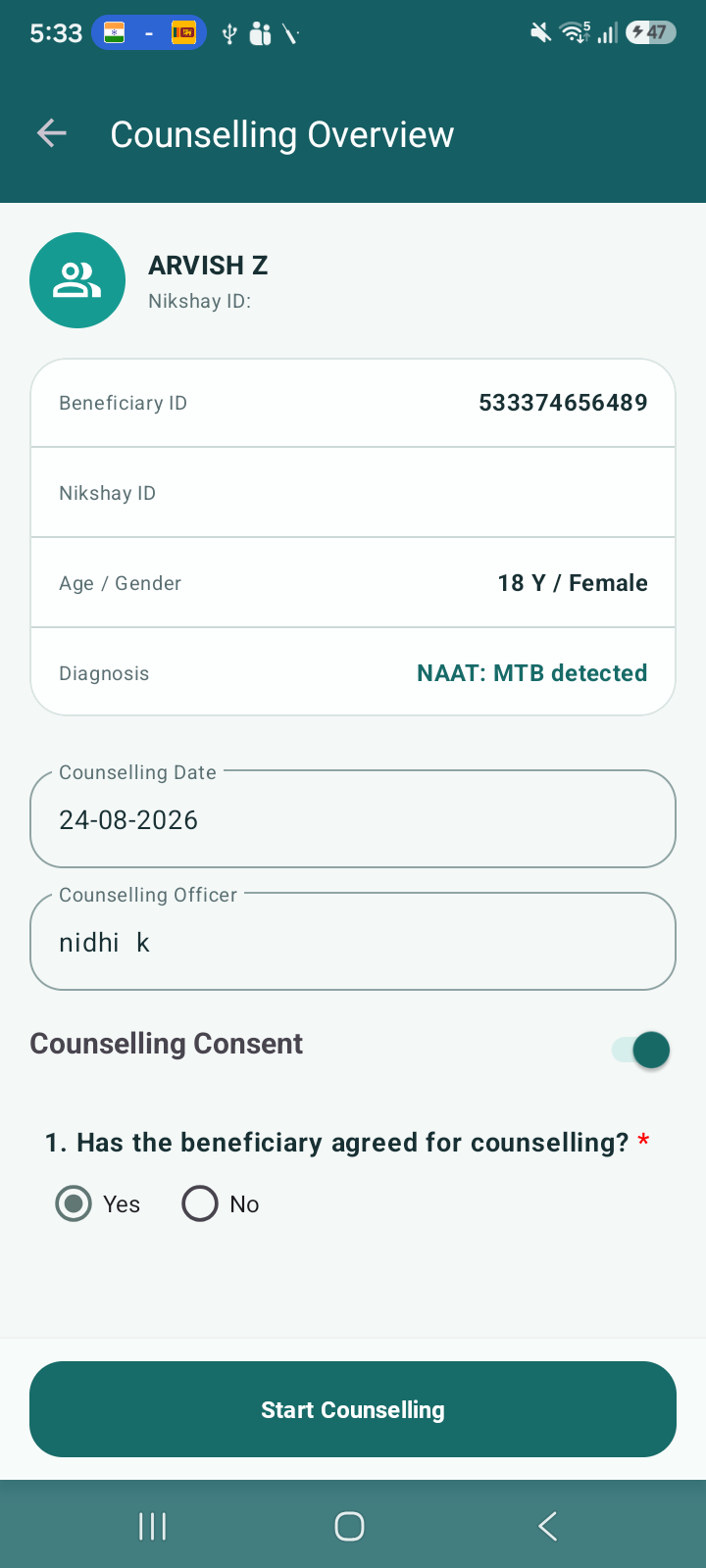
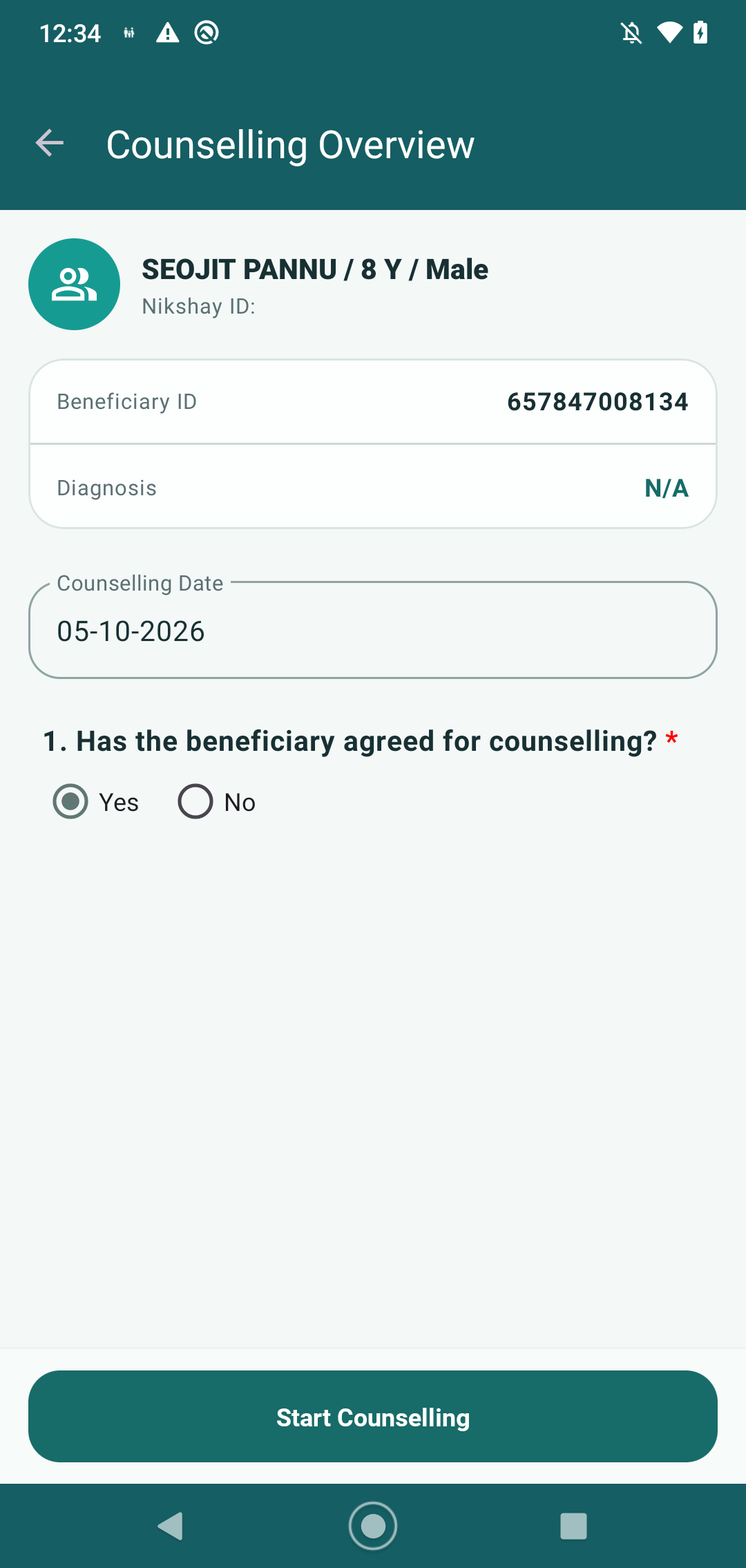
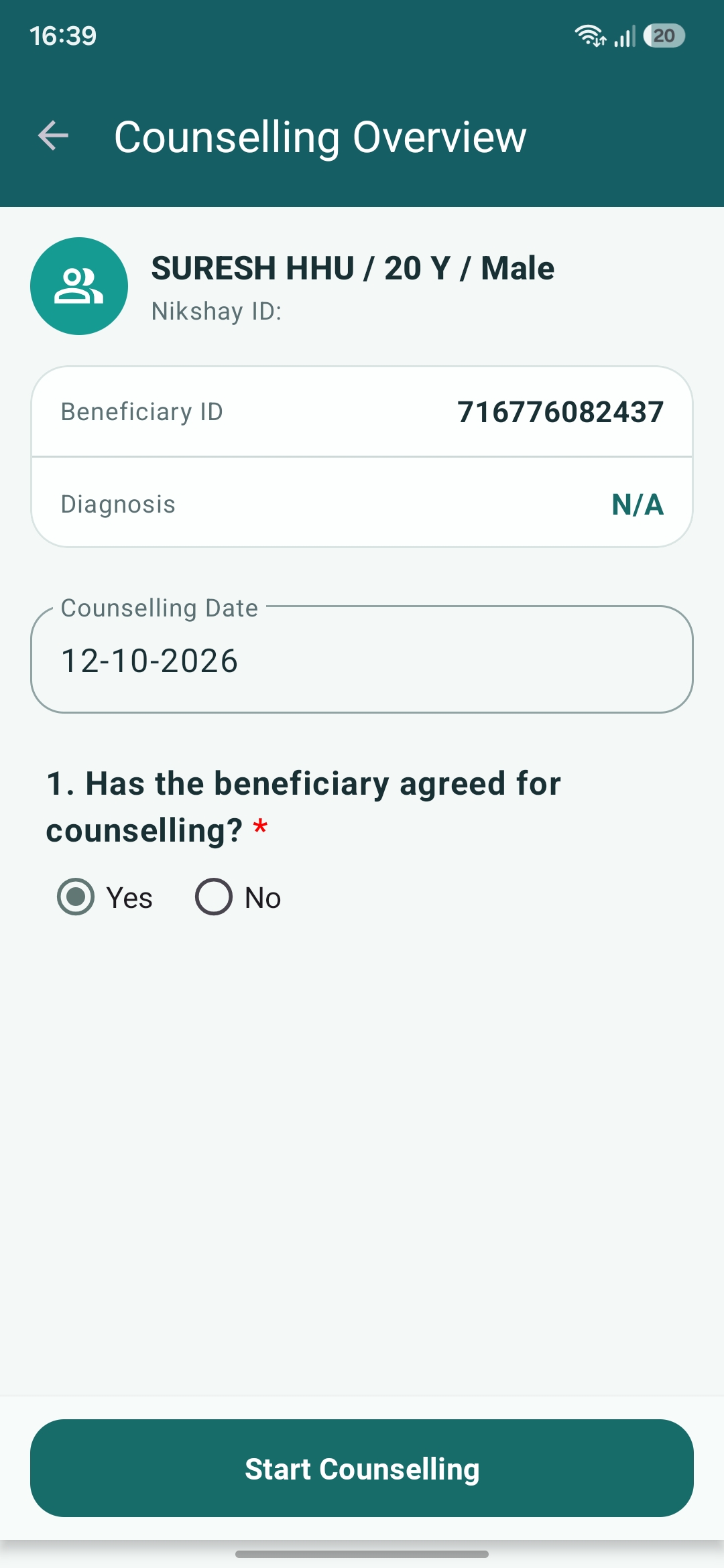
Enhancements are required in the Counselling Overview Screen UI and existing Notes section in Counselling Form to improve usability and align with PRD Section 7.2.
Scope of Changes
1. Remove Unnecessary UI Elements
- Counselling consent toggle (no functional impact)
- Counselling officer name
- Nikshay ID(as showing duplicate) keep only one
2. UI Alignment Improvements
- Combine fields into a single line:
- Name | Age | Gender
- Reduce unnecessary spacing and clutter
- Improve overall layout for better readability
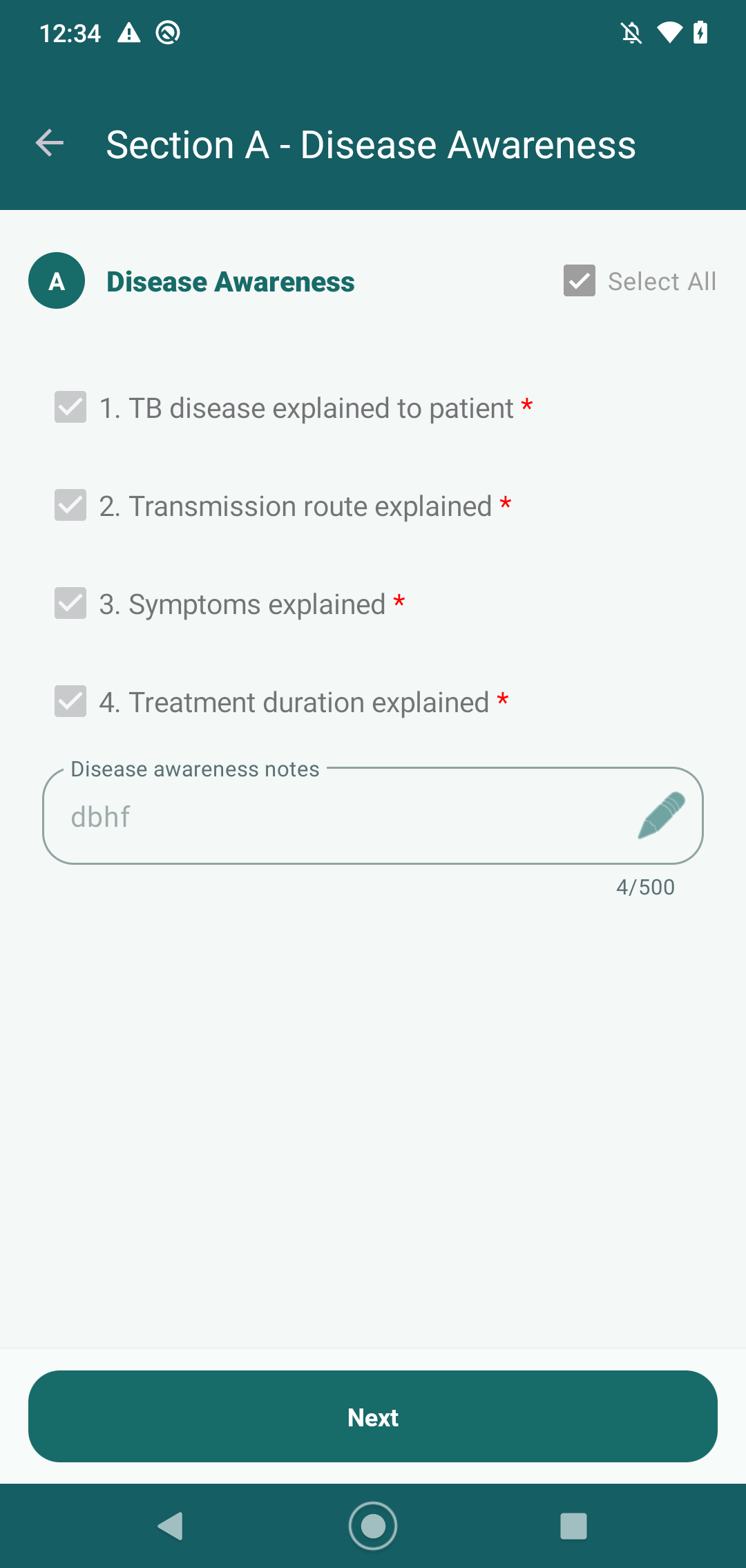
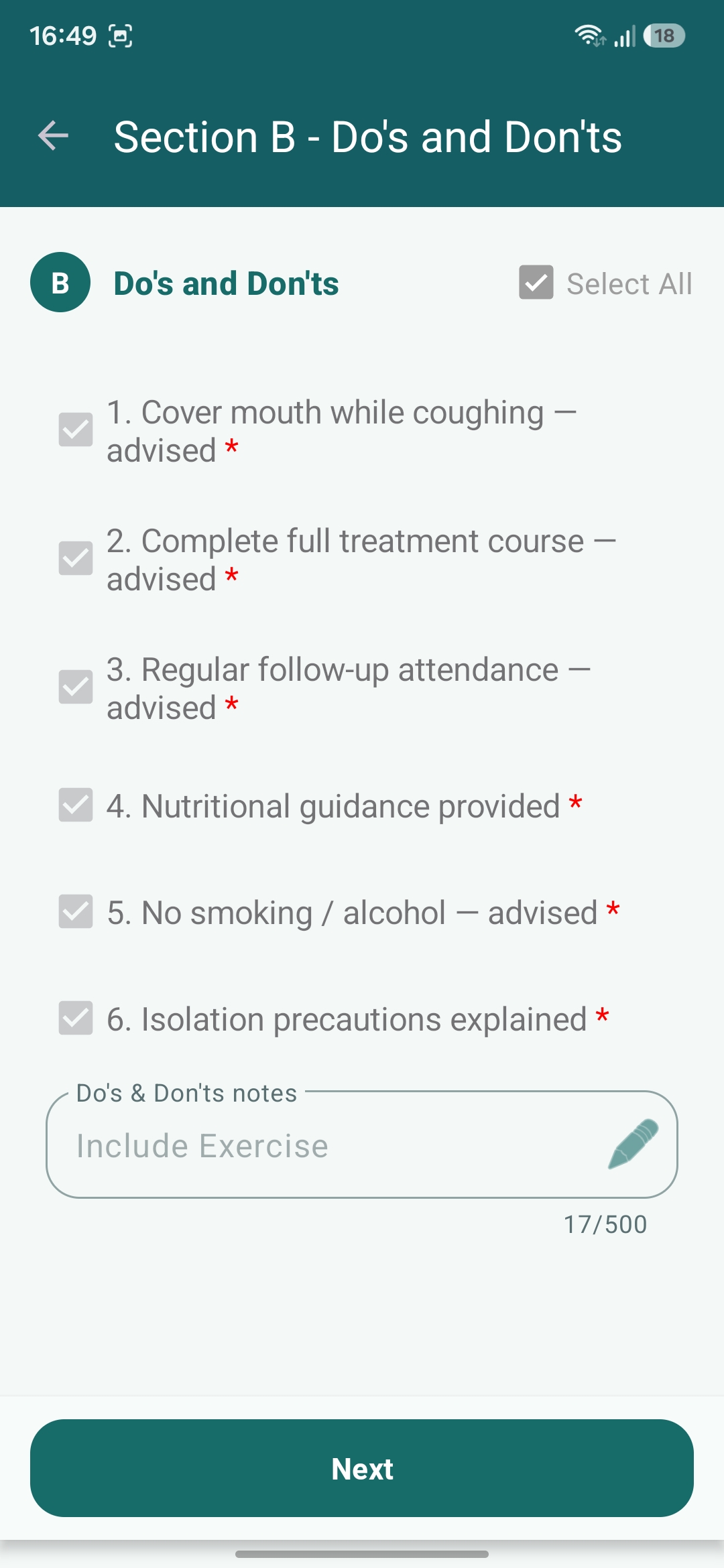
3. Notes Section Enhancement (Existing Feature)
- Notes section is already present but needs improvement:
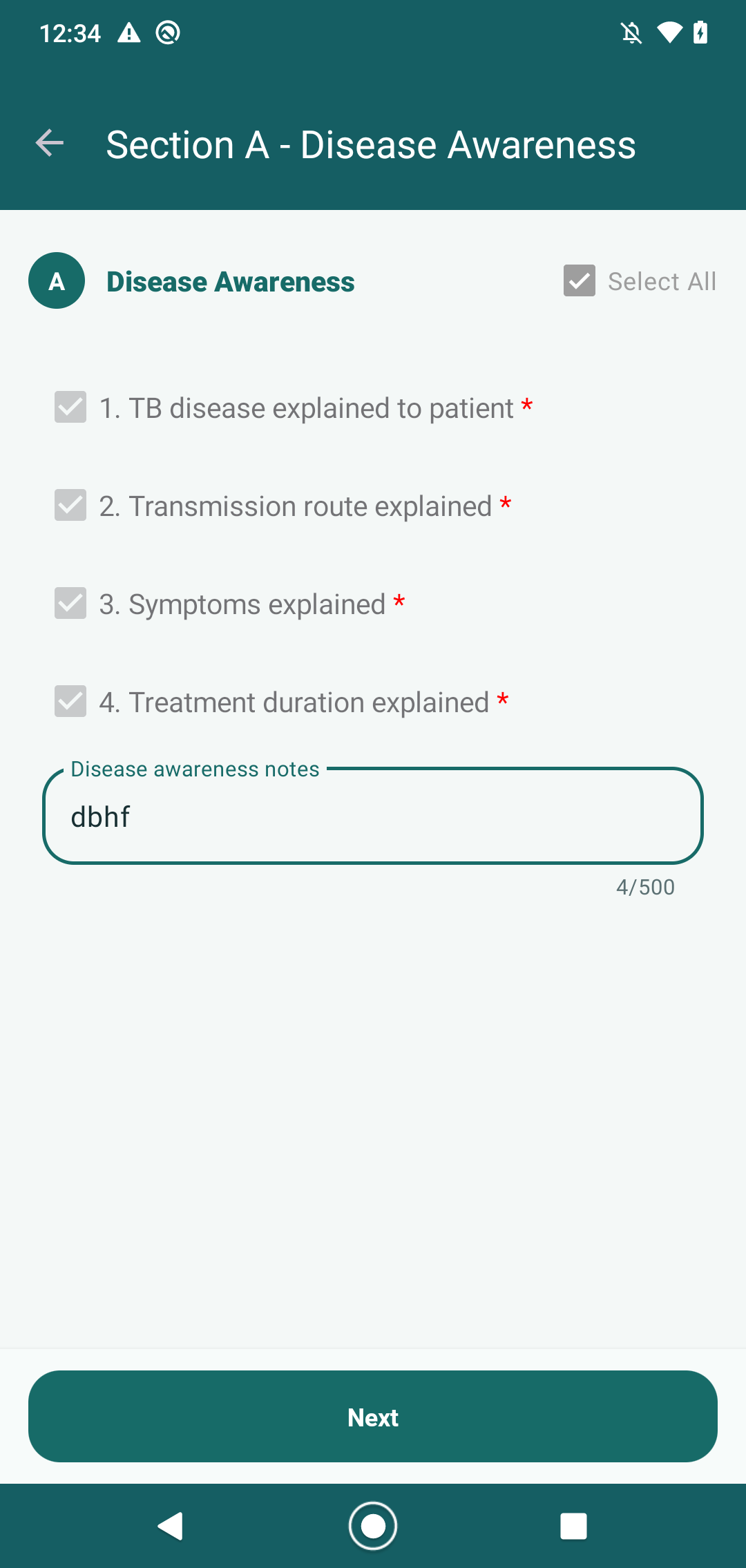
- Enable proper Edit functionality for existing notes
- Add clear Edit (pencil icon) for modifying notes
- Ensure users can update and save edited notes seamlessly
Current Behavior
- UI has redundant elements and spacing issues
- Notes section exists but editing capability is not clear/optimized
Expected Behavior
- Clean and structured UI as per design standards
- Proper alignment of fields
- Notes section should:
- Allow easy editing of existing notes
- Have clear edit option (pencil icon)
- Save updated notes successfully
Additional Requirement / Enhancement
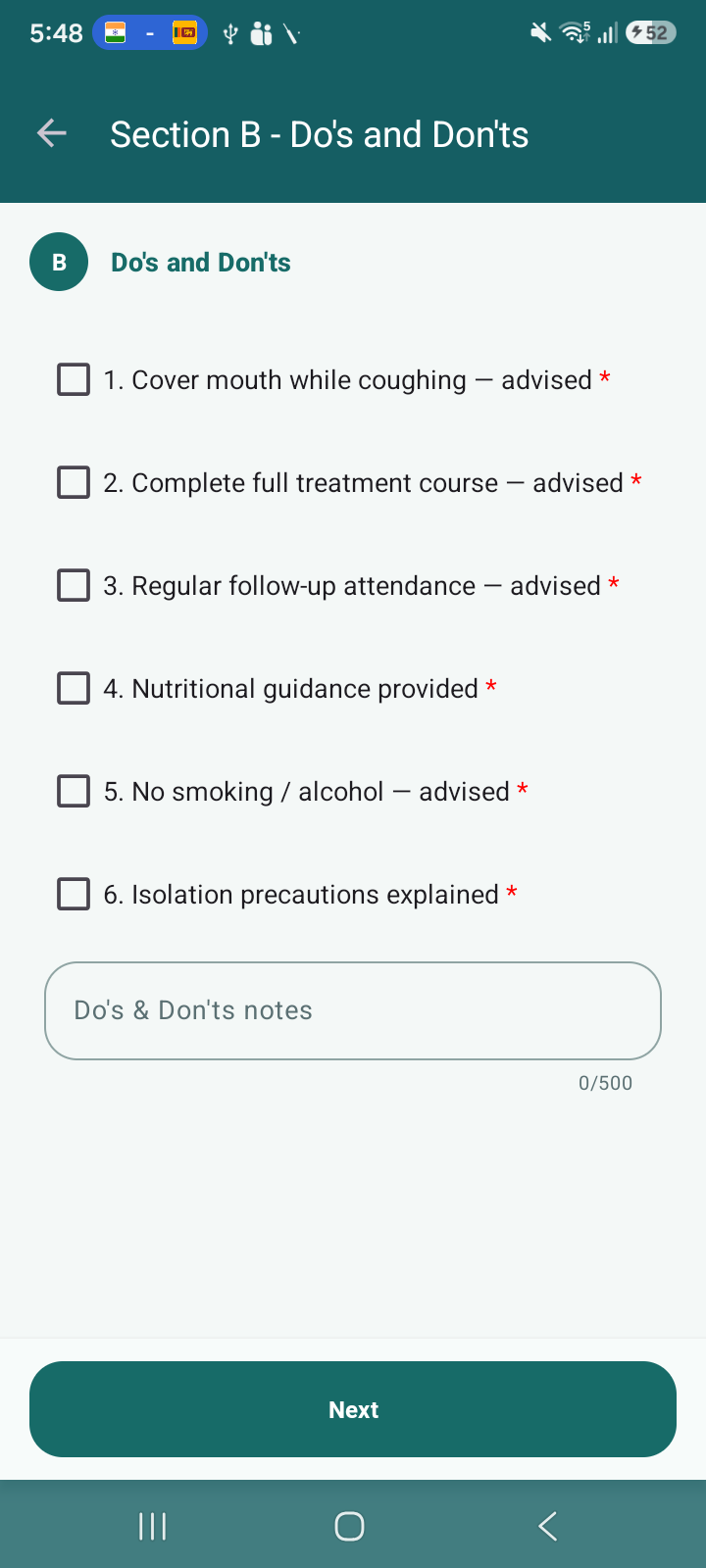
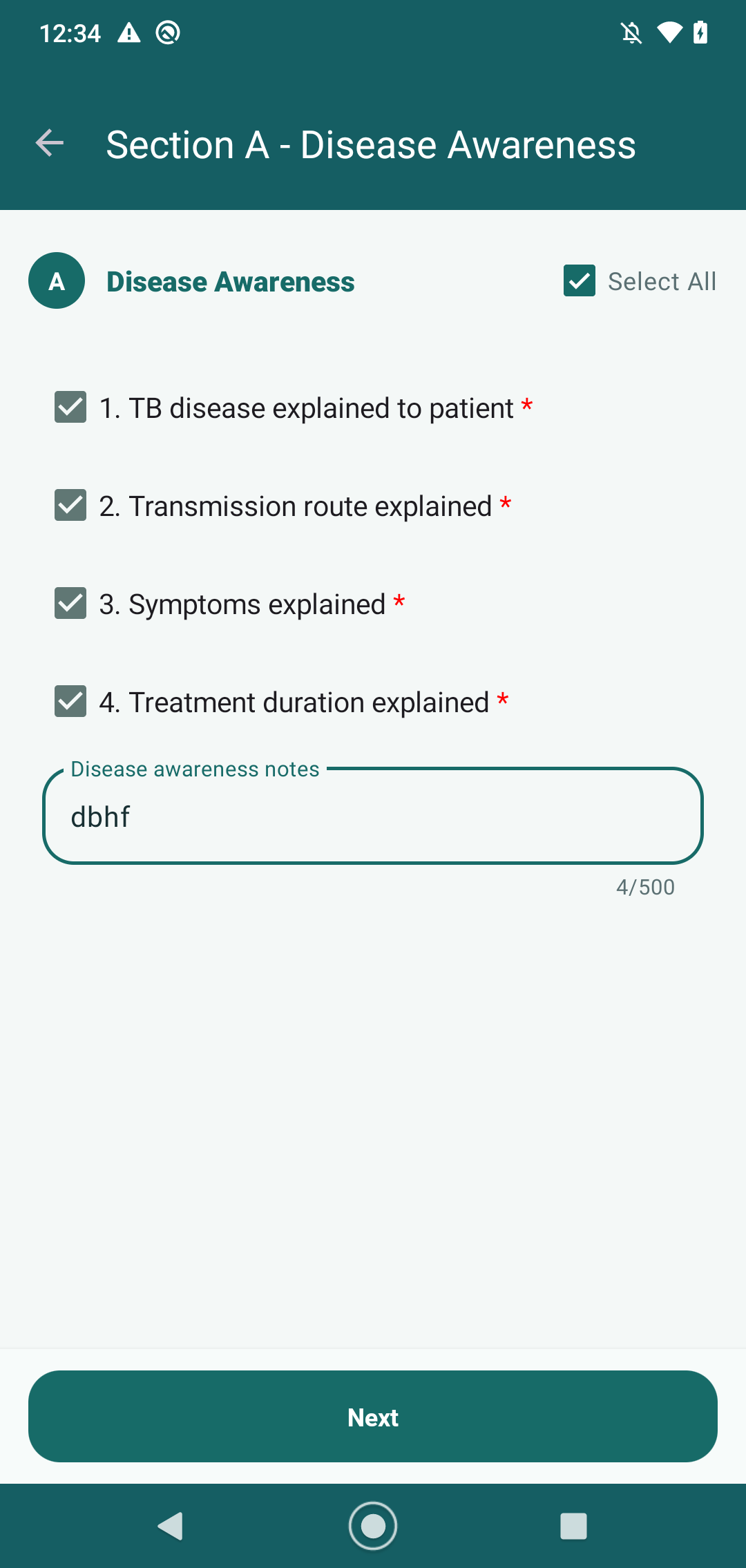
Section-wise "Select All" Checkbox Missing
In the counselling form (Sections A–E such as Disease Awareness, Do’s & Don’ts, etc.):
Current Behavior
- Each question has an individual checkbox
- No option to select all questions within a section at once
Expected Behavior
- Each section (e.g., Disease Awareness, Do’s & Don’ts, etc.) should have:
One "Select All" checkbox at section level
- When "Select All" is checked:
- All questions under that section should be selected automatically
- When unchecked:
- All should be deselected
Reference
- PRD Section 7.2