-
Type:
Bug
-
Resolution: Done
-
Priority:
 Medium
-
Affects Version/s: None
-
STOP TB Sprint 5
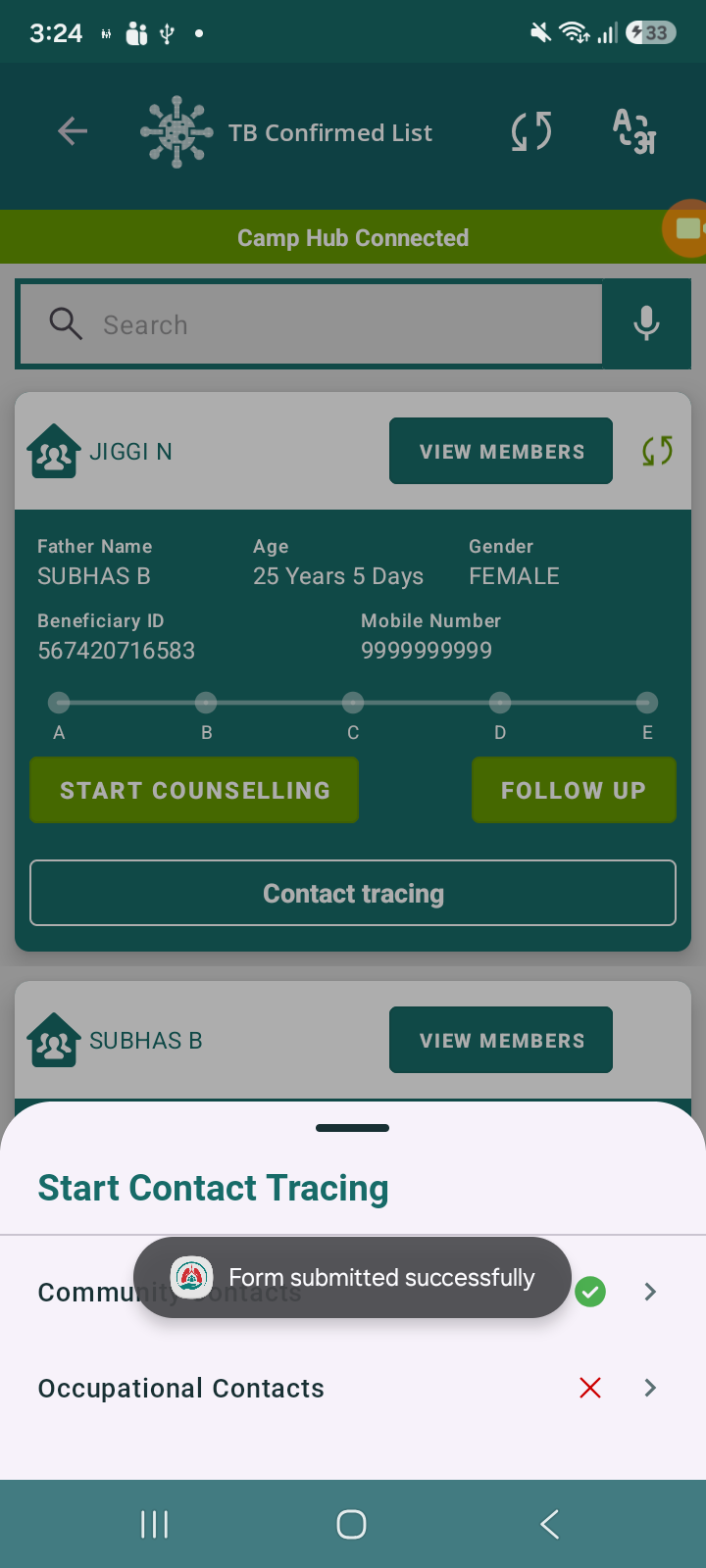
While submitting forms in the Contact Tracing module (Community Contacts & Occupational Contacts), there is no success toast/message displayed after successful form submission.
In other modules of the application, a confirmation toast/message is shown after successful submission, which provides feedback to the user that the action has been completed.
However, in this module:
- Form gets submitted successfully
- But no confirmation toast/message is shown
Steps to Reproduce:
- Navigate to Contact Tracing module
- Open Community Contacts or Occupational Contacts form
- Fill all required fields
- Click on Submit
Actual Result:
- Form is submitted
- No success message/toast is displayed
Expected Result:
- A success toast/message (e.g., “Form submitted successfully”) should be displayed after submission
- Behavior should be consistent with other modules

- relates to
-
 STOP-285
Contact Tracing Module
STOP-285
Contact Tracing Module
-
- Closed
-
