-
Type:
Bug
-
Resolution: Done
-
Priority:
 High
High
-
Affects Version/s: None
-
None
-
STOP TB Sprint 5
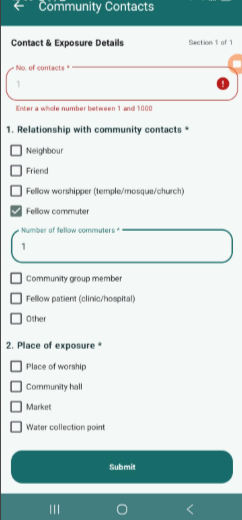
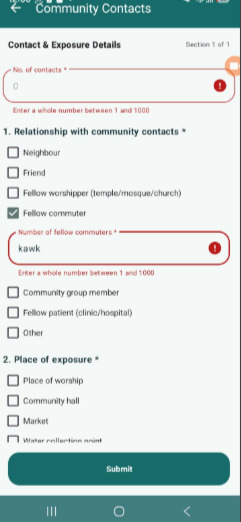
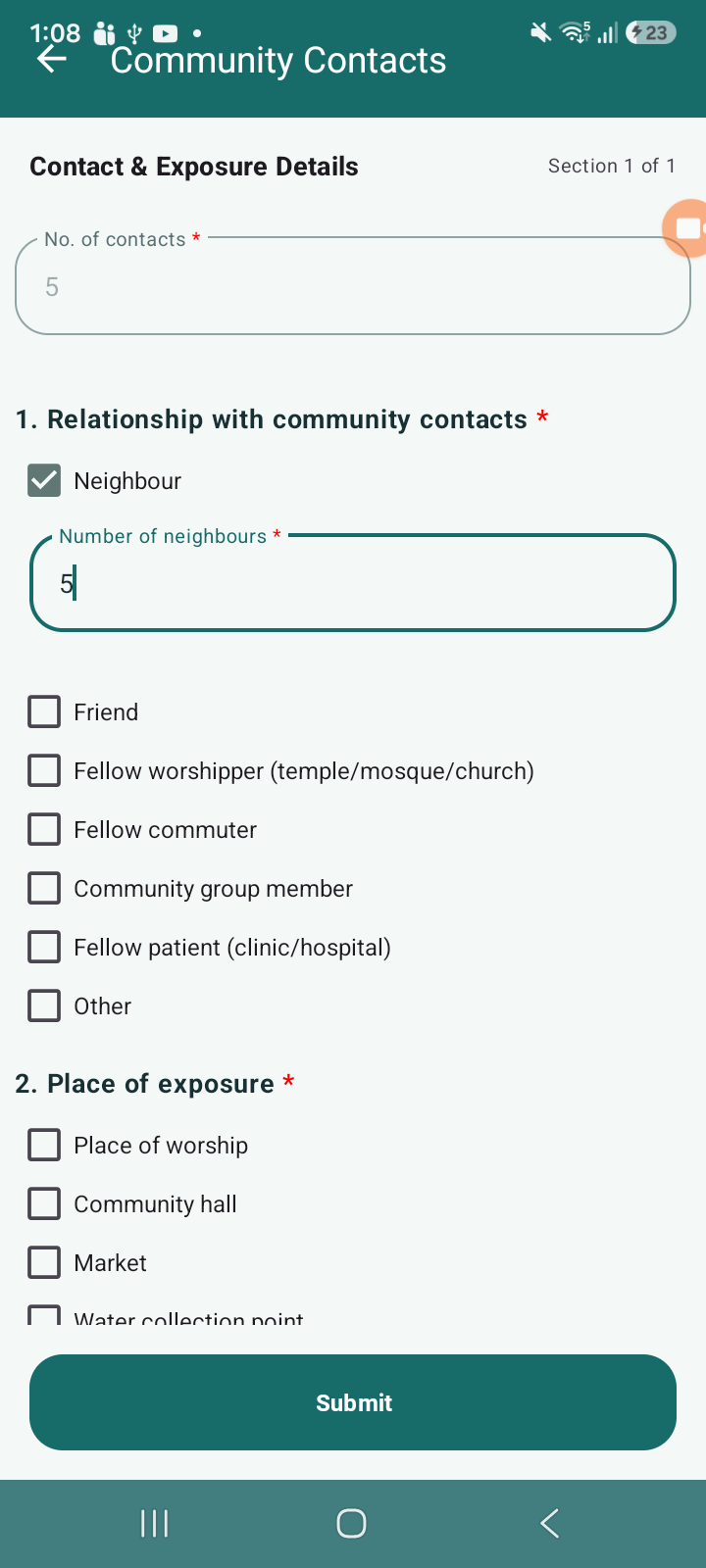
There are multiple validation issues observed in the “No. of contacts” and “Number of fellow commuters/Friends etc” fields in the Community Contacts form:
- Error Not Clearing After Valid Input:
- When 0 is displaying in “No. of contacts” and clicks Submit, validation error is shown (expected).
- However, after correcting the value with a valid number, the error message is not cleared/refreshed, and the form still gets submitted despite the previous error state.
- Invalid Input (Alphabets) Not Validated Immediately:
- When user enters alphabets (e.g., “abc”) in “Number of fellow commuters/friends etc” field, no validation error is shown initially.
- Error only appears after clicking Submit, instead of real-time validation.
Steps to Reproduce:
Case 1: Error Not Refreshing
- Showing 0 in “No. of contacts”
- Click Submit → Error displayed
- Enter a valid number (e.g., 1–1000)
- Click Submit
Case 2: Alphabet Input Validation
- Enter alphabets (e.g., “abc”) in “Number of fellow commuters”
- Observe field behavior
- Click Submit
Actual Behavior:
- Error message does not clear after entering valid input
- Form gets submitted even when error was previously shown
- Alphabet input is accepted initially without validation
- Validation triggers only on Submit
Expected Behavior:
- Error message should clear immediately once valid input is entered
- Form should not submit until all validation errors are resolved
- Numeric fields should restrict non-numeric input or validate in real-time
- Proper validation messages should appear instantly for invalid inputs
- relates to
-
 STOP-285
Contact Tracing Module
STOP-285
Contact Tracing Module
-

- Closed
-
