-
Type:
Bug
-
Resolution: Done
-
Priority:
 High
High
-
Affects Version/s: None
-
None
-
STOP TB Sprint 5
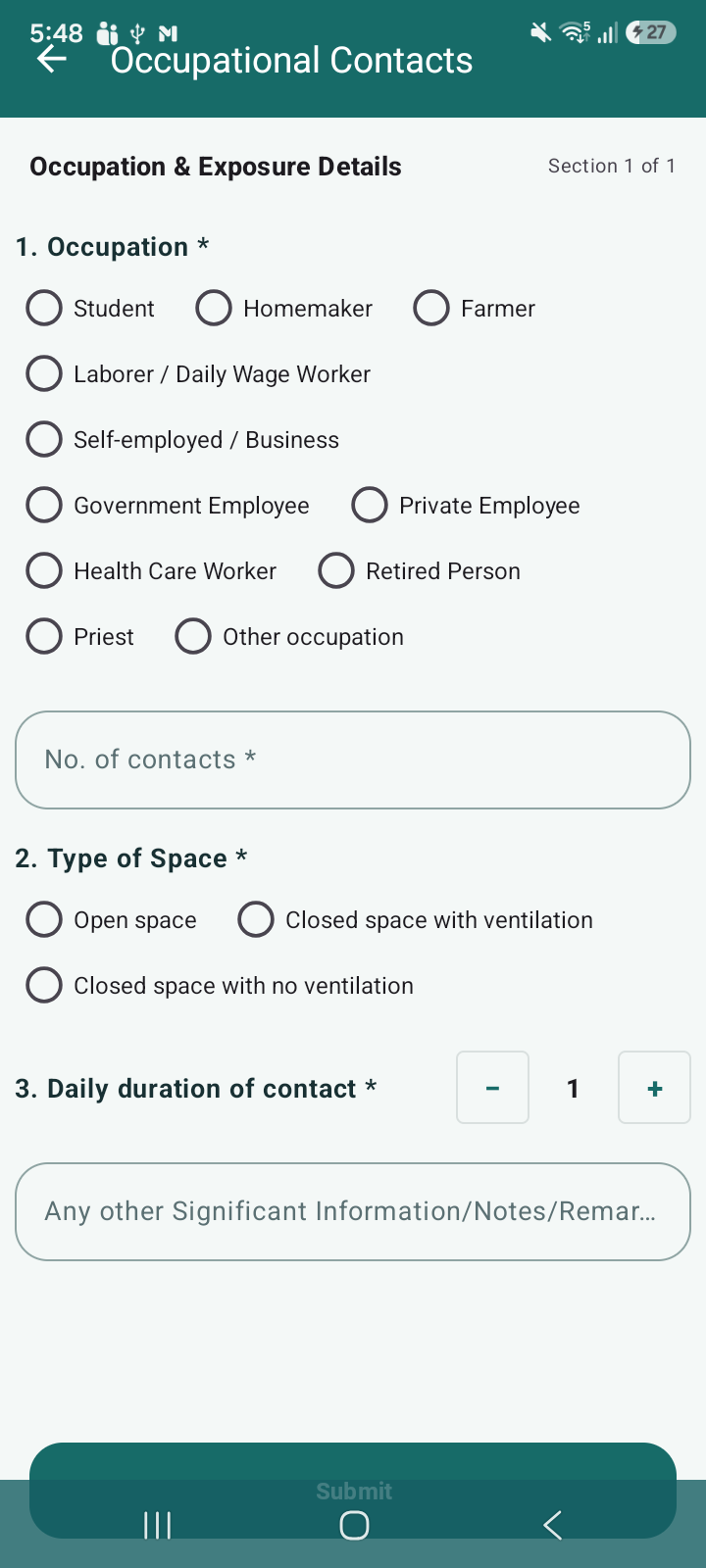
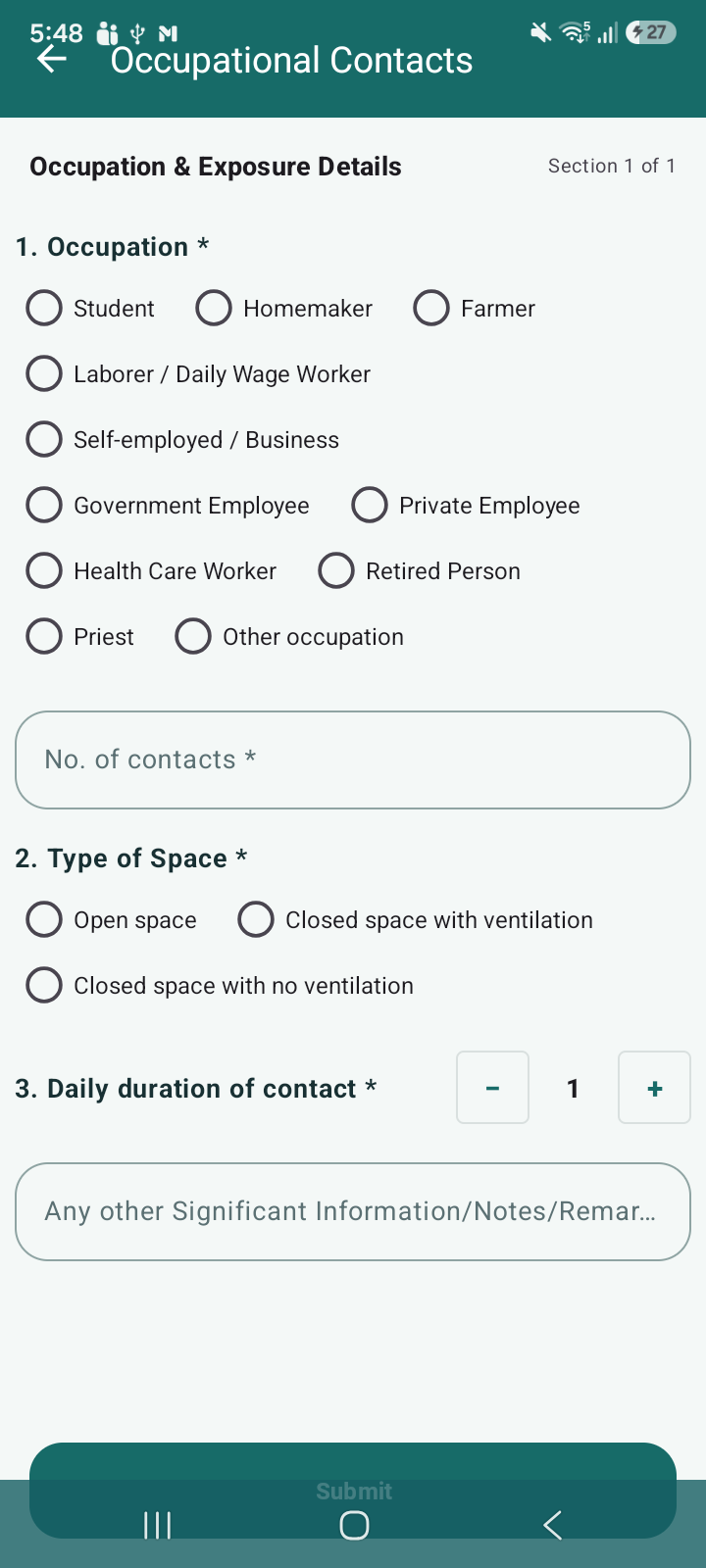
In the Contact Tracing module, both Community Contacts and Occupational Contacts screens have UI layout issues.
- The header section overlaps with the screen content, making the UI look compressed
- The Submit button is hidden/partially visible at the bottom
- Screen layout is not properly responsive and affects usability
This issue is consistently observed across both screens.
Steps to Reproduce:
- Navigate to TB Confirmed List
- Click on Contact Tracing
- Open:
- Community Contacts screen
- Occupational Contacts screen
- Observe header and bottom section of the screen
Expected Result:
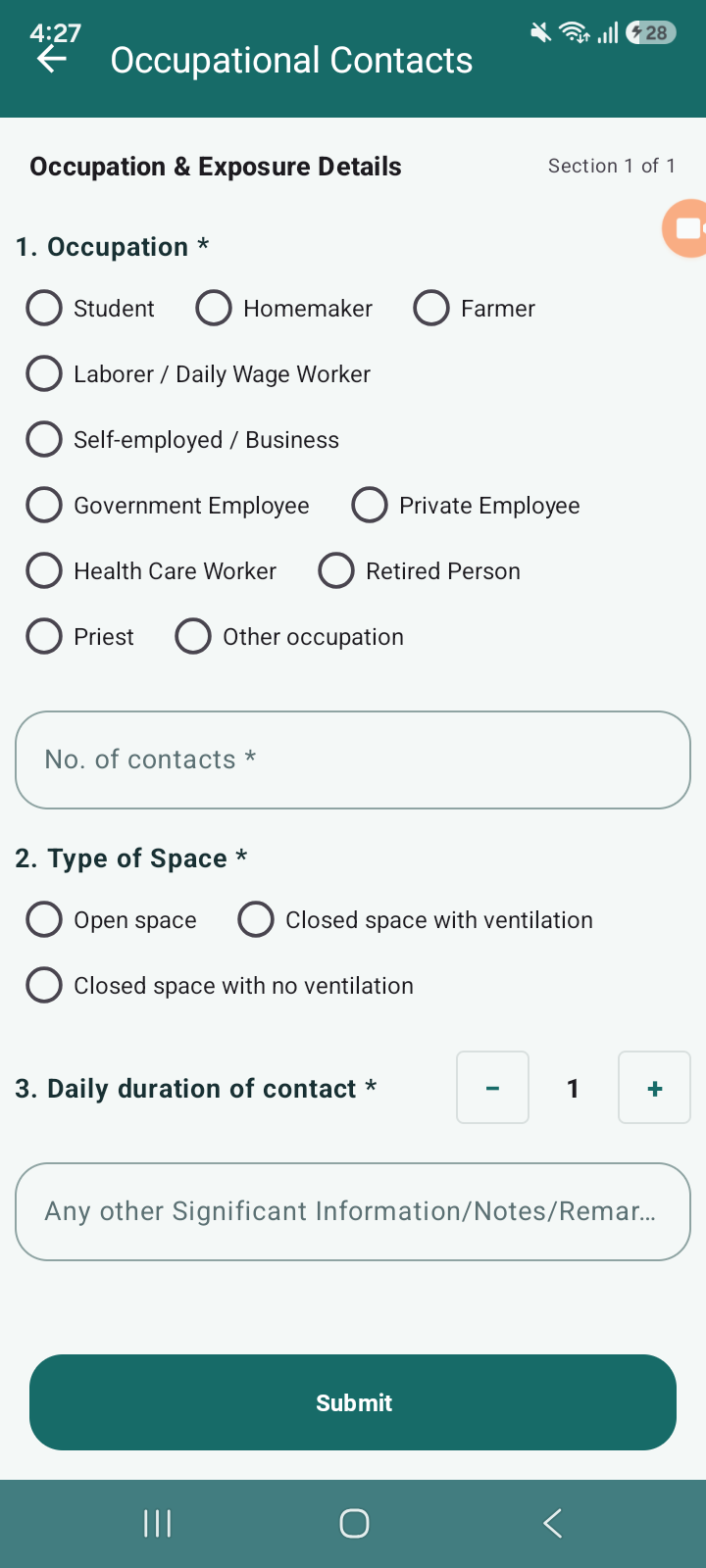
- Header should be properly aligned and not overlap content
- Submit button should be fully visible and clickable
- Screen should be smoothly scrollable till the bottom
- UI should be responsive across screen sizes
Actual Result:
- Header is overlapping with form content
- Submit button is hidden/partially visible
- Screen scroll is not properly adjusted
- Overall UI appears broken and misaligned
- relates to
-
 STOP-285
Contact Tracing Module
STOP-285
Contact Tracing Module
-

- Closed
-
