-
Type:
Bug
-
Resolution: Done
-
Priority:
 High
High
-
Affects Version/s: None
-
None
Multiple issues observed in the Household Registration flow related to UI behavior and data display:
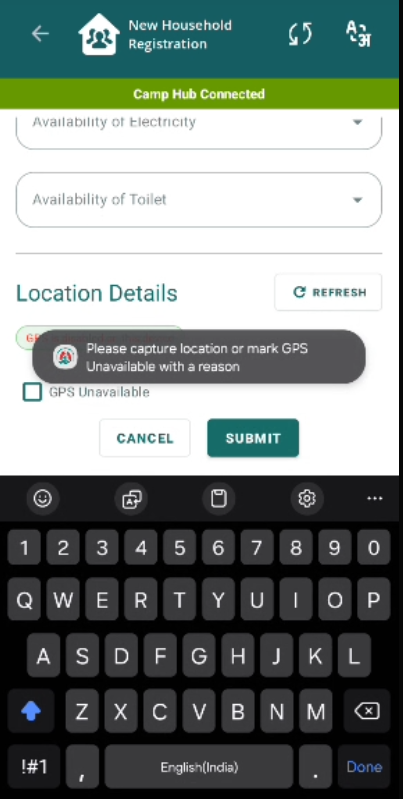
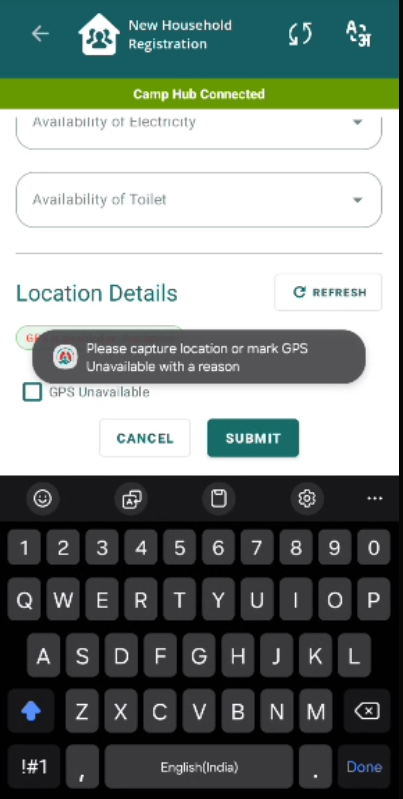
Issue 1: Keyboard Opens Automatically on First Load
- When clicking on Submit, the keyboard opens automatically for the first time when location is not captured without user interaction.
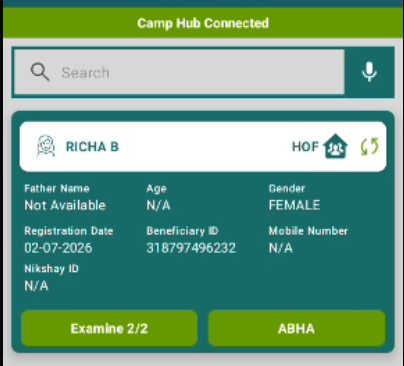
Issue 2: Contact Number and Mobile Number Showing “Not Available”
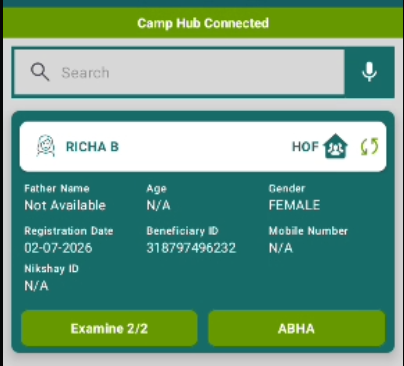
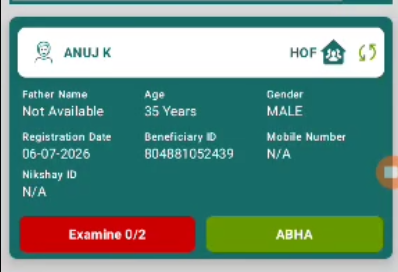
- Contact Number and Mobile Number fields are displayed as “Not Available”.
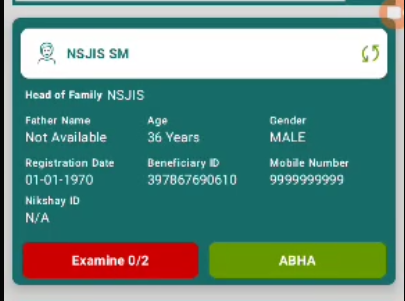
- As per PRD, it should display default value: 9999999999.
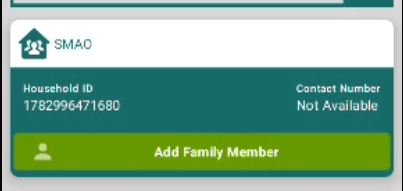
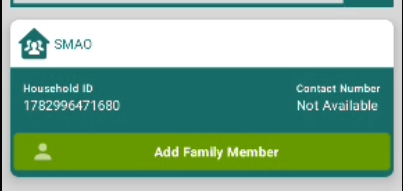
Issue 3: “Add Family Member” Button Visible for HOF Registration
- “Add Family Member” button is visible during Head of Family (HOF) registration.
Steps to Reproduce:
- Open Household Registration.
- Fill required details and click Submit.
- Observe keyboard behavior.
- Check Contact/Mobile number fields on Household card.
- Observe presence of “Add Family Member” button after registering household but not register as HOF.
Expected Result:
- Keyboard should not open automatically.
- Contact and Mobile number should display 9999999999 as per PRD.
- “Add HoF Member” button should visible.
Actual Result:
- Keyboard opens automatically on first interaction.
- Contact/Mobile number shows “Not Available”.
- “Add Family Member” button is visible.