-
Type:
Bug
-
Resolution: Done
-
Priority:
 High
High
-
Affects Version/s: None
-
None
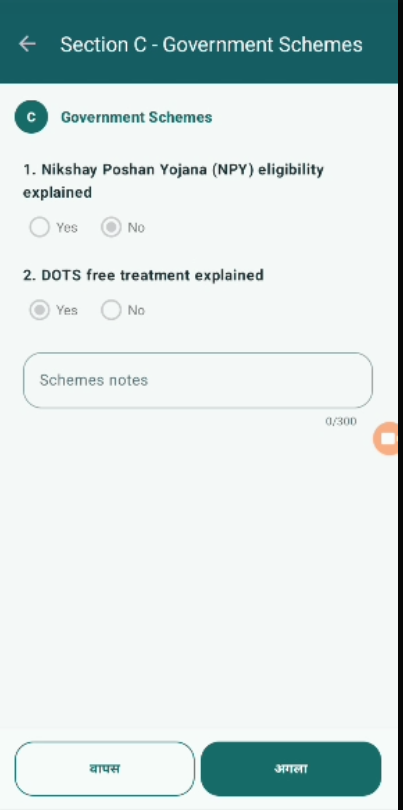
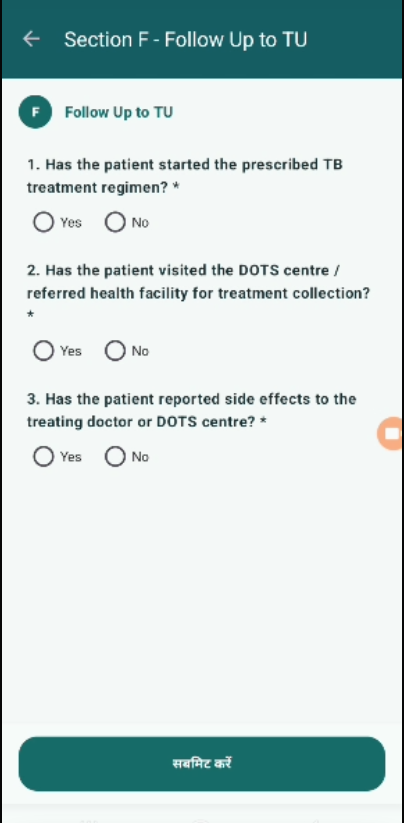
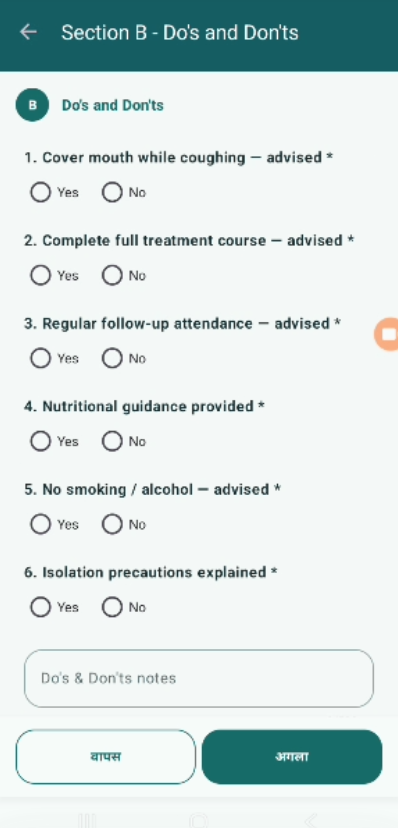
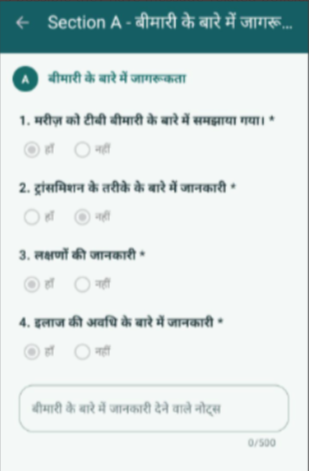
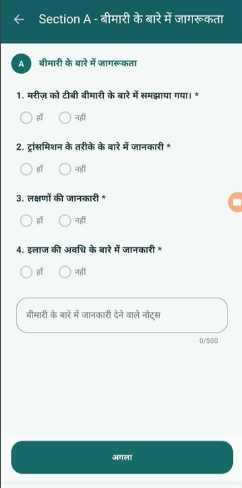
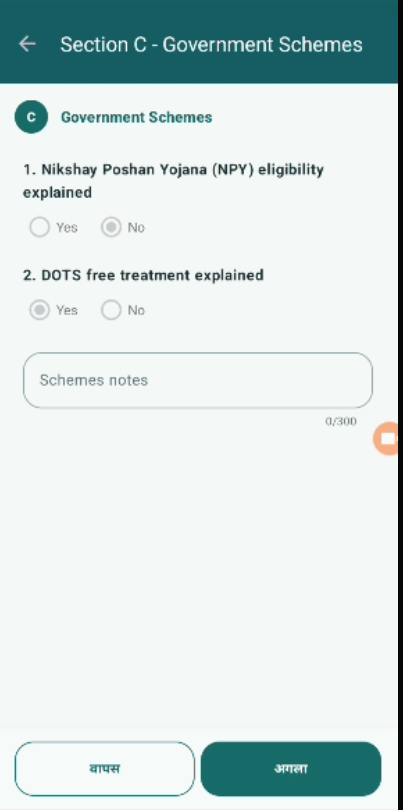
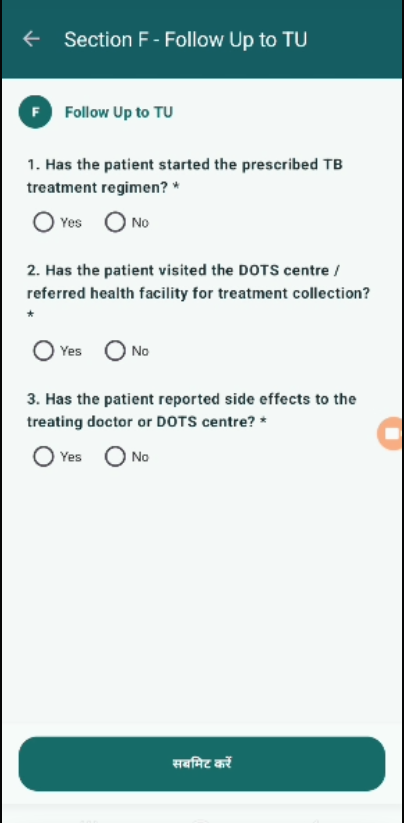
When the application language is set to Hindi, multiple sections in the Counselling module are still displayed in English instead of Hindi.
This includes section titles, questions, and labels in screens such as:
- Section C – Government Schemes
- Section F – Follow Up to TU
Steps to Reproduce:
- Select Hindi language from language selector.
- Navigate to Counselling module.
- Open different sections (e.g., Section C, Section F).
- Observe the language of text displayed.
Expected Result:
- All text (section titles, questions, labels, buttons) should be displayed in Hindi when Hindi is selected.
- Language should be consistent across all screens and modules.
Actual Result:
- Sections are still displayed in English even after selecting Hindi.
- Only some UI elements (like buttons) may appear in Hindi.
- blocks
-
 STOP-141
Counselling Module
STOP-141
Counselling Module
-
- Closed
-