-
Type:
Bug
-
Resolution: Done
-
Priority:
 High
High
-
Affects Version/s: None
-
None
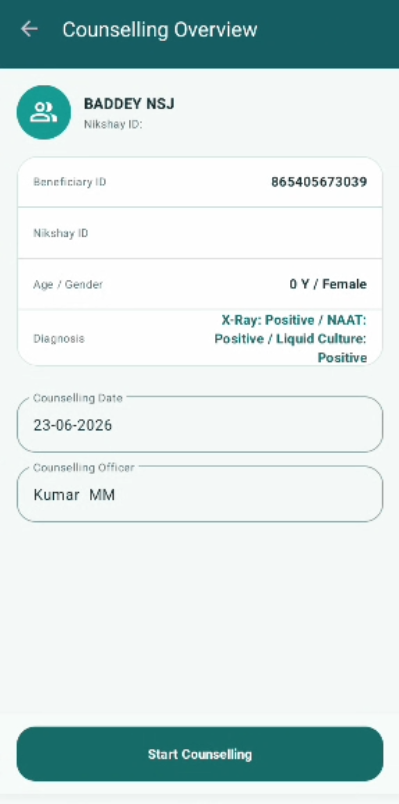
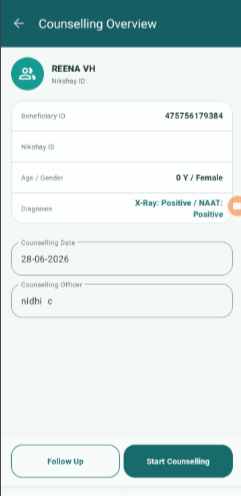
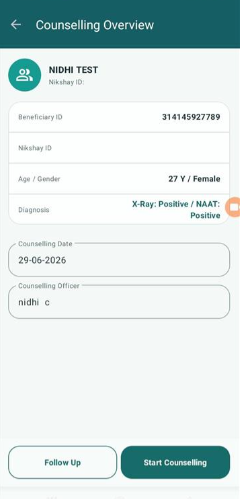
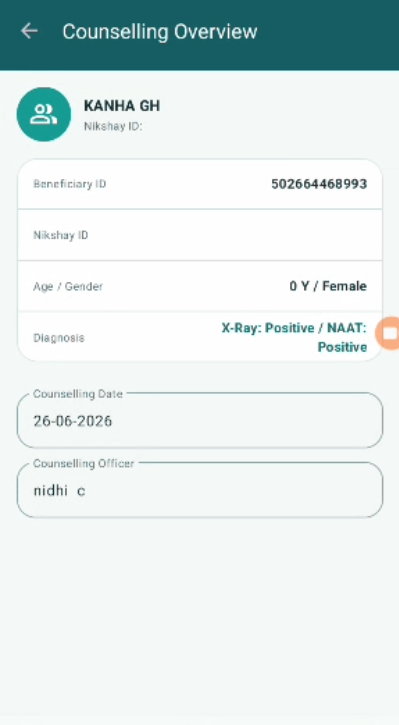
The Counselling Date field in the Counselling module is dynamically changing to the current date every time the counselling record is opened or revisited. It should retain the
original date on which the counselling session was conducted and saved.
Steps to Reproduce:
- Log in as Counselling Officer.
2. Open Confirmed TB Cases list.
3. Select a beneficiary and open Counselling module.
4. Note the Counselling Date shown (e.g. 20-05-2026).
5. Submit the counselling record.
6. Close the record.
7. Log out and log back in next day OR simply reopen the same counselling record on a different date.
8. Observe the Counselling Date field.
Expected Result:
- Counselling Date should default to today's date ONLY when opening a NEW counselling session.
- Once a counselling record is submitted and saved, the Counselling Date must remain FIXED as the original date of the counselling session.
- On subsequent visits to the same record (for Section F follow-up),
the original counselling date must NOT change. - Only a NEW counselling entry should show today's date as default.
Actual Result:
- Counselling Date auto-updates to the current date every time the counselling record is opened.
- Original counselling date is lost and replaced with today's date.
- Even previously saved records show the current date instead of the date the session was originally conducted.
- blocks
-
 STOP-141
Counselling Module
STOP-141
Counselling Module
-
- Closed
-