-
Type:
Bug
-
Resolution: Done
-
Priority:
 High
High
-
Affects Version/s: None
-
None
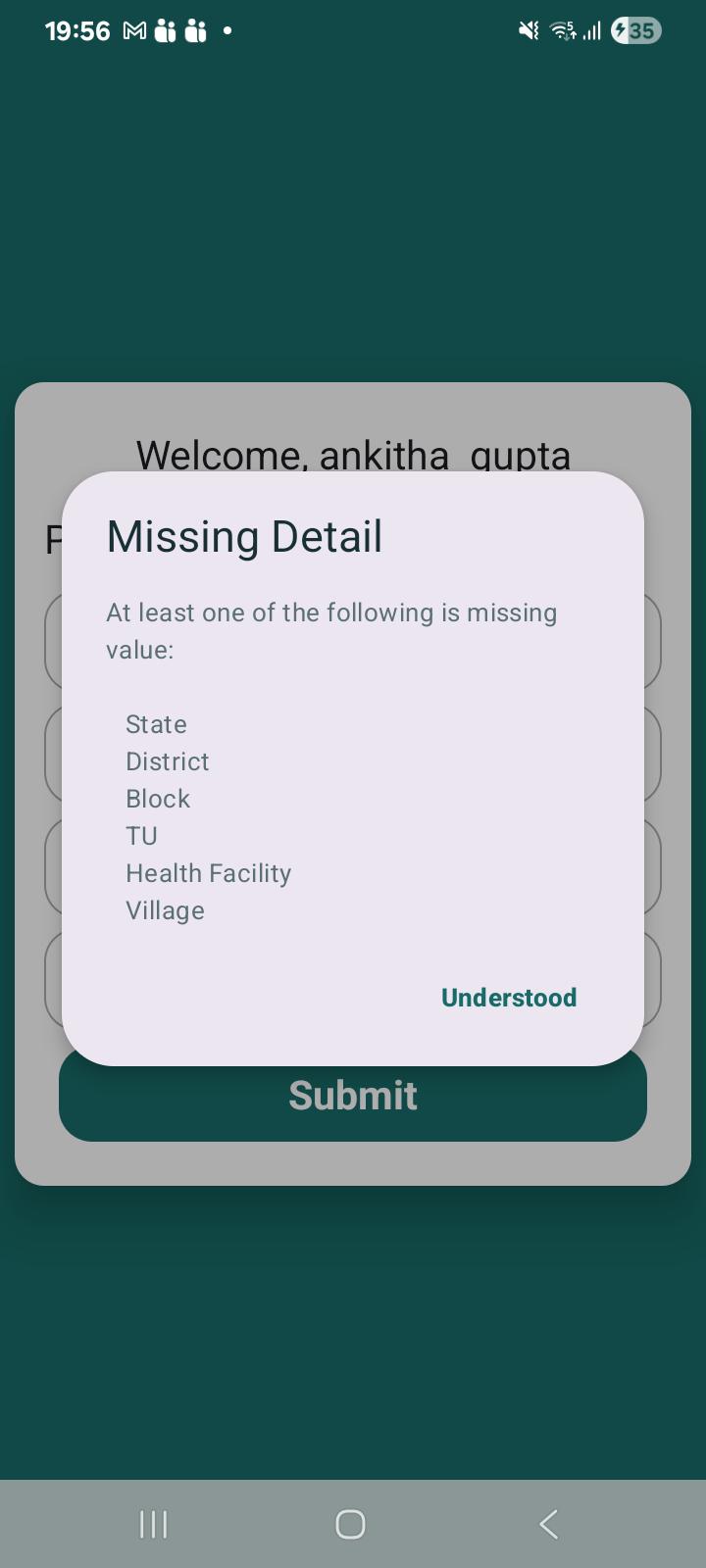
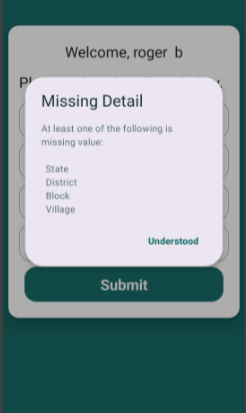
1. Incorrect validation message displayed on Village Selection screen when click on submit button without selecting any village.
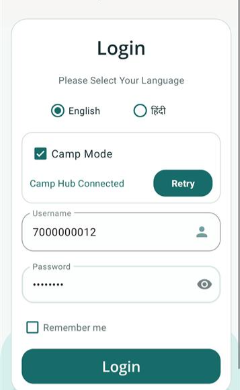
2. Password character should be hide while entering for Login.
Steps to Reproduce:
- Go to the application.
- Connect to camp Mode.
- Enter Username & Password.
- Observe Password Field.
- Navigate to the Village Selection page.
- Observe that only four fields are available: State, District, Block, and Village.
- Select State, District, and Block.
- Leave Village unselected.
- Click Submit.
Expected Result:
1.Password should be masked just after entering the character and user can click on eye icon to view it
2.Validation message should display only the mandatory field(s) present on the screen, e.g., "Please select Village."
Actual Result:
1.Password is clearly visible after entering it and use have to click on eye icon to hide it
2."Missing Detail" popup displays fields that are not available on the screen, including TU and Health Facility, along with State, District, Block, and Village. This creates confusion for the user.