-
Type:
Task
-
Resolution: Done
-
Priority:
 Medium
-
Affects Version/s: None
-
None
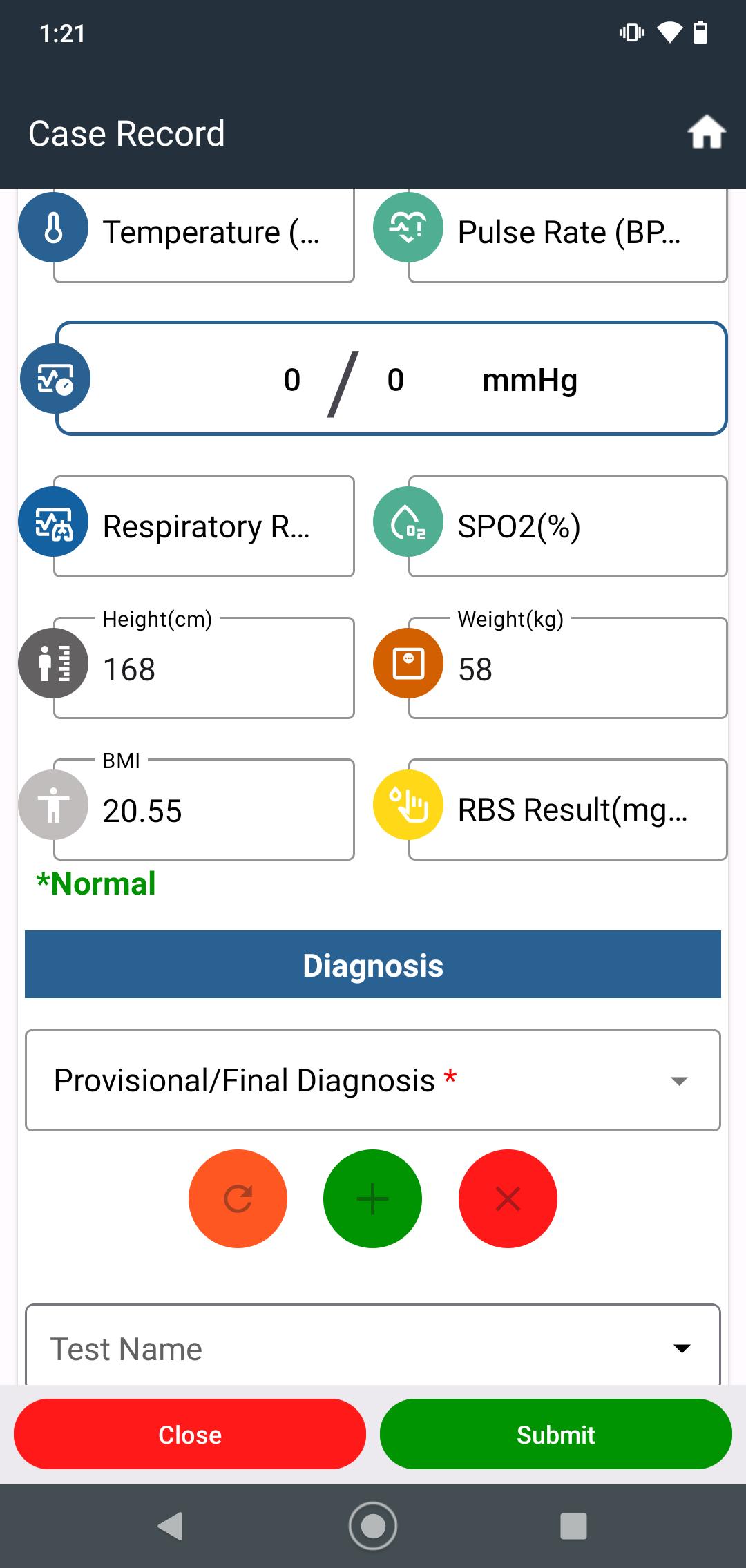
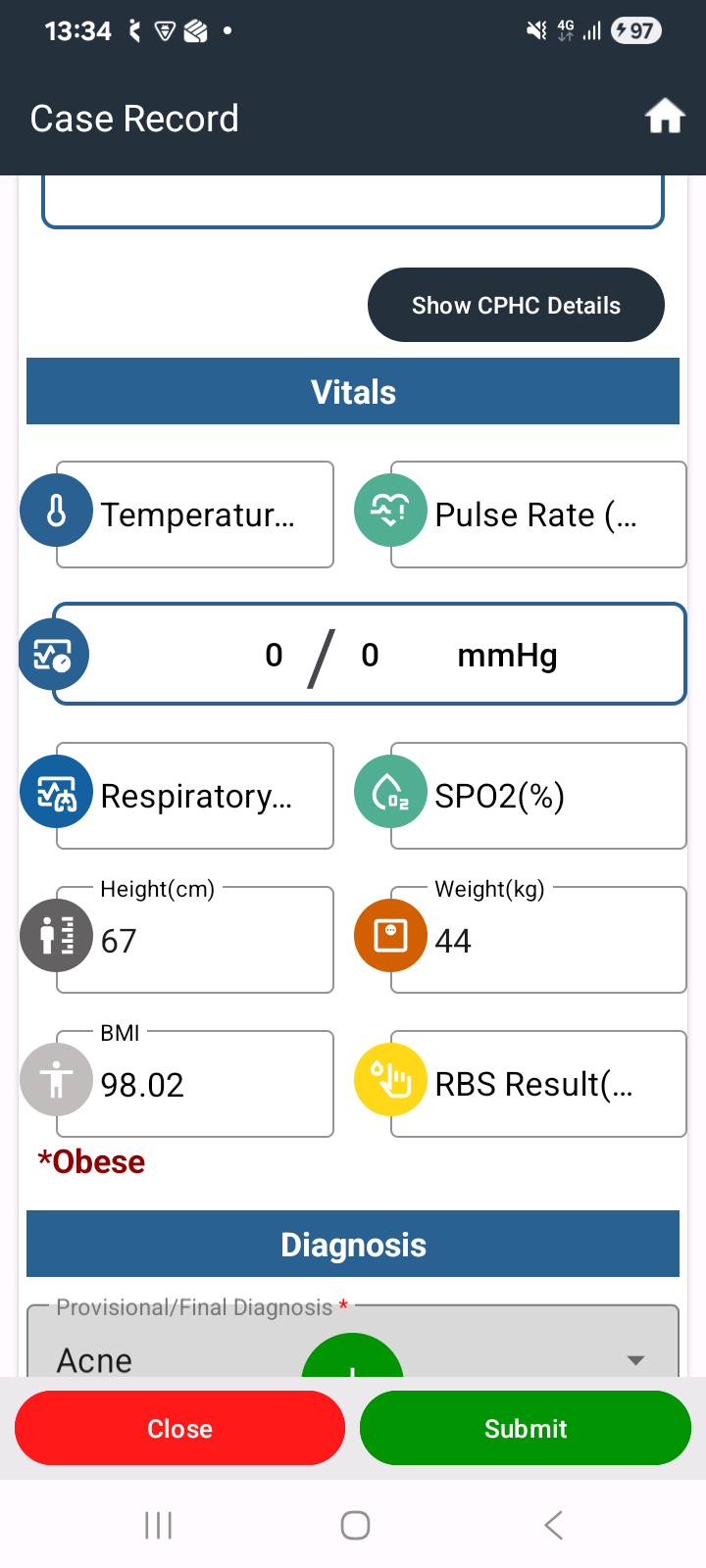
Currently, the beneficiary's BMI category is not prominently displayed in the Prescription section. As per the new requirement, the calculated BMI classification should be highlighted to improve clinical visibility and support healthcare providers in making informed treatment and counseling decisions.
Steps to Reproduce:
- Log in to the HWC Mobile Application.
- Open a beneficiary record with Height and Weight entered.
- Complete the assessment and navigate to the Prescription section.
- Observe the BMI information displayed.
Current Result:
The BMI category (Underweight, Healthy Weight, Overweight, or Obesity) is not highlighted in the Prescription section.
Expected Result:
The calculated BMI category should be prominently displayed/highlighted in the Prescription section using appropriate visual emphasis (e.g., bold text or color coding as per UI guidelines).