-
Type:
Bug
-
Resolution: Done
-
Priority:
 High
High
-
Affects Version/s: None
-
None
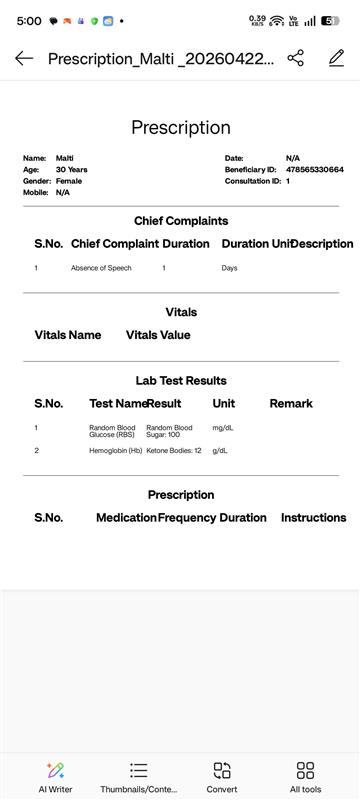
The Beneficiary ID (Ben ID) is displayed incorrectly in the downloaded prescription.
Steps to Reproduce:
- Login to the application
- Navigate to Visit Details / Prescription module
- Create and save a prescription for a beneficiary
- Click on Download Prescription
- Open the downloaded file
Actual Result:
- The Ben ID displayed is incorrect or does not match the registered beneficiary
Expected Result:
- The correct Ben ID corresponding to the beneficiary should be displayed in the downloaded prescription