-
Type:
Bug
-
Resolution: Done
-
Priority:
 High
High
-
Affects Version/s: None
-
None
Description:
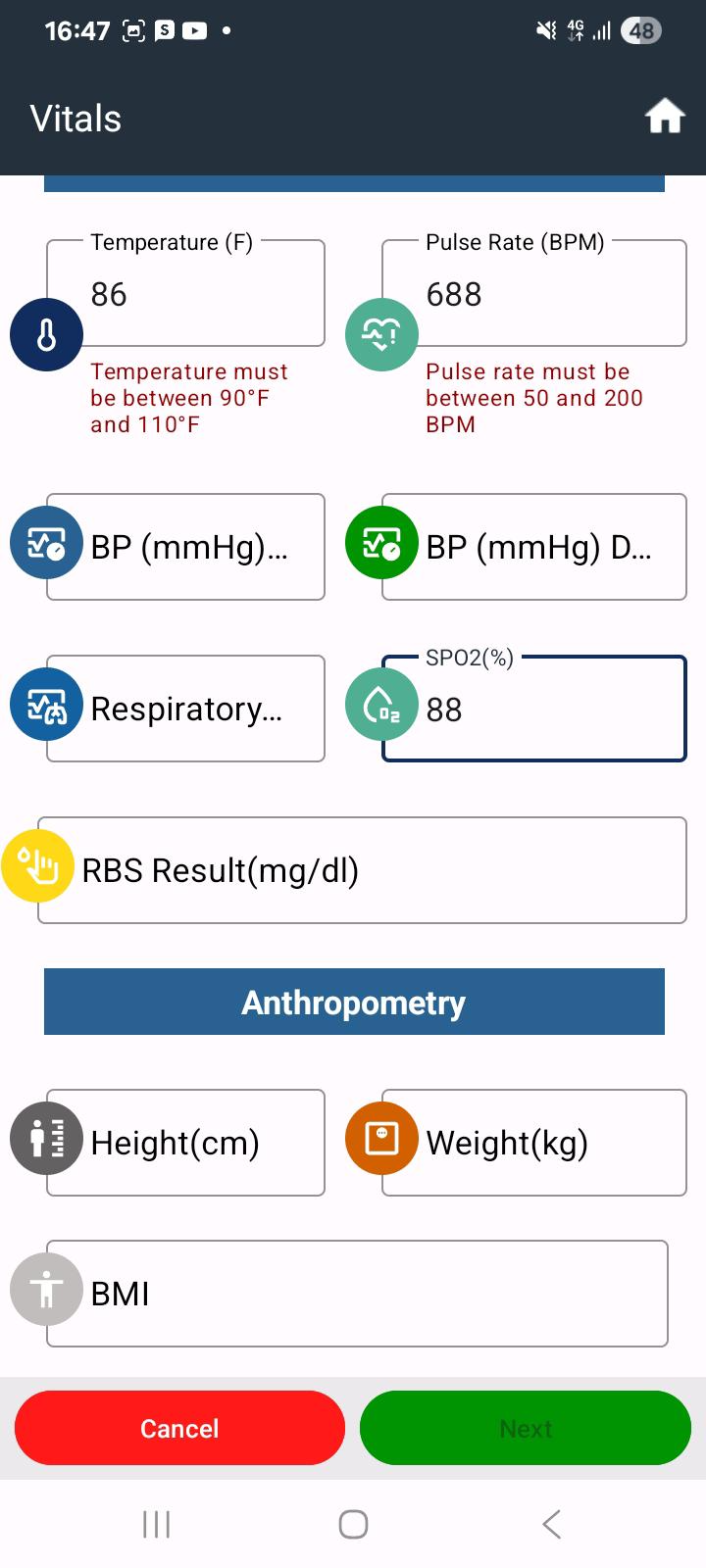
Currently, the system allows users to proceed to the next screen even when abnormal values (between validation) are entered in the Vitals & Anthropometry section.
Steps to Reproduce:
- Open the application.
- Navigate to the Vitals & Anthropometry section.
- Enter abnormal/out-of-range values.
- Observe the status of the Next button.
Actual Result:
- The Next button remains enabled even when abnormal values are entered.
Expected Result:
- If abnormal or out-of-range values are entered, the Next button should remain disabled.
- The button should only be enabled once valid/acceptable values are entered.
- Proper validation message should be displayed to the user.