High
High Description:
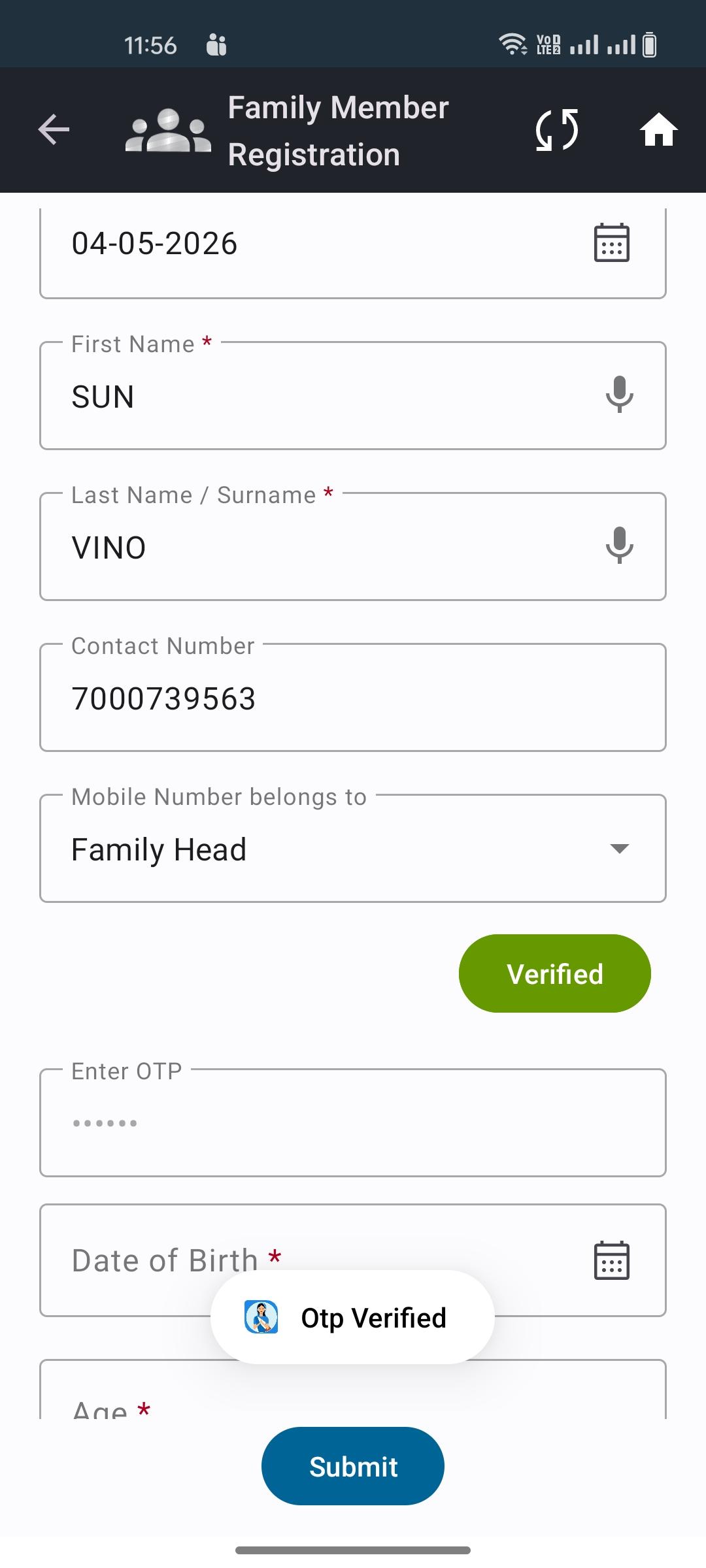
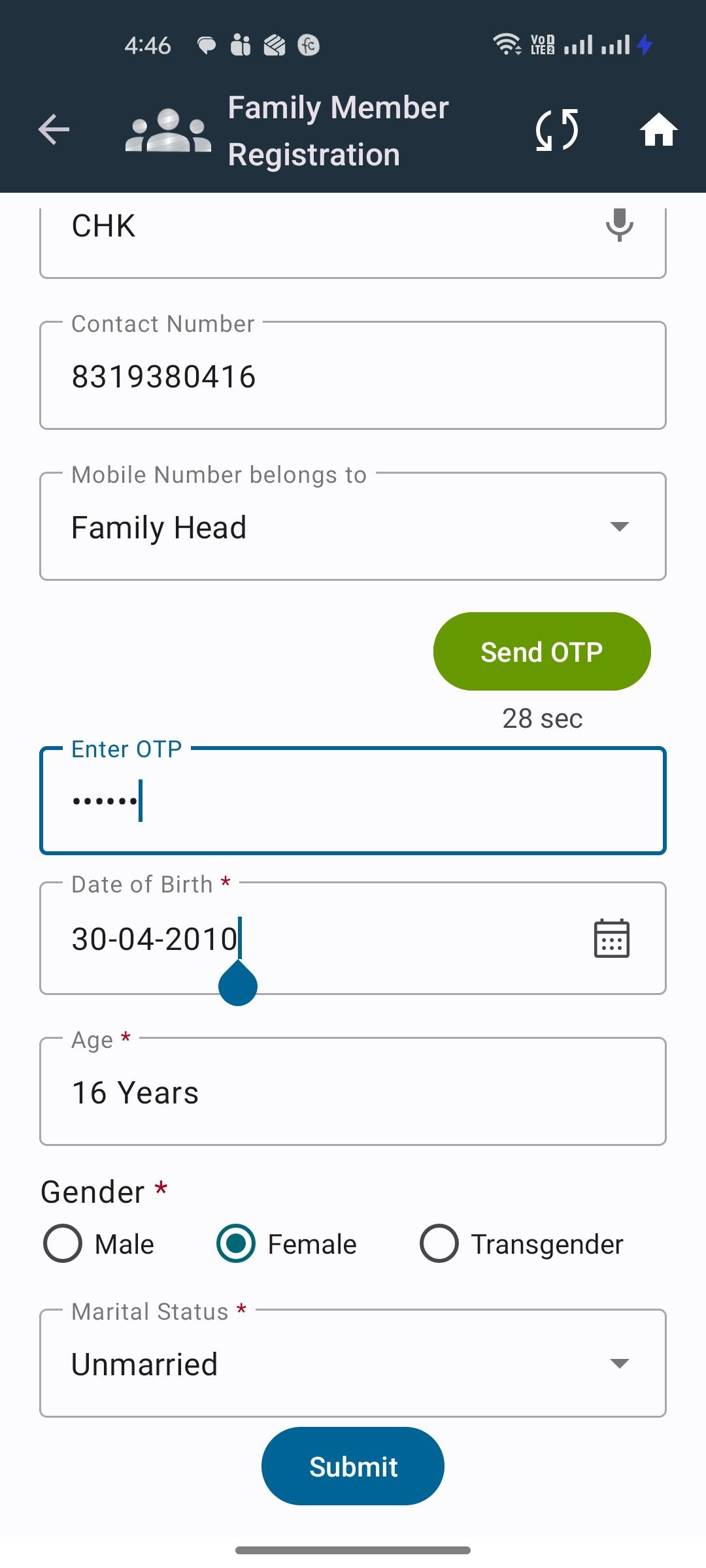
During the registration process, the OTP is not being received on the mobile number. However, when entering a random OTP (e.g., 123456), the system is accepting it and allowing the user to proceed further. This indicates a critical issue in OTP validation.
Steps to Reproduce:
- Open the application
- Navigate to the Registration screen
- Enter a valid mobile number in the mobile number field
- Click on Send OTP
- Wait and observe whether OTP is received on the entered mobile number
- Without receiving the OTP, enter a random OTP (e.g., 123456) in the OTP field
- Click on Verify / Submit
- Observe the system behavior after OTP submission