-
Type:
Bug
-
Resolution: Done
-
Priority:
 High
High
-
Affects Version/s: None
-
None
-
FLW Mobile App
-
Prod
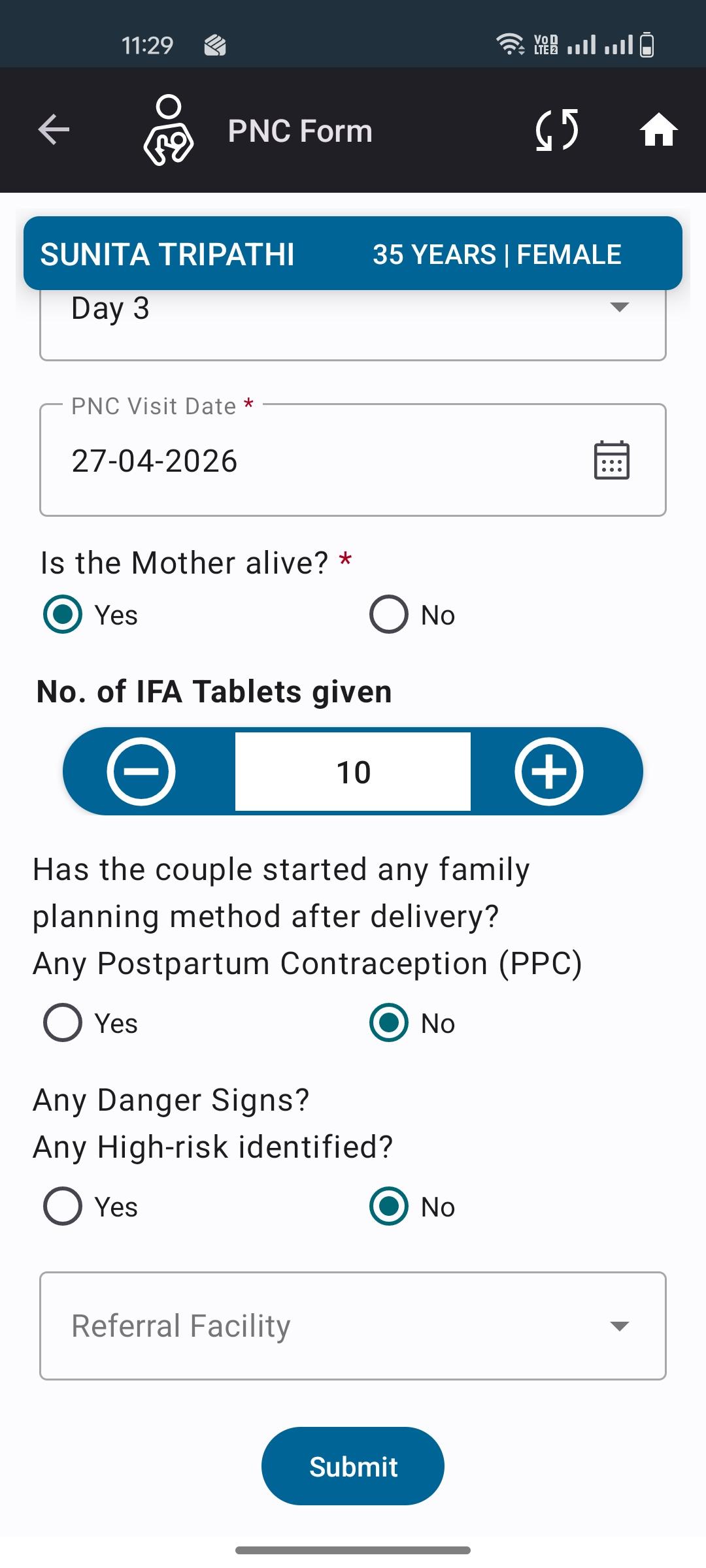
While adding IFA Tablets during a PNC Visit, the entered tablet count is automatically reset to 0 when the user selects "Yes" in the "Any High-Risk Identified" option.
Steps to Reproduce:
- Navigate to:
Maternal Health → PNC Mother List - Click on Add PNC Visit
- Enter IFA Tablets count (e.g., 30)
- Select "Yes" or "No" for Any High-Risk Identified
- Observe the IFA Tablets field
Expected Result:
IFA Tablets count should remain unchanged after selecting High-Risk = Yes or No.
Actual Result:
IFA Tablets count automatically resets to 0.
virendra.kumar@piramalswasthya.org kundan.srivastava@piramalswasthya.org