No Confirmation After Image Upload; Button Remains in View Mode in Village Meetings Module

XMLWordPrintable

    • Type: Bug
    • Resolution: Done
    • Priority: Medium
    • 2.9
    • Affects Version/s: None
    • None
    • FLW Mobile App
    • UAT

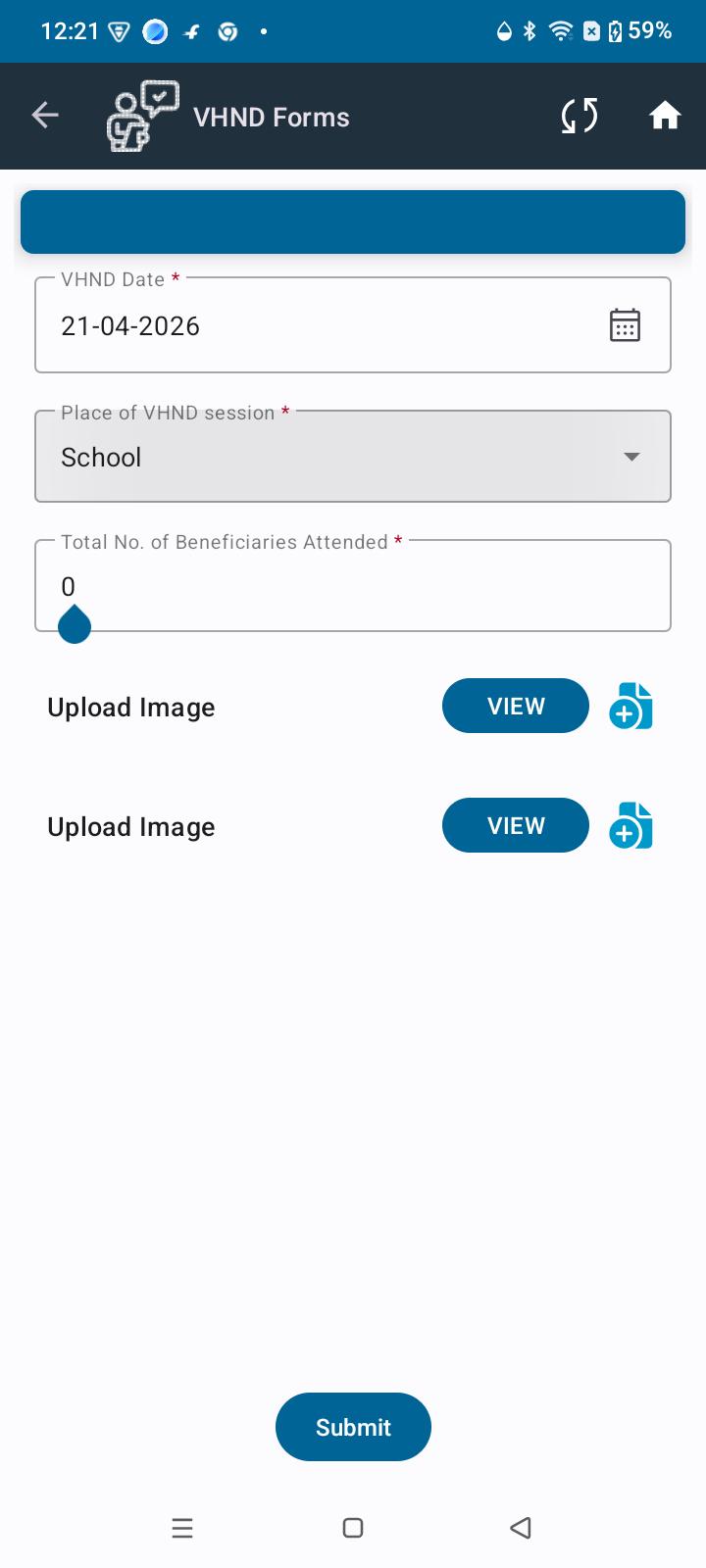
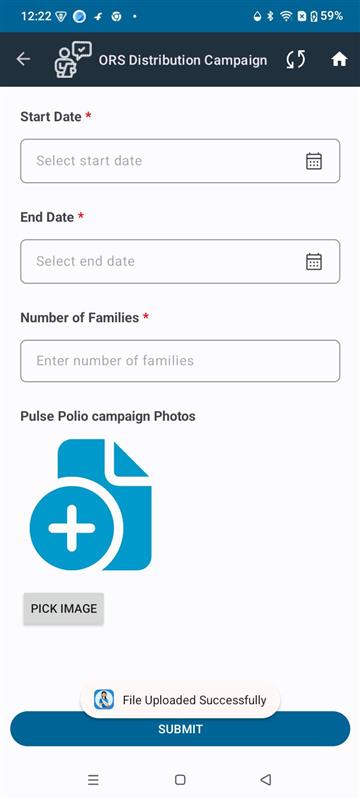
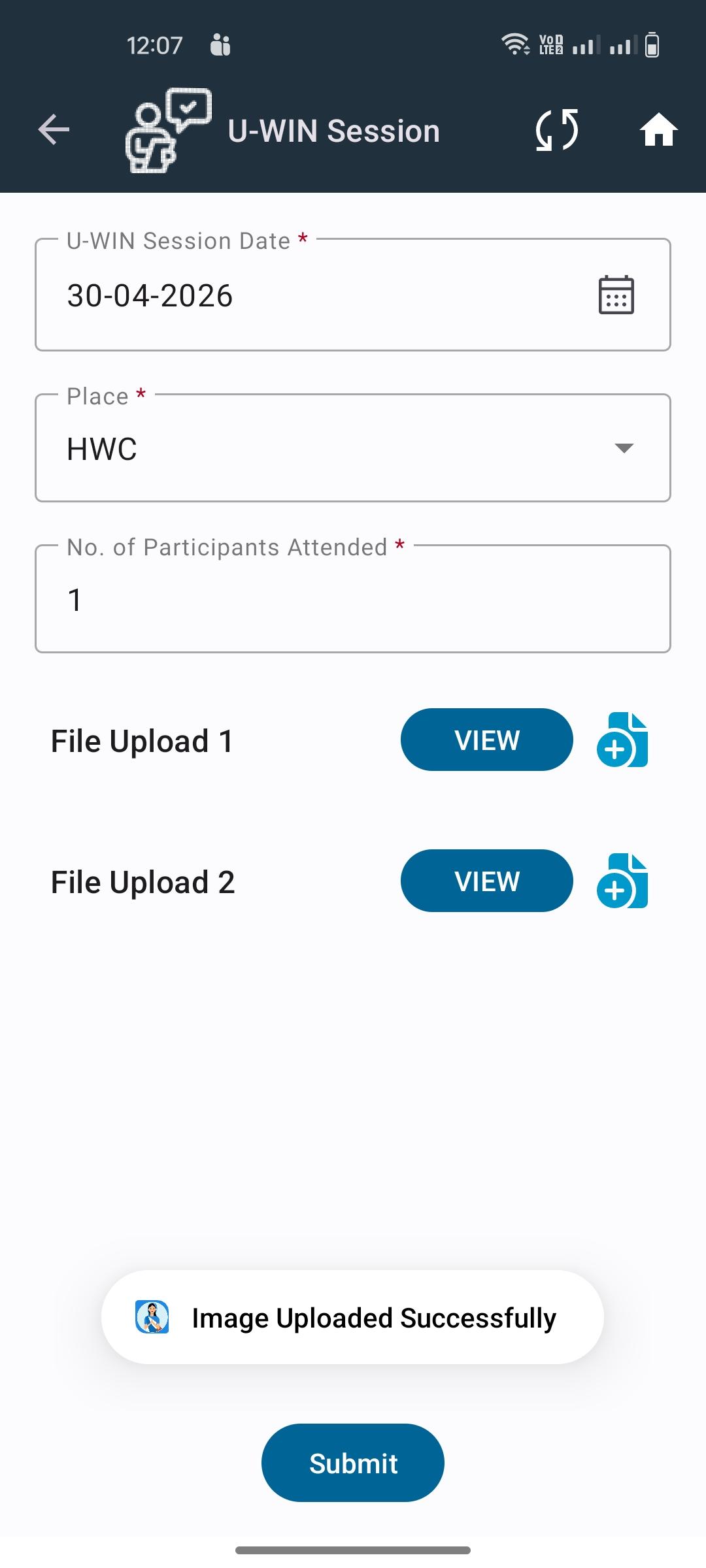
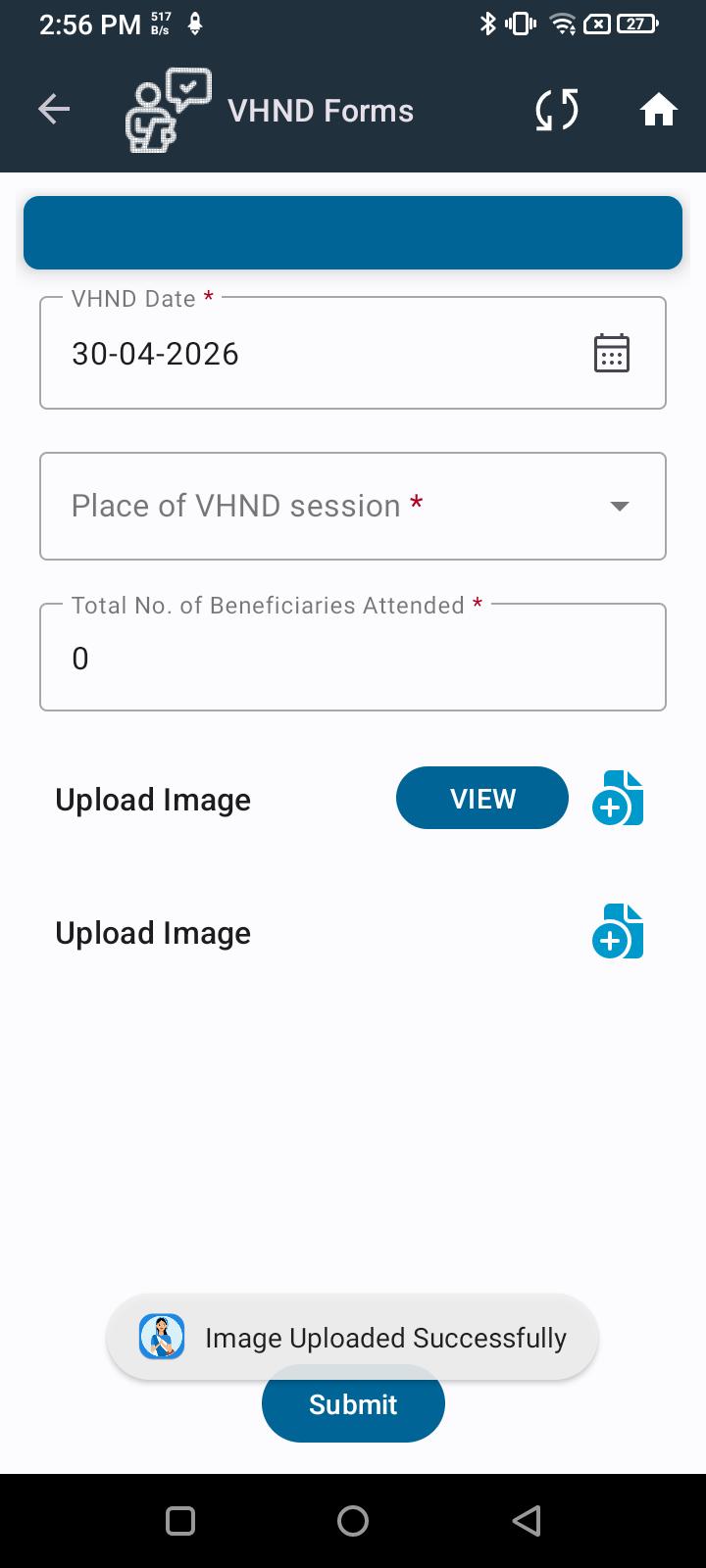
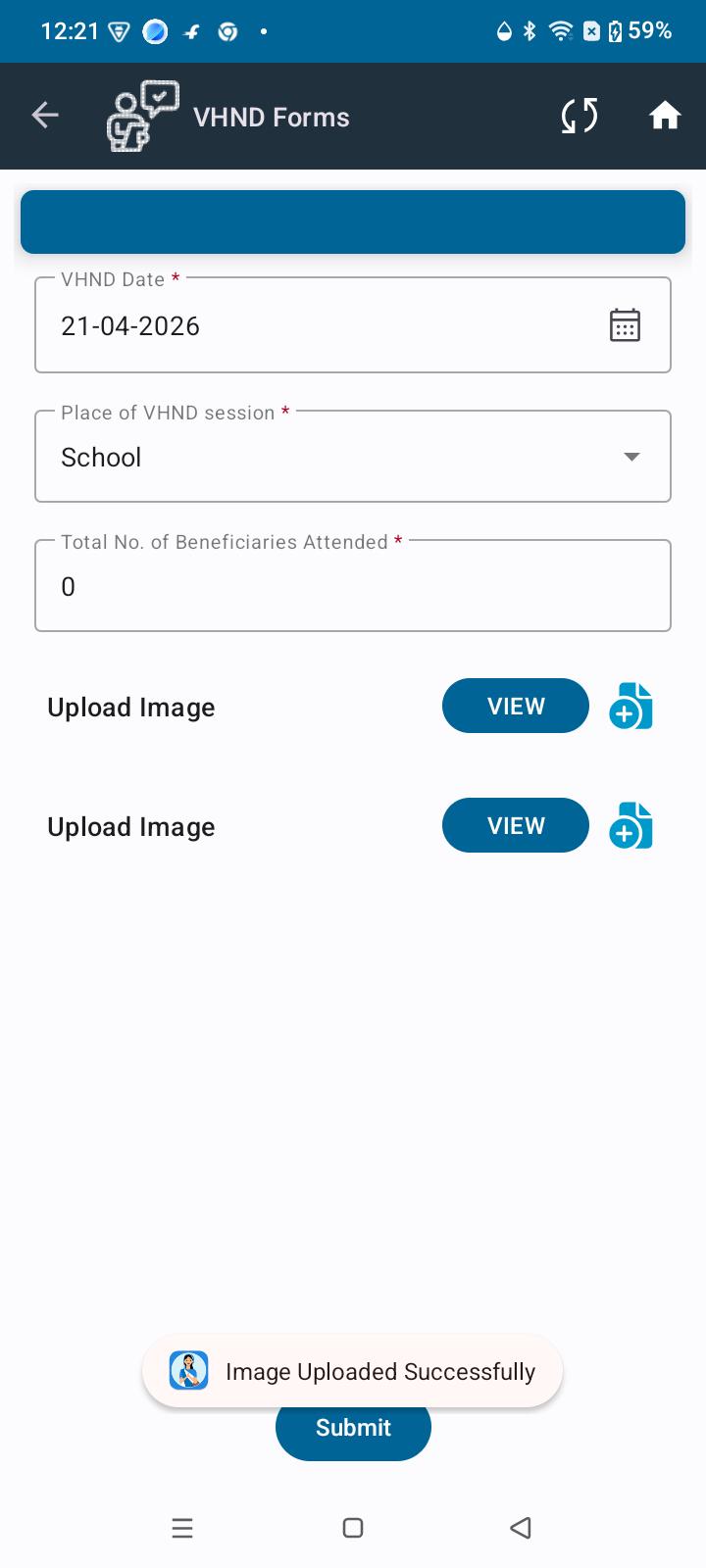
      In the Village Meetings module, after uploading an image, there is no indication or confirmation that the image has been successfully uploaded. Additionally, the button remains in view mode every time, making it unclear whether the upload action was completed.

      Steps to Reproduce:

      1. Open the application
      2. Navigate to Village Meetings module
      3. Upload an image
      4. Observe the screen after upload

      Expected Result:

      • A confirmation message or visual indicator should be displayed after successful image upload
      • The button state should change appropriately (e.g., from upload to view/edit or show uploaded status)

      Actual Result:

      • No confirmation message or indication is shown
      • Button remains in view mode every time
      • User cannot confirm whether the image was uploaded successfully
        1. shared image (5).jpg
          shared image (5).jpg
          51 kB
        2. shared image (4).jpg
          shared image (4).jpg
          47 kB
        3. shared image (3).jpg
          shared image (3).jpg
          27 kB
        4. image-2026-04-30-12-09-46-584.png
          image-2026-04-30-12-09-46-584.png
          91 kB
        5. image-2026-04-30-14-56-45-927.png
          image-2026-04-30-14-56-45-927.png
          53 kB

              Assignee:
              Deep Shikha
              Reporter:
              Deep Shikha
              Votes:
              0 Vote for this issue
              Watchers:
              3 Start watching this issue

                Created:
                Updated:
                Resolved: