-
Type:
Bug
-
Resolution: Unresolved
-
Priority:
 Medium
-
Affects Version/s: None
-
None
-
FLW Mobile App
-
UAT
Description:
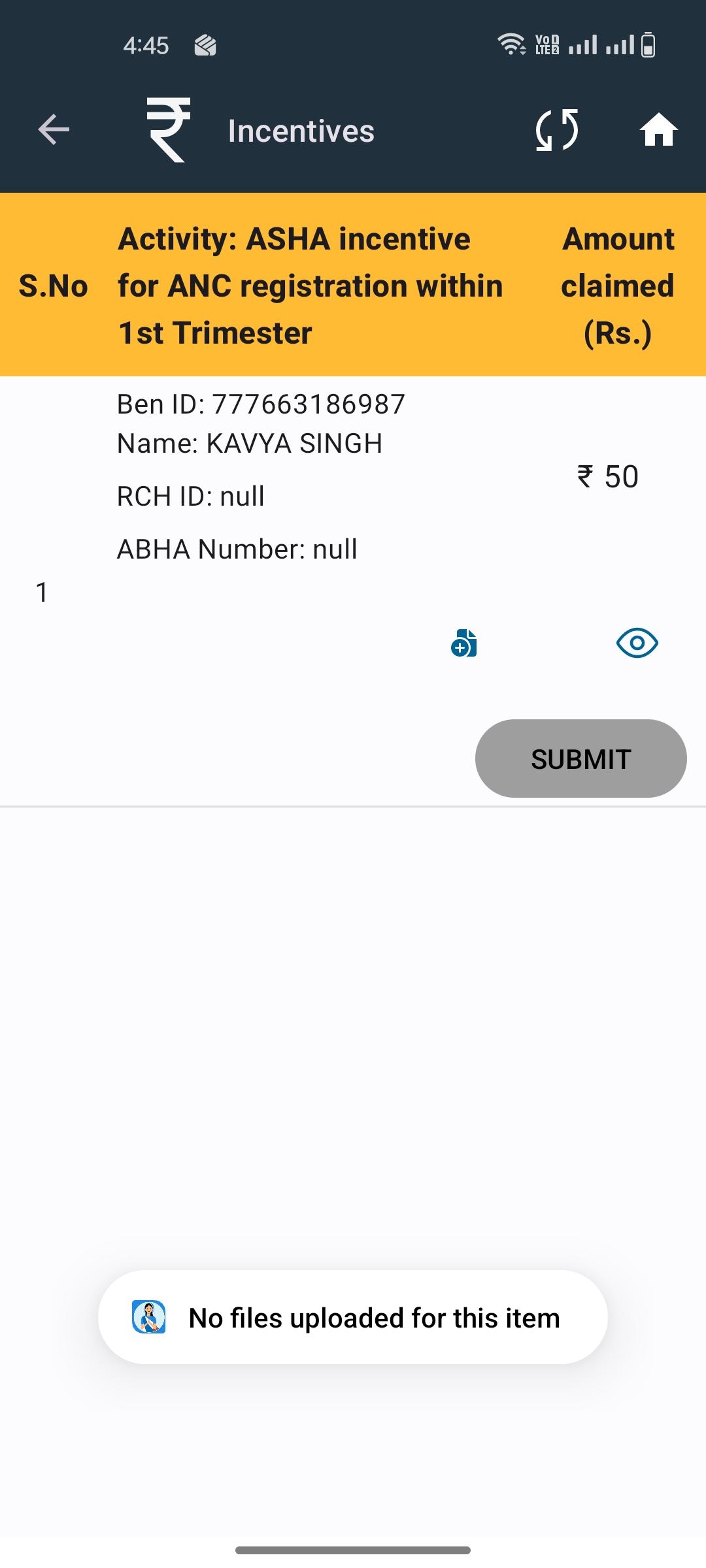
In the Incentive module, when a photo is uploaded for claiming purposes, it is not visible when clicking on the View option. This makes it difficult to verify the uploaded document.
Steps to Reproduce:
- Login to the application.
- Navigate to the Incentive module.
- Upload a file while submitting an incentive claim.
- Save/submit the claim.
- Click on the View option for the uploaded file.
Expected Result:
The uploaded file should be visible and accessible when clicking on the View option.
Actual Result:
The uploaded file is not visible when clicking on View.
- relates to
-
-

- Ready for Development
-

