-
Type:
 Story
Story
-
Resolution: Done
-
Priority:
 Medium
-
Affects Version/s: None
-
None
-
FLW Sprint 42, FLW Sprint 43, FLW Sprint 44
-
FLW Mobile App
-
All
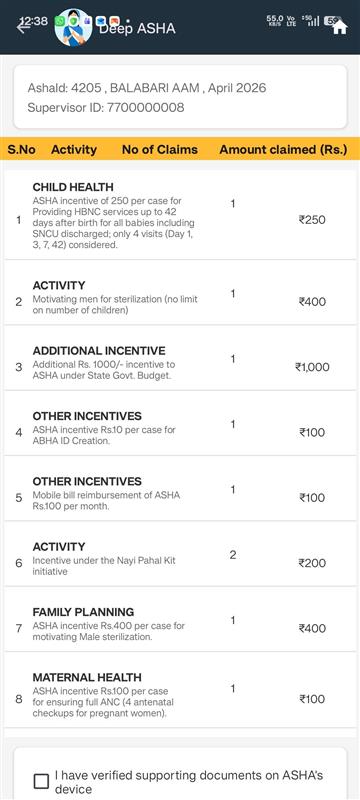
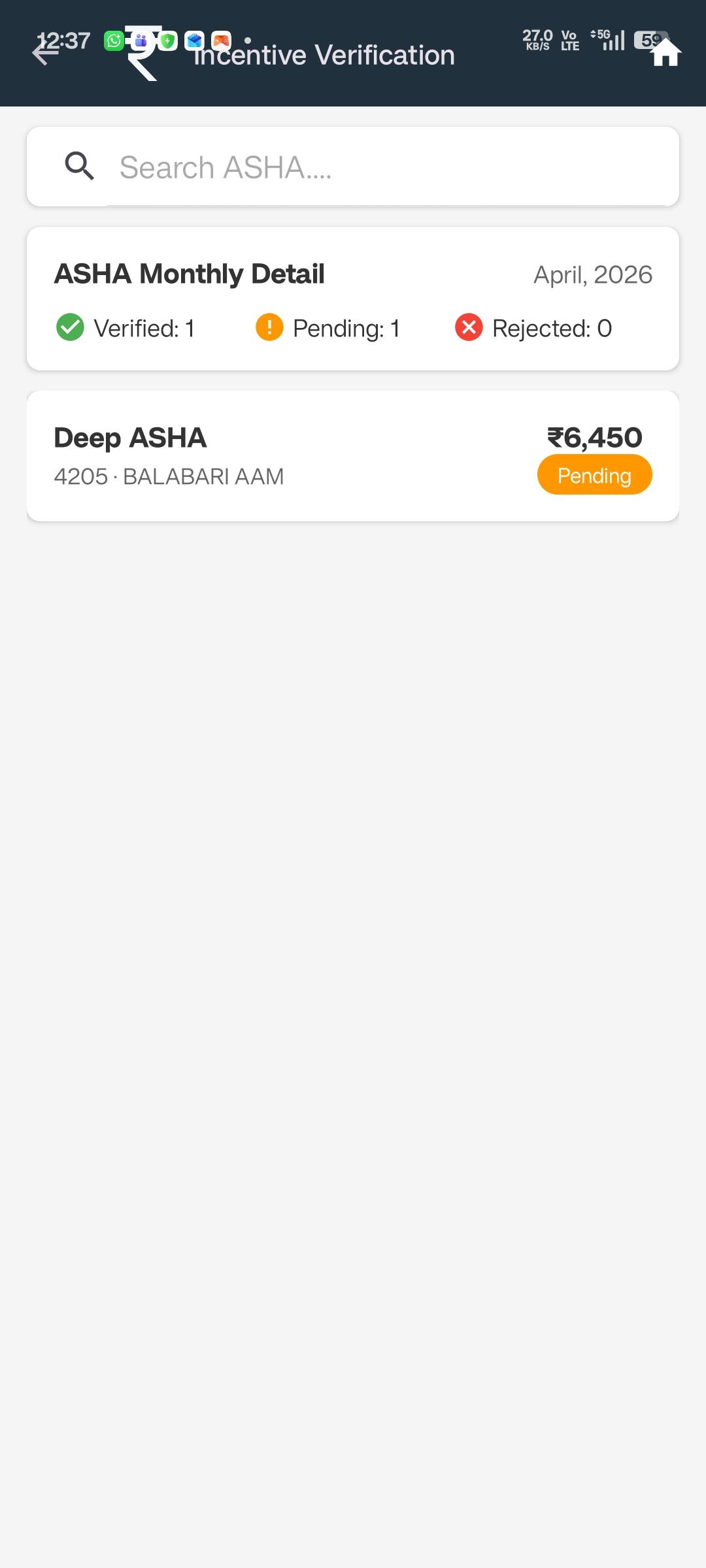
As a Supervisor, I want to view a detailed monthly breakdown for a selected ASHA, so that I can review activities, verify incentives, and approve pending submissions.
Functional Flow
Navigation
- Supervisor clicks on an ASHA card from the Monthly Dashboard.
- System opens ASHA Monthly Detail View for:
- Selected ASHA
- Selected Month
Header Section
The header displays:
- ASHA Name
- Employee ID
- Sub-centre
- Month & Year (selected month)
This section remains fixed for context clarity.
Summary Card Section
A summary card provides key monthly metrics:
- Total Activities : Count of all submitted activities for selected month
- Total Incentive (Read-only) : Total calculated incentive for the month
- Approved Amount : Sum of incentives already approved
- Pending Amount : Sum of incentives yet to be approved
All values auto-calculated and system-generated.
Monthly Status (Auto-Derived)
Status is calculated automatically based on activity-level approval:
| Condition | Monthly Status |
|---|---|
| No activities submitted | Not Submitted |
| Some activities pending | Pending |
| All activities approved | Completed |
Action Button
“Approve All Pending Activities”
- Visible only when pending activities exist.
- On click:
- System approves all pending activities for that month.
- Updates:
-
-
- Approved Amount
- Pending Amount
- Monthly Status
-
- Confirmation prompt required before action.
Acceptance Criteria
- Header displays:
-
- ASHA Name
- Emp ID
- Sub-centre
- Month & Year
- Summary card shows:
-
- Total activities
- Total incentive (read-only)
- Approved amount
- Pending amount
- Monthly status auto-derived
- “Approve All Pending Activities” button available when pending exists
- Data restricted to mapped ASHAs only
- All approval actions logged
- relates to
-
FLW-777
State specific configuration in Supervisor Module
-

- Closed
-

