-
Type:
Bug
-
Resolution: Done
-
Priority:
 High
High
-
Affects Version/s: None
-
None
-
FLW Sprint 41, FLW Sprint 42
-
FLW Mobile App
-
Pre-Prod
Description
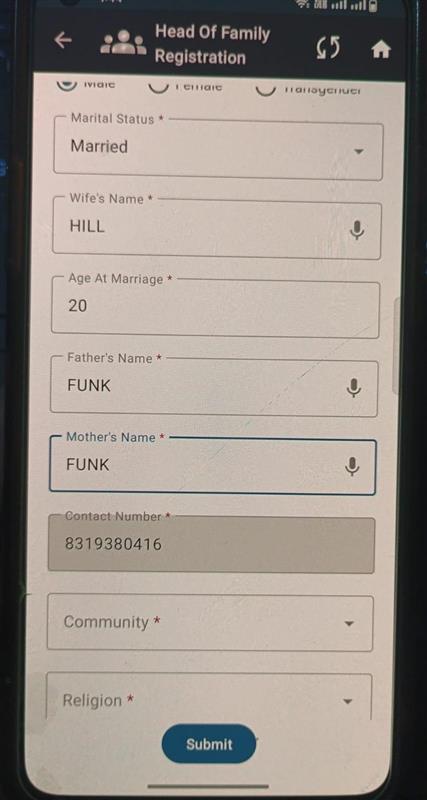
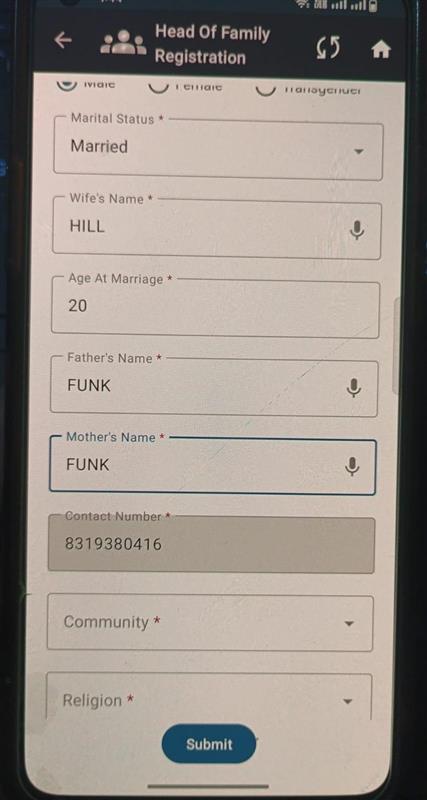
During male beneficiary registration, while adding wife details, the following issues are observed:
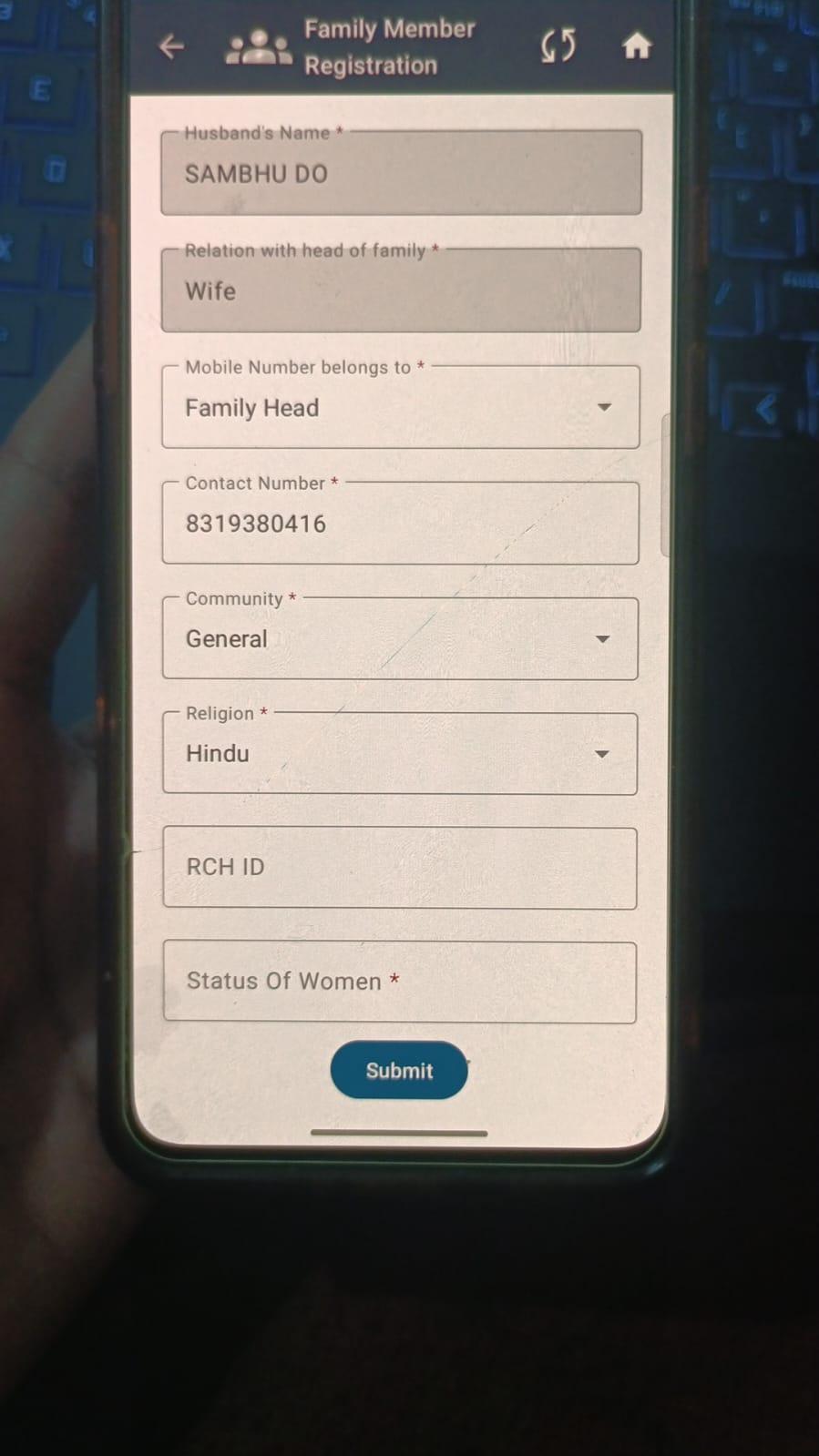
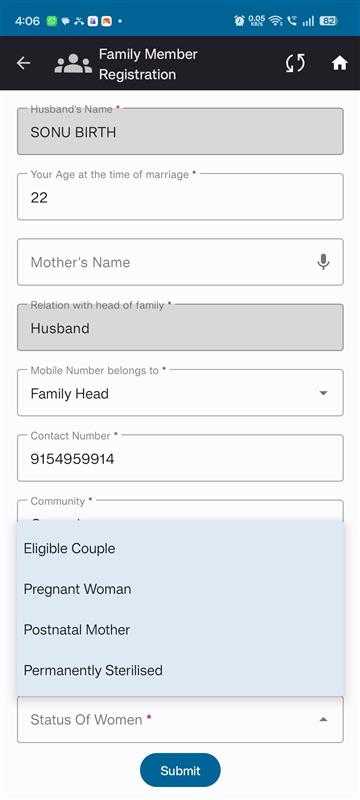
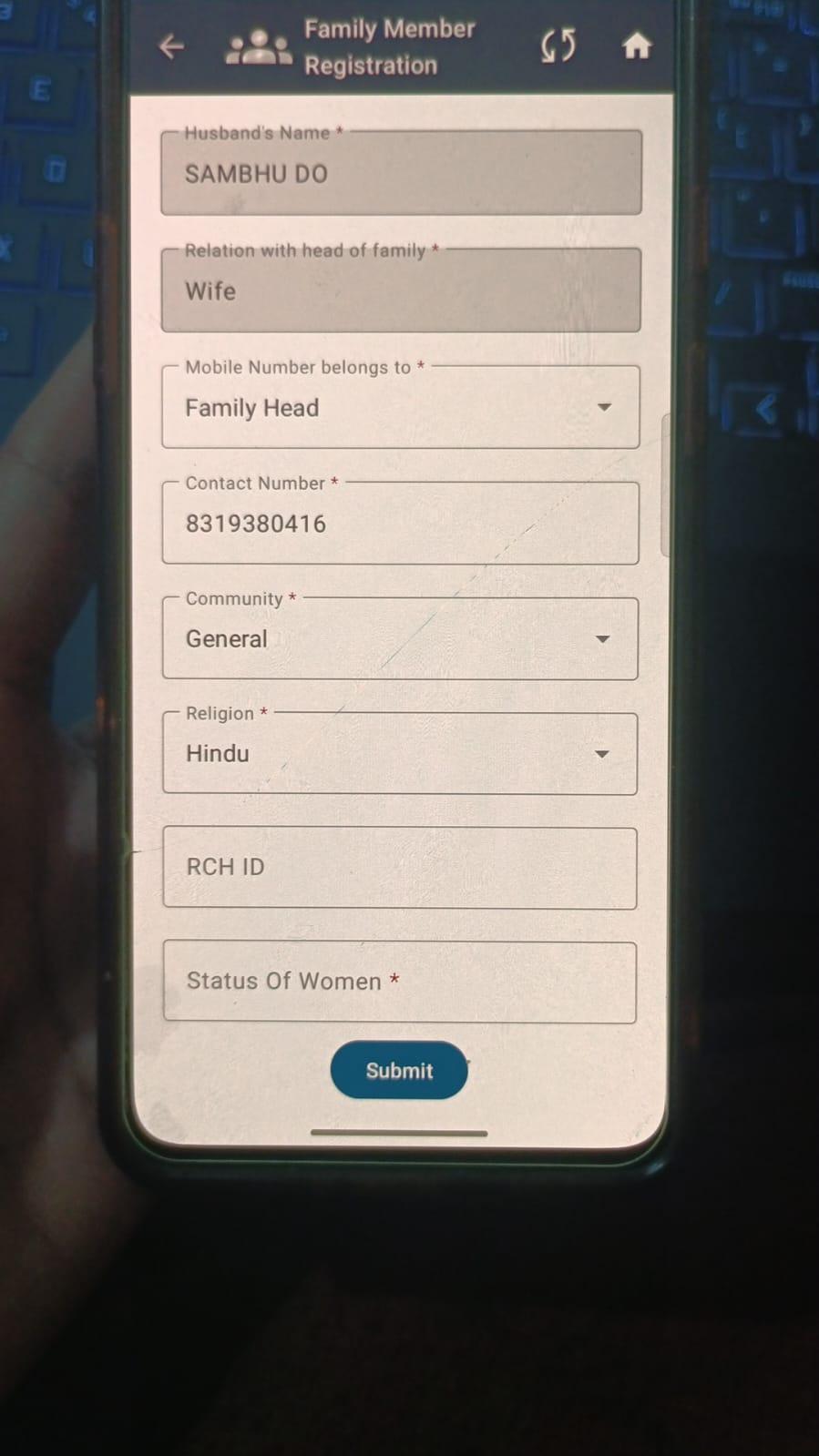
- The “Status of Women” dropdown is not visible
- Along with Wife details, Father and Mother name fields are also marked as mandatory, which is incorrect
As per expected behavior, only Wife details should be mandatory, and Father and Mother fields should not be mandatory at this stage.
Steps to Reproduce
- Open FLW application
- Start Male Beneficiary Registration
- Enter required male beneficiary details
- Navigate to Add Wife Details section
- Observe field visibility and mandatory validations
Actual Result
- “Status of Women” dropdown is not displayed
- Father and Mother name fields are marked as mandatory along with Wife details
Expected Result
- “Status of Women” dropdown should be visible and selectable
- Only Wife details should be mandatory
- Father and Mother name fields should not be mandatory while adding wife details