-
Type:
 Story
Story
-
Resolution: Done
-
Priority:
 High
High
-
Affects Version/s: None
-
FLW Sprint 33, FLW Sprint 34, FLW Sprint 35
-
FLW Mobile App
-
All
As an ASHA, I want improvements in the HBNC form with clear mandatory fields, optional visit indicators, and the ability to check sync status of HBNC and HBYC records
so that I can follow visit protocols correctly and ensure that all my data is synced properly.
Description
Improve the HBNC (Home-Based Newborn Care) workflow by:
- Enforcing mandatory data entry (e.g. Temperature field)
- Making certain follow-up days optional
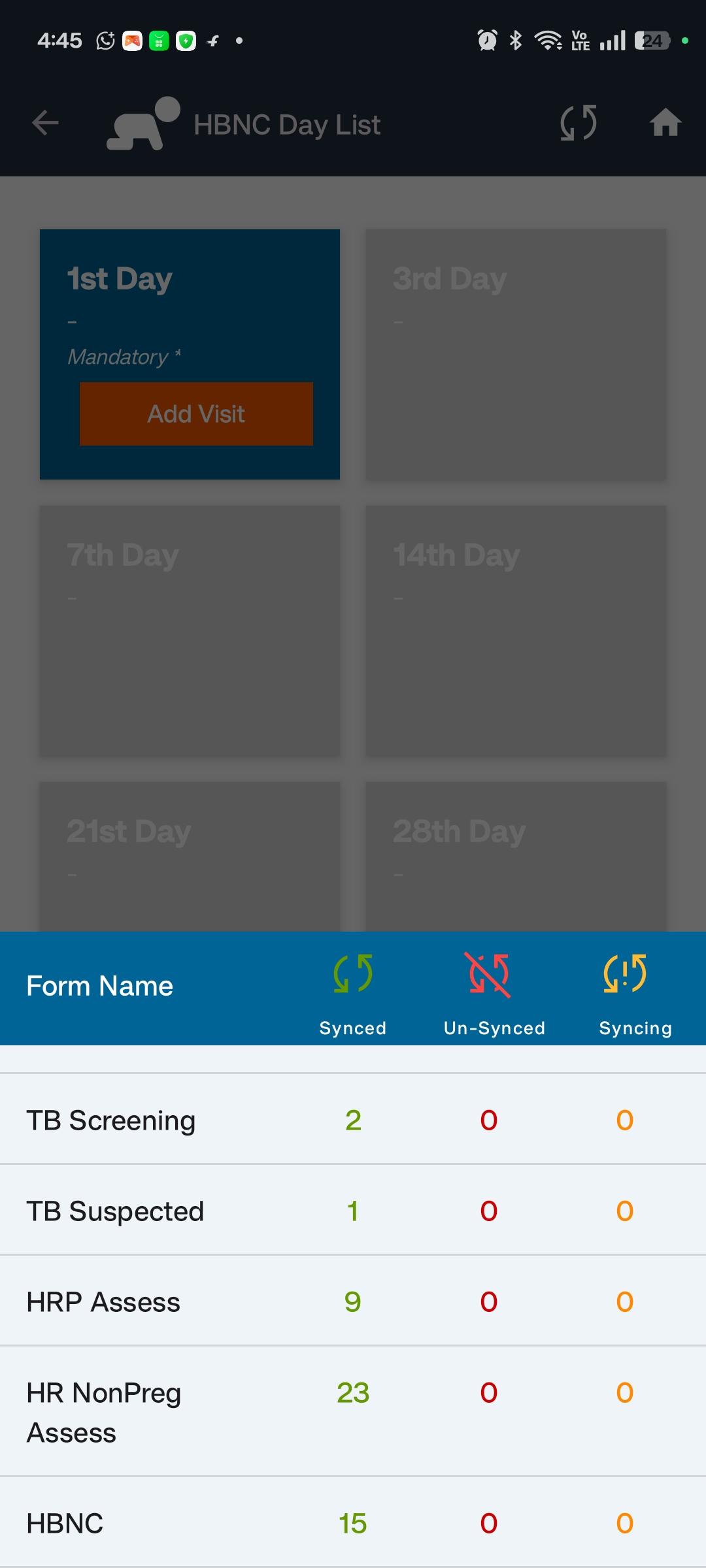
- Indicating mandatory vs. optional visit days clearly on cards
- Controlling form availability based on previous entries
- Showing sync status for HBNC and HBYC records when tapping the sync icon on the home page
Acceptance Criteria
HBNC Form – Field Validation
- The “Temperature” field must be mandatory in all HBNC visit forms
- If left empty, block form submission with a validation message
HBNC Visit Days – Mandatory & Optional Logic
- Mandatory Days:
- Day -1 (Within 24 hrs. of birth)
- Day -3
- Day -7
- Day -42
- Optional Days:
- Day -14
- Day -21
- Day -28
- Display logic on the HBNC dashboard:
- Mandatory visits are clearly labeled as "Mandatory" (e.g., with a red asterisk or icon)
- Optional visits are marked as "Optional" (e.g., greyed out or a label)
HBNC Visit Day Enablement Logic
- The Day -42 form should be enabled only after Day -7 is filled
- Prevent ASHA from accessing Day -42 before completing Day -7
- Optional Days (14, 21, 28) can be filled anytime but are not required to unlock Day -42
Sync Status for HBNC & HBYC Records
- When the Sync icon on the Home page is tapped:
- Show sync status (synced / not synced) for:
- HBNC Records
- HBYC Records
- Show sync status (synced / not synced) for:
- Display can be a simple modal or screen showing:
- Module name (HBNC / HBYC)
- Number of records
- Status:
- ✅ Synced
- ❌ Not Synced
- Timestamp of last sync (if available)
- Sync statuses should be read-only and refreshed after each sync attempt