Medium
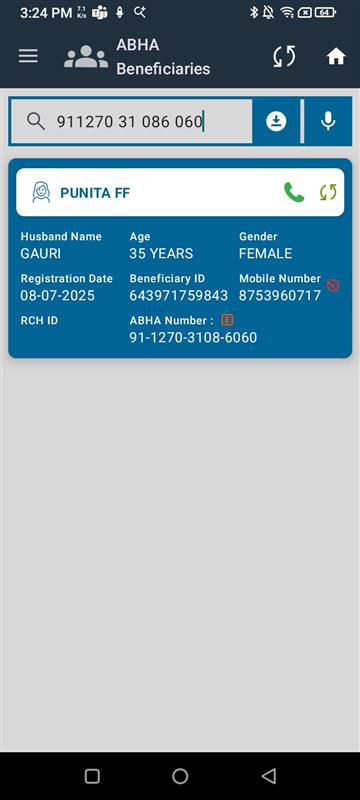
 In the ABHA Beneficiary section of the Dashboard, users can tap the microphone icon to search by voice. However, when the beneficiary’s ABHA number is spoken:
- The ABHA number appears in the search field.
- No matching results are shown, even if the ABHA number exists in the system.
Steps to Reproduce:
- Navigate to Dashboard → ABHA Beneficiary section.
- Tap on the microphone icon in the search bar.
- Speak a valid ABHA number of a registered beneficiary.
- Observe search results.
Expected Result:
- The system should correctly recognize the ABHA number spoken via microphone and retrieve the beneficiary record.
Actual Result:
- ABHA number is displayed in the search field, but search does not return any results.