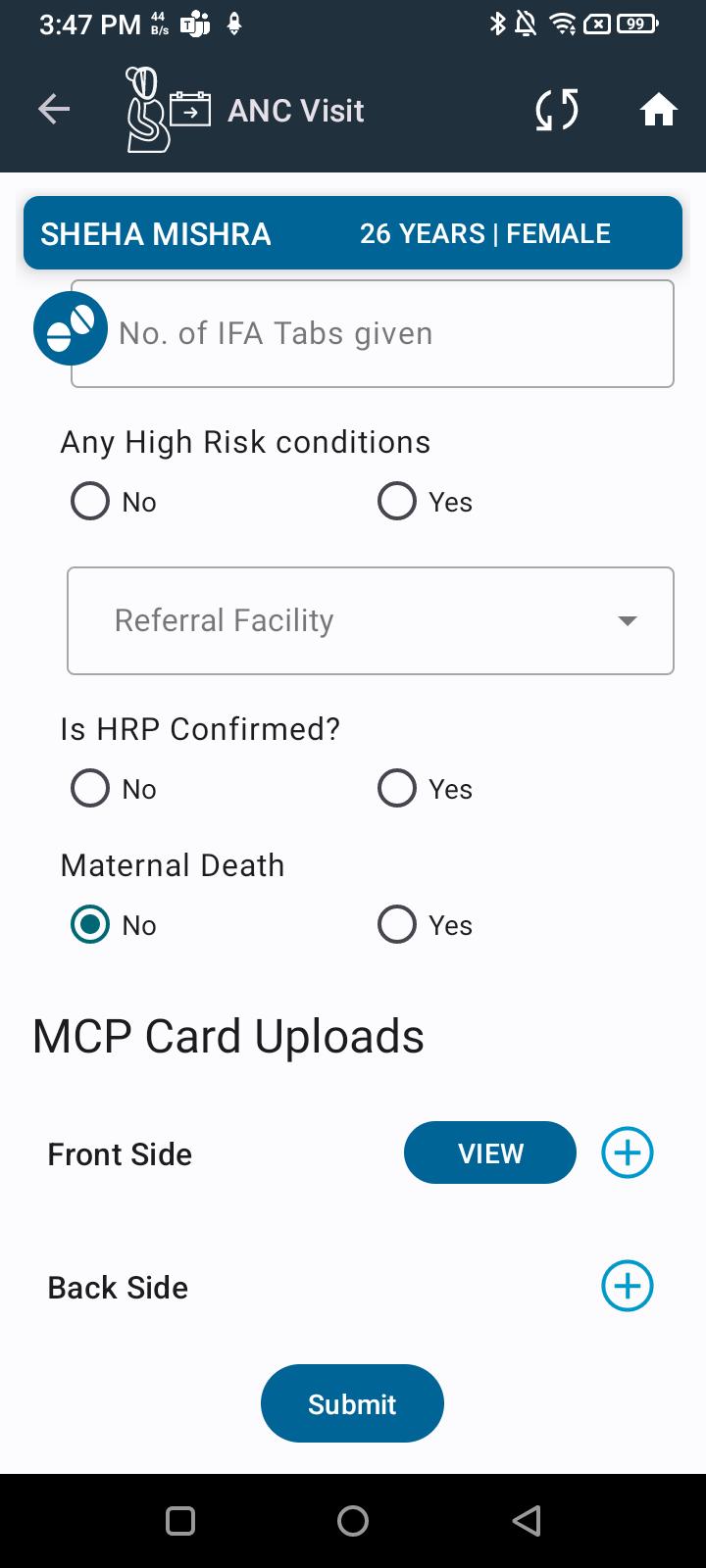
Move Upload MCP Card option to the bottom in ANC Visit section

XMLWordPrintable

    • Type: Bug
    • Resolution: Done
    • Priority: Medium
    • 2.5
    • Affects Version/s: None
    • FLW Mobile App
    • UAT

      In the ANC Visit section, the Upload MCP Card option is currently placed above other fields. The Upload MCP Card option should be moved to the bottom of the ANC Visit section.

      Steps to Reproduce:

      1. Navigate to ANC Visit section.
      1. Observe the placement of the Upload MCP Card option.

      Expected Result:
      The Upload MCP Card option should appear at the bottom of the ANC Visit section after all other fields and actions.

      Actual Result:
      The Upload MCP Card option is placed above other fields.
              Assignee:
              Deep Shikha
              Reporter:
              Deep Shikha
              Votes:
              0 Vote for this issue
              Watchers:
              1 Start watching this issue

                Created:
                Updated:
                Resolved: