Medium
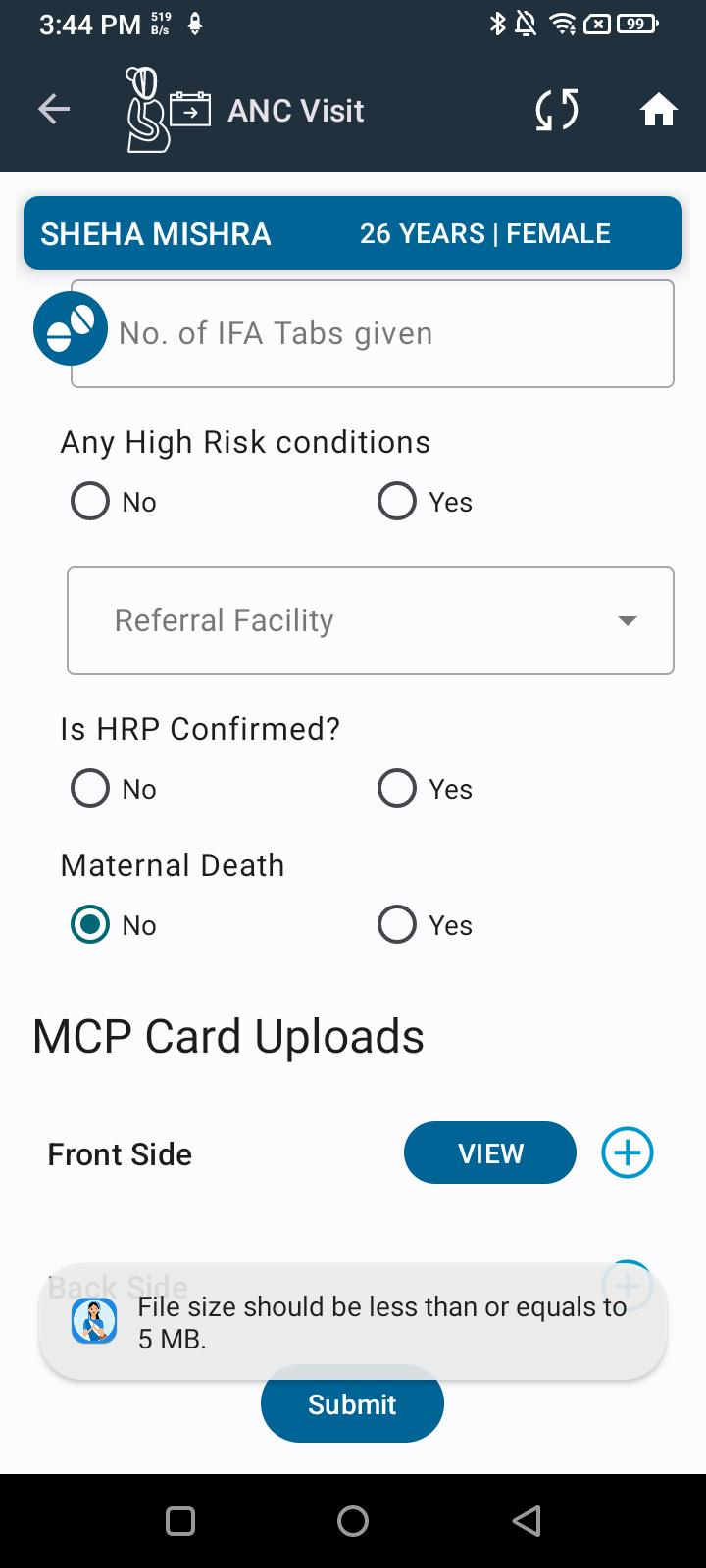
 While uploading the MCP card, the system shows both success and failure messages successfully. Sometimes, even when the file size exceeds the 5MB limit, the indicator displays the message “File size should be <= 5MB”, but the file still gets uploaded.
Steps to Reproduce:
- Go to MCP card upload screen.
- Select a file larger than 5MB.
- Click on upload.
- Observe the messages shown and the actual upload status.
Expected Result:
If the file size exceeds 5MB, the system should strictly prevent upload and only show the error message.
Actual Result:
Even after showing the error message “File size should be <= 5MB”, the file sometimes gets uploaded.