-
Type:
Task
-
Resolution: Done
-
Priority:
 Highest
-
Affects Version/s: None
-
None
-
FLW Sprint 16, FLW Sprint 17
-
FLW Mobile App
-
AMRIT Demo
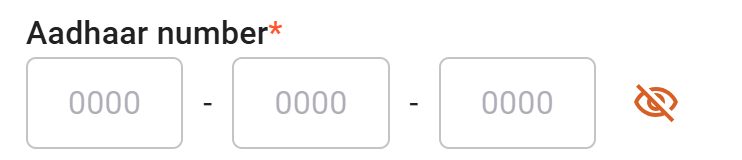
As a user of the ABHA system, I want the ability to enter my Aadhaar number in a masked text field (similar to a password field), so that my sensitive information remains hidden while I'm entering it, and I can choose to view it when necessary.
Acceptance Criteria:
1.Aadhaar Masking:
The Aadhaar number input field should display dots or asterisks as the default format (similar to password fields) to hide the entered number.
2.View/Hide Option:
An eye icon (representing "view") should be placed next to the Aadhaar input field.
Clicking the eye icon should toggle the visibility of the Aadhaar number (showing the actual digits when clicked and hiding them again when clicked).
3.Field Validation:
The Aadhaar number should still be validated properly according to the rules (e.g., length, valid characters, etc.), regardless of whether it's shown or masked.