 Story
Story
 Low
Low As an ASHA worker, I want to track ABHA and RCH ID counts directly from the dashboard, filter beneficiaries with ABHA and RCH IDs, and export ABHA data to Excel, so that I can effectively monitor progress, identify pending cases, and manage beneficiary information efficiently.
Acceptance Criteria:
- Dashboard Enhancements:
-
- Display ABHA Generation Icon on the dashboard, showing the total number of ABHA numbers generated.
- On click: Opens a detailed patient line listing of those with ABHA numbers.
- Include an Export to Excel button to download the list with columns: Serial No., Beneficiary Name, ABHA Number, and Mobile Number.
- Display RCH ID Icon on the dashboard, showing the total count of beneficiaries with RCH IDs.
- On click: Opens a detailed patient line listing of beneficiaries with RCH IDs.
- Display ABHA Generation Icon on the dashboard, showing the total number of ABHA numbers generated.
- Pregnant Women Line Listing Filters:
-
- Add a filter in the Pregnant Women Section, Infant List, and Child List to dynamically sort and display beneficiaries with RCH IDs.
- All Beneficiary Line Listing Filters:
-
- Add a filter in the All Beneficiary Section to sort beneficiaries with and without ABHA numbers.
- Clicking on a patient in the filtered list navigates to the respective Patient Form to complete ABHA generation for pending cases.
- Export ABHA Beneficiaries:
-
- Add an Export to Excel button in the All Beneficiary Section to download a list of beneficiaries with ABHA numbers.
- Ensure the exported file includes the following columns:
- Serial No.
- Beneficiary Name
- ABHA Number
- Mobile Number
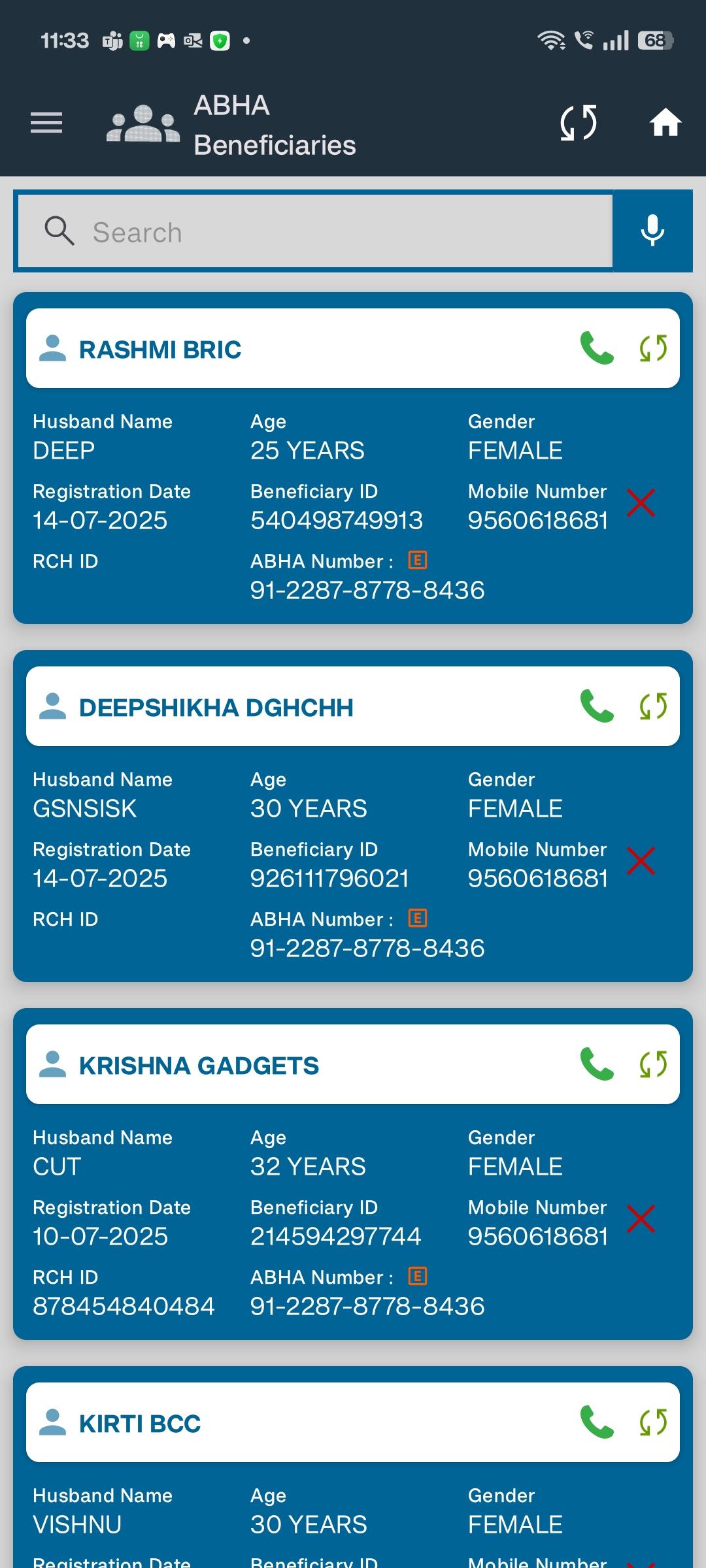
- mentioned in
-
Page Loading...

