-
Type:
Task
-
Resolution: Done
-
Priority:
 Low
-
Affects Version/s: None
-
None
-
FLW Sprint 55
-
FLW Mobile App
-
All
Module: Death Reports
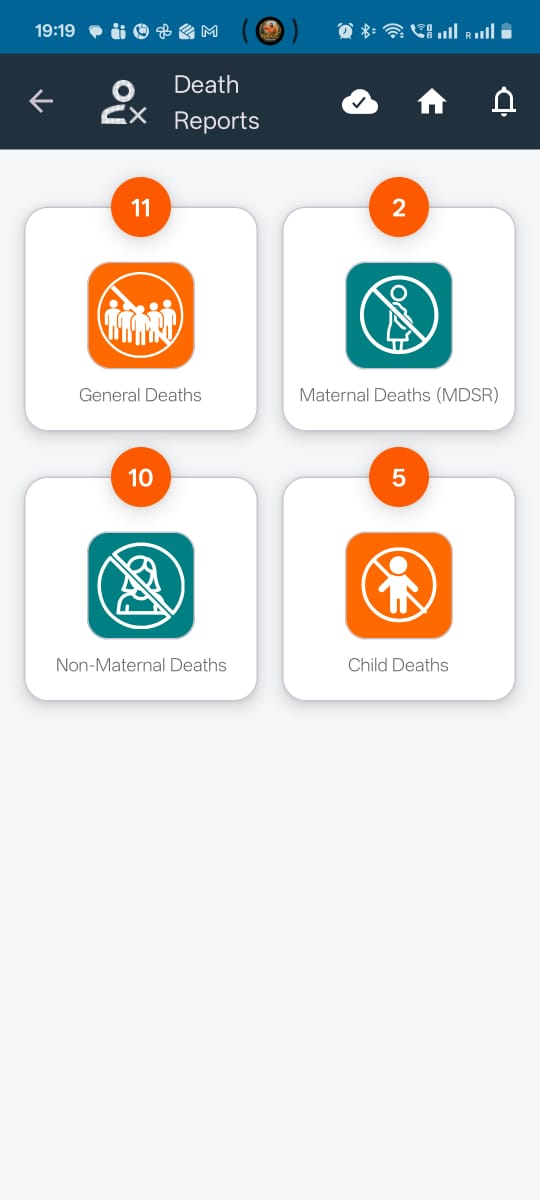
Sections: General Deaths, Maternal Death (MDSR), Non-Maternal Deaths, Child Deaths
Type: UI Enhancement
1. Description
Implement the required UI/UX enhancements across the Death Reports module, covering attachment renaming, form formatting standardisation, header icon consistency, and beneficiary card redesign.
2. Requirements
A. Maternal Death (MDSR) Section
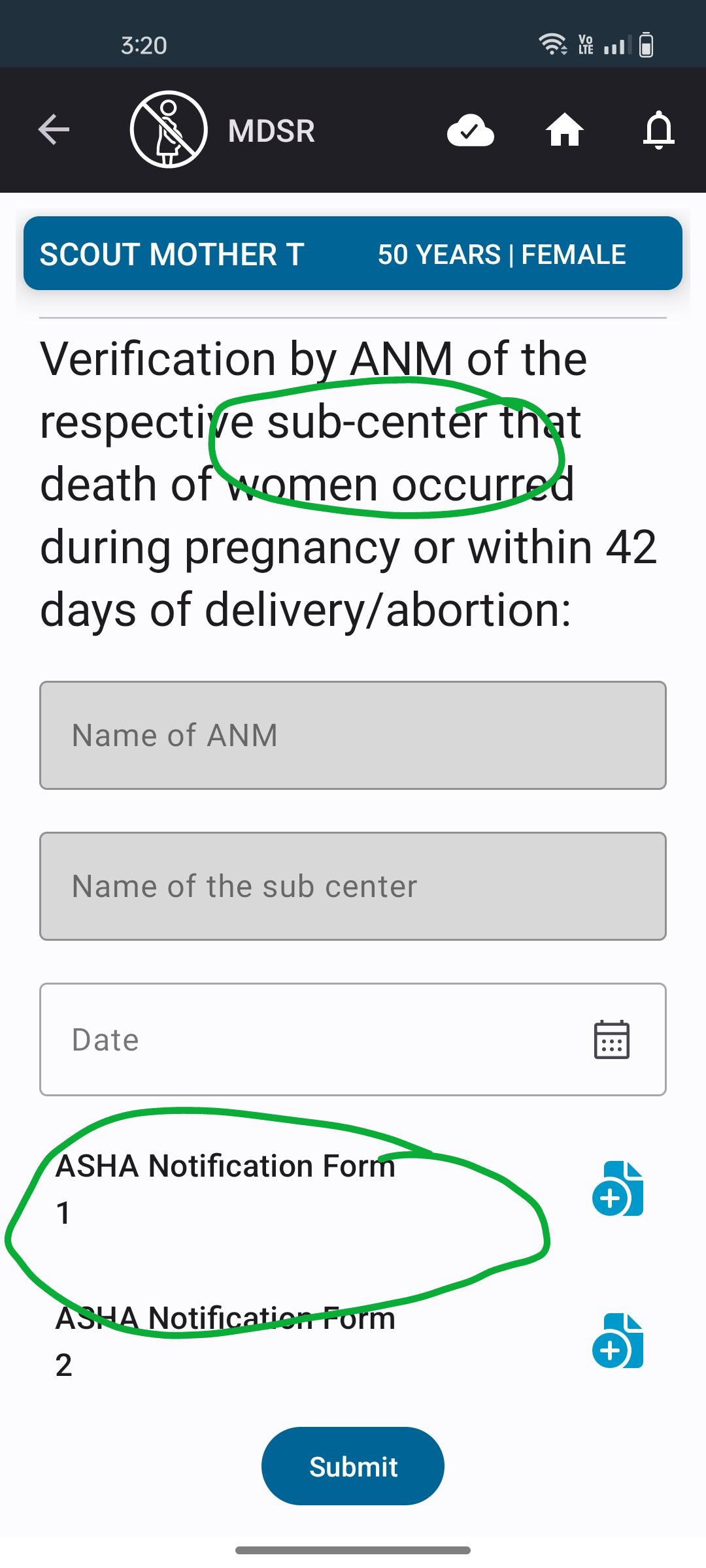
1. Rename attachments
Under the MDSR form, rename the following three attachment labels as specified:
| Existing Name | Revised Name |
|---|---|
| MDSR form from ANM 1 | ASHA Notification Form 1 |
| MDSR form from ANM 2 | ASHA Notification Form 2 |
2. MDSR form formatting changes
Under the MDSR form, make the following UI changes:
- Update the font style and font size of the sub-header "When did death occur" to match the formatting used in the TB Screening form.
- Update the font style and font size of the header "Verification by ANM of the respective sub-centre that death of women occurred during pregnancy or within 42 days of delivery/abortion" to match the TB Screening form.
- In the verification header, change the casing of "Sub-Center" to "sub-center".
B. Child Deaths Section
1. Rename attachments
Under the Child Death Report (CDR) form, rename the following attachment labels:
| Existing Name | Revised Name |
|---|---|
| CDR form from ANM 1 | ASHA Notification Form 1 |
| CDR form from ANM 2 | ASHA Notification Form 2 |
C. Common UI Enhancements Across All Death Report Sections
Apply the following changes across all four sections:
- General Deaths
- Maternal Death (MDSR)
- Non-Maternal Deaths
- Child Deaths
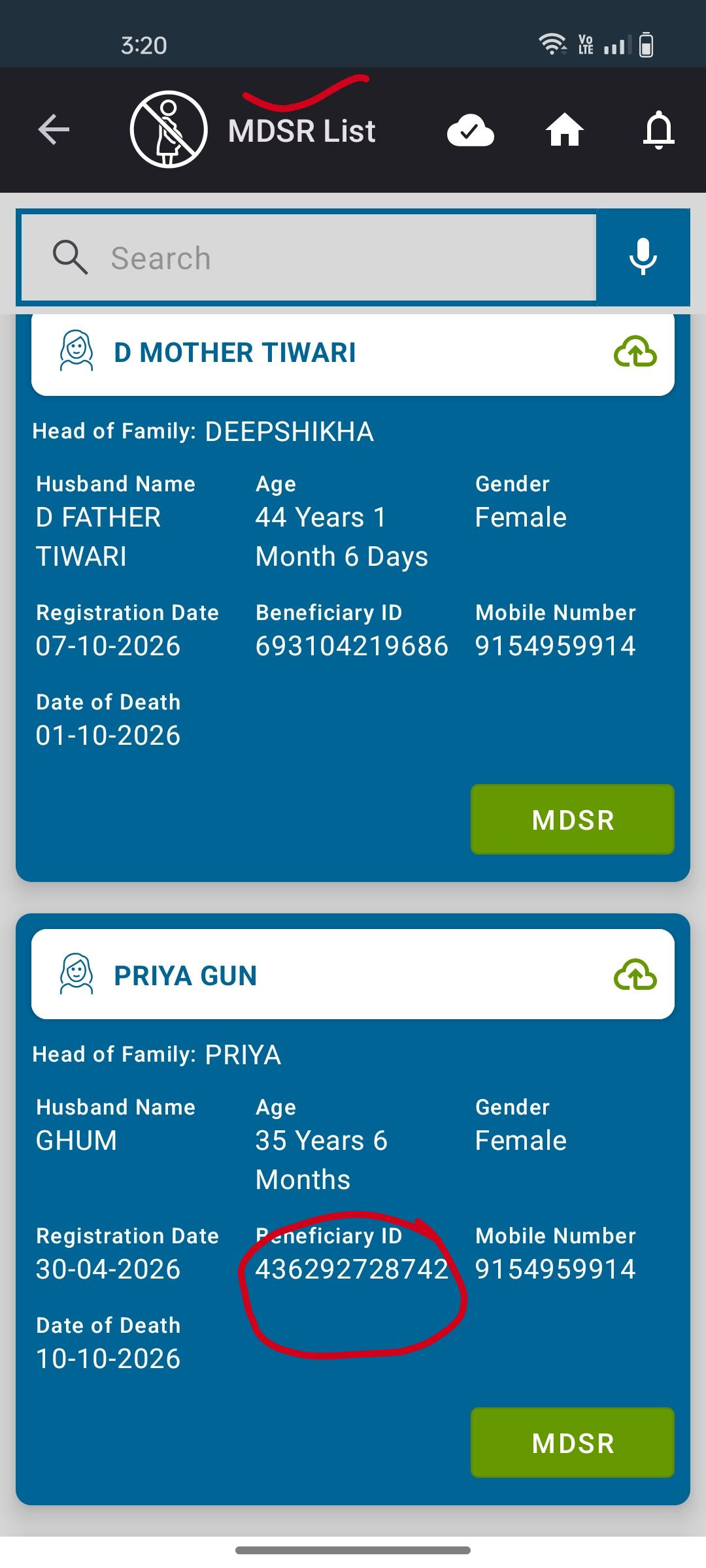
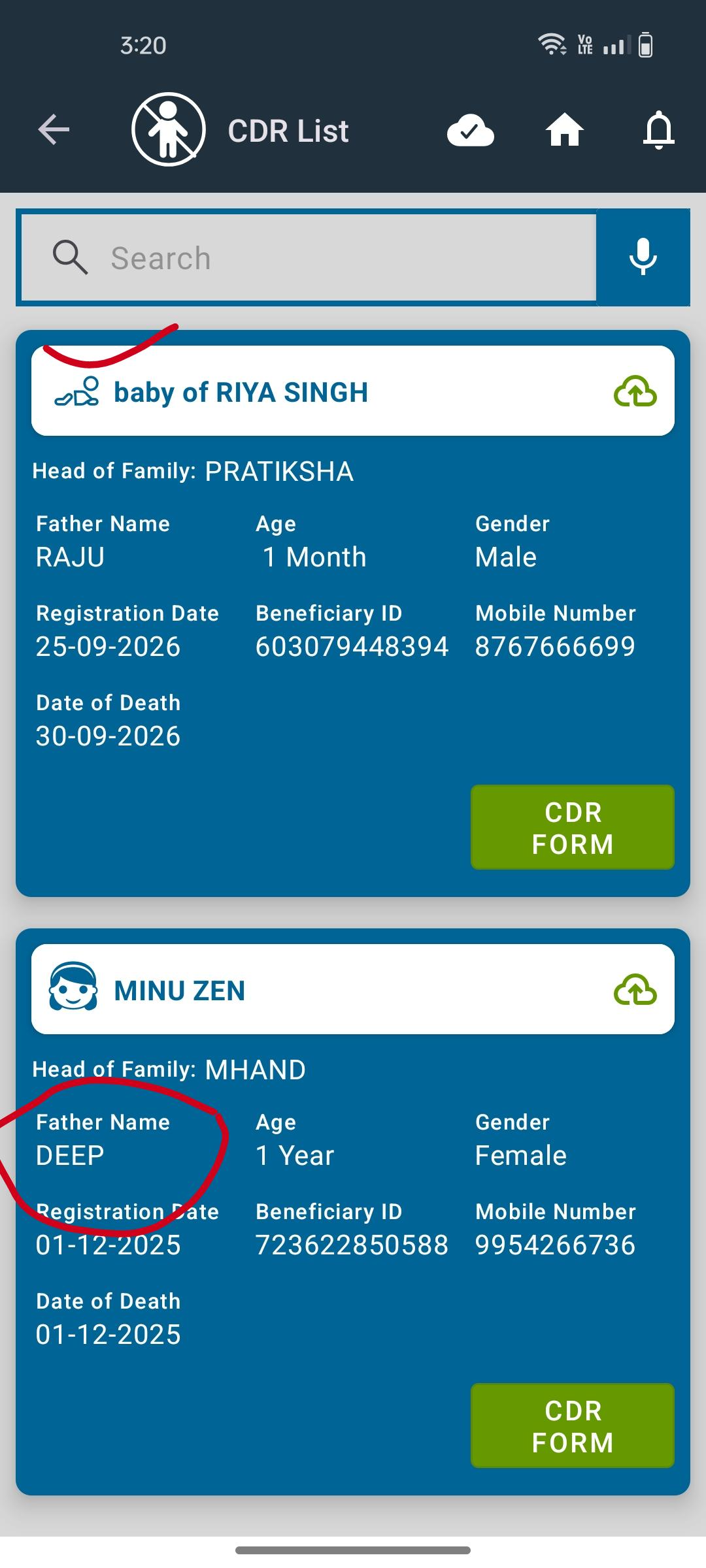
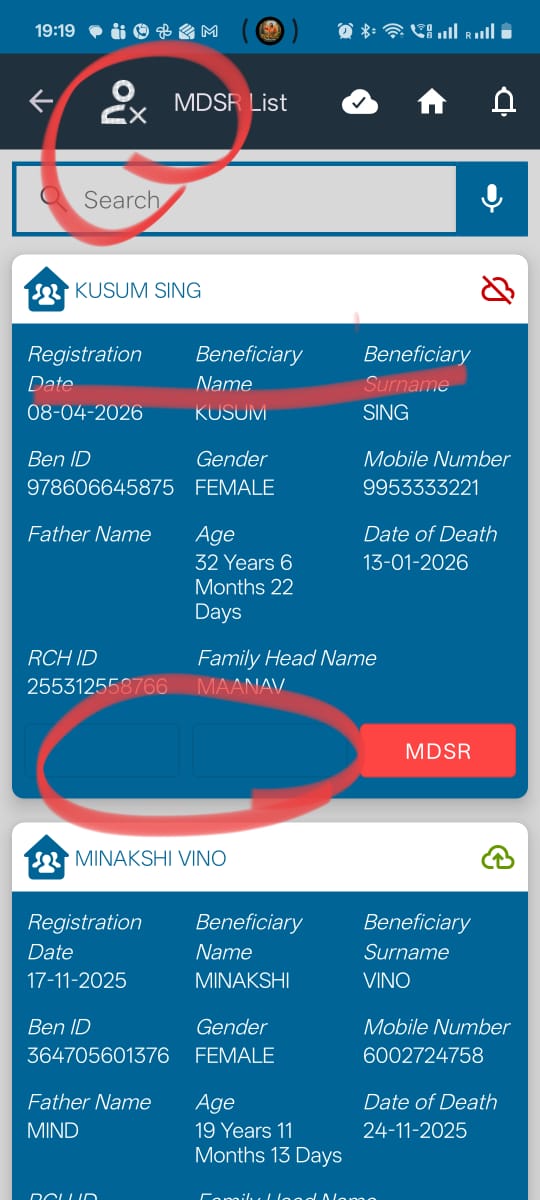
1. Header Icon Standardisation
- Replace the existing header icons displayed at the top of each section with the same icon used for the main Death Reports module.
2. Beneficiary Card – Remove Additional Boxes
- In the Maternal Death (MDSR) and Child Deaths sections, remove the two additional boxes currently visible on the beneficiary cards.
3. Beneficiary Card UI Standardisation
Update the beneficiary cards across all four sections to align with the latest beneficiary card UI available under the All Beneficiaries section.
The following changes must be incorporated:
a. Font style and size: Match the title and content font styles and sizes with the latest beneficiary card UI.
b. Field naming: Standardise field labels. For example, replace "Ben ID" with "Beneficiary ID".
c. Content organisation:
- Display the Head of Family name as the beneficiary card title.
- Remove the separate display of the beneficiary's first name and surname, as this information is not required in the card layout.
- Follow the content arrangement and information hierarchy used in the beneficiary cards under All Beneficiaries.
d. Beneficiary image icons:
Use gender- and age-appropriate icons for beneficiary cards:
- Baby
- Adult Female
- Adult Male
- Male Child
- Female Child
Refer to the latest beneficiary card UI for visual consistency.
3. Acceptance Criteria
| ID | Acceptance Criteria |
|---|---|
| AC01 | MDSR attachment labels are updated to "ASHA Notification Form 1" and "ASHA Notification Form 2". |
| AC02 | CDR attachment labels are updated to "ASHA Notification Form 1" and "ASHA Notification Form 2". |
| AC03 | The MDSR sub-headers "When did death occur" and the ANM verification header follow the font style and size used in the TB Screening form. |
| AC04 | The term "sub-center" is displayed in lowercase in the MDSR verification header. |
| AC05 | All four Death Report sections display the same header icon as the main Death Reports module. |
| AC06 | The additional two boxes on beneficiary cards in MDSR and Child Deaths sections are removed. |
| AC07 | Beneficiary cards across all four sections follow the latest UI design used in All Beneficiaries. |
| AC08 | The beneficiary card title displays the Head of Family name. |
| AC09 | The separate beneficiary first name and surname are no longer displayed in the card layout. |
| AC10 | Field labels are standardised, including replacing "Ben ID" with "Beneficiary ID". |
| AC11 | Font style, font size, spacing and content hierarchy are consistent with the All Beneficiaries card. |
| AC12 | Appropriate beneficiary image icons are displayed based on age group and gender (baby, adult female, adult male, male child and female child). |
| AC13 | All changes are reflected consistently across General Deaths, MDSR, Non-Maternal Deaths and Child Deaths without affecting existing functionality. |
4. Reference
- Beneficiary Card UI: Refer to the latest beneficiary card design under All Beneficiaries.
- Font Formatting: Refer to the TB Screening form.
- Header Icon: Refer to the main Death Reports module.
5. Expected Outcome
The Death Reports module should have a consistent and standardised UI across all four sections, with updated attachment labels, improved form readability and beneficiary cards aligned with the latest application design.
cc: madhava.ramu@piramalswasthya.org Shivani.Garg@piramalswasthya.org