-
Type:
 Story
-
Resolution: Unresolved
-
Priority:
 Medium
-
Affects Version/s: None
-
None
-
FLW Sprint 55, FLW Sprint 56
-
FLW Mobile App
-
All
Applicable for both Utprerona and Mitanin
Type: Feature/UI and workflow
Disease Control > Communicable Disease > Tuberculosis (TB) > TB Screening
User story
As a ASHA, I want to add a TB screening for an eligible beneficiary and view earlier screenings, so that each completed screening is retained and the beneficiary is screened again only after the one-month interval.
Requirements:
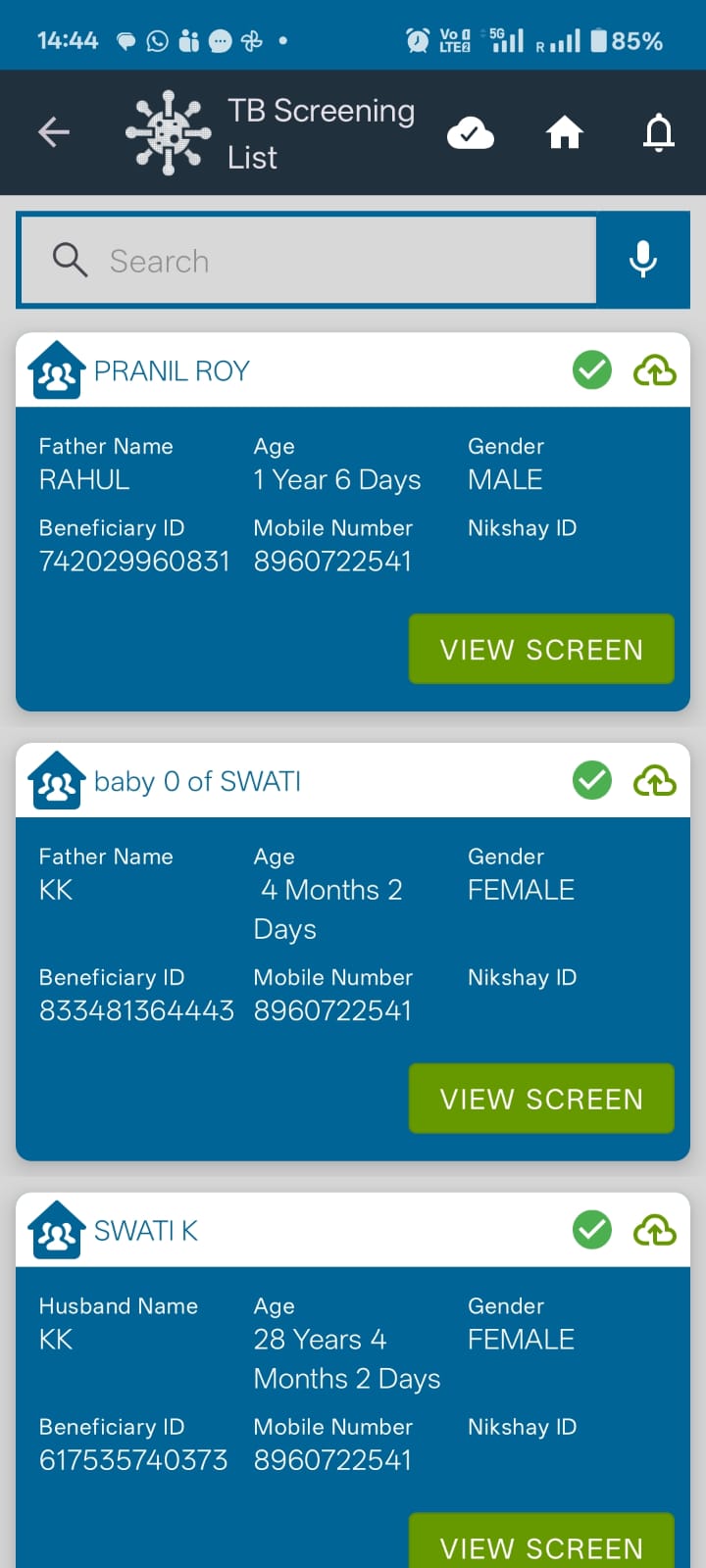
- Keep the existing View Screen and Screen action.
- For beneficiaries with a completed screening history, provide an Add Screening action for repeat screening.
- For beneficiaries who have never been screened, keep the existing red Screen action and do not show Add Screening
- On {}Screen{} or {}Add Screening{}, open a new TB screening form for that beneficiary.
- When a form is submitted, save it as a completed screening record in that beneficiary's screening history.
- Keep every prior completed form available to view from history. A new form must not overwrite or remove an earlier screening.
- Lock the ability to start another screening for one calendar month after a successful submission.
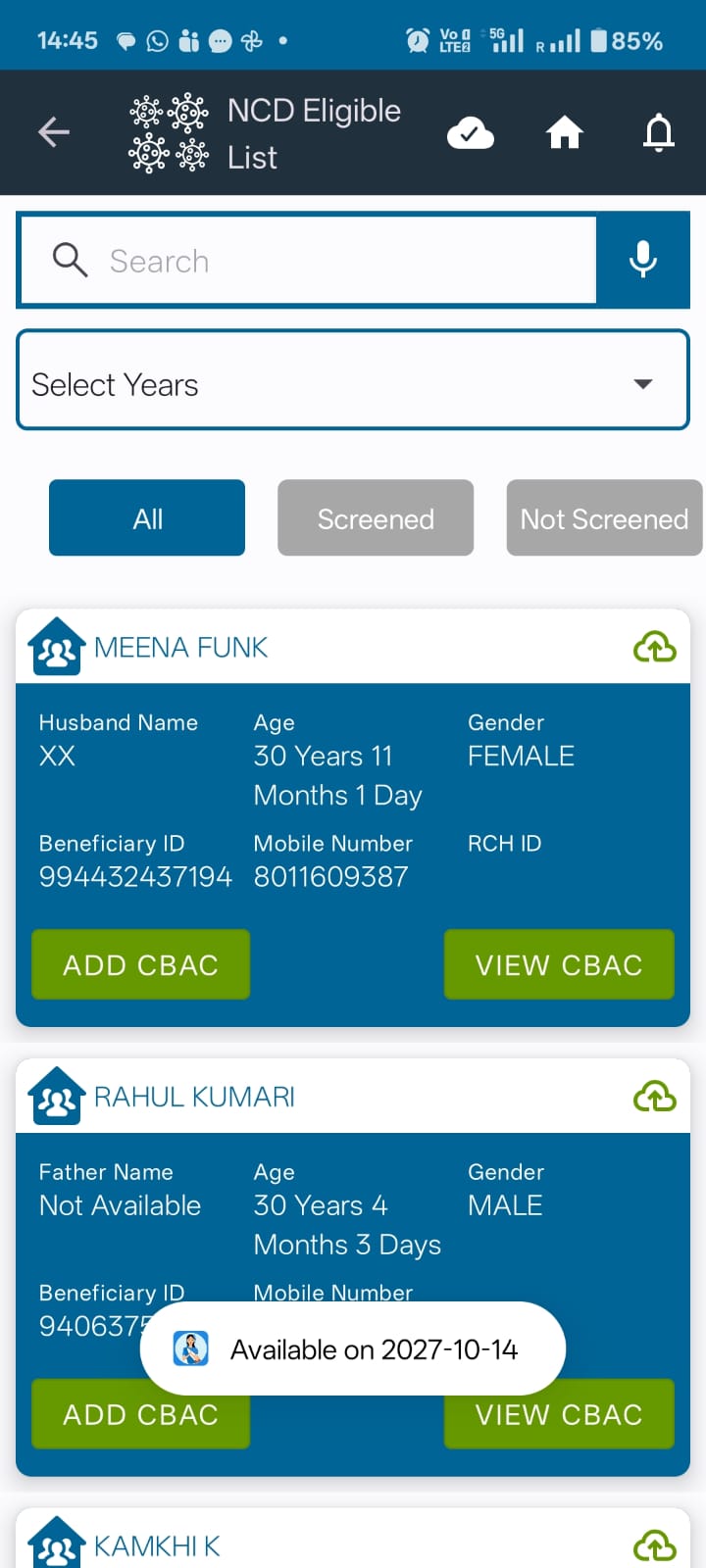
- While locked, disable {}Add Screening{} and show the next available date. Keep {}View Screen{} and history viewing available.
- Re-enable {}Add Screening{} when the one-month lock expires. The next submitted screening becomes a new history entry and starts a new one-month lock.
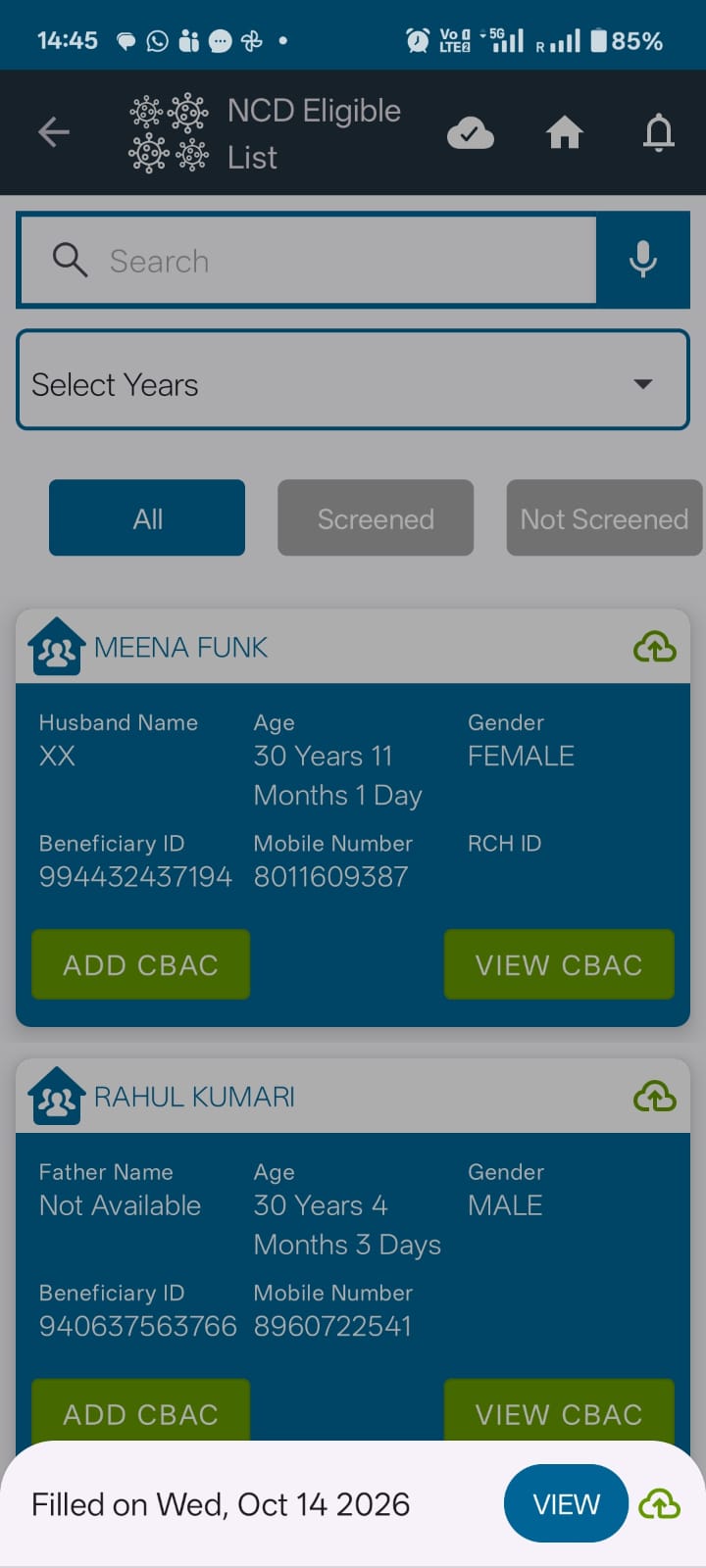
- Show history entries with their completion date and a {}View{} action, newest first.
Acceptance criteria
1. A never-screened beneficiary shows the existing red {}Screen{} action and does not show {}Add Screening{}.
2. A beneficiary with a completed screening history can view the latest form and history, and sees {}Add Screening{} for repeat screening.
3. After successful submission, the completed form is saved to history and remains viewable.
4. During the one-month lock, {}Add Screening{} is unavailable and the next available date is visible; the existing screening and history remain viewable.
5. When the lock expires, {}Add Screening{} becomes available again.
6. Submitting a later screening adds a separate history entry without changing earlier entries.
Date handling
Calculate the next available date as one calendar month after the submission date, using the application's configured local date. If that date does not exist in the following month, use that month's last calendar day.
Notes
The sample names and dates in the demo are illustrative. The NCD screenshots are interaction references; the TB list keeps its own labels and branding.