-
Type:
 Story
Story
-
Resolution: Done
-
Priority:
 Medium
-
Affects Version/s: None
-
None
-
FLW Sprint 52
-
FLW Mobile App
-
All
Applies to both Mitanin and Utprerona
Module: Disease Control → Communicable Diseases → Tuberculosis → Confirmed TB cases
Background
Tuberculosis Preventive Treatment (TPT) is intended to prevent the development of active TB among eligible household contacts of confirmed TB cases.
When a confirmed TB case is identified in a household, all family members of that household become eligible for TB screening. The FLW should be able to identify these members and subsequently track their screening, referral, TPT initiation, and follow-up.
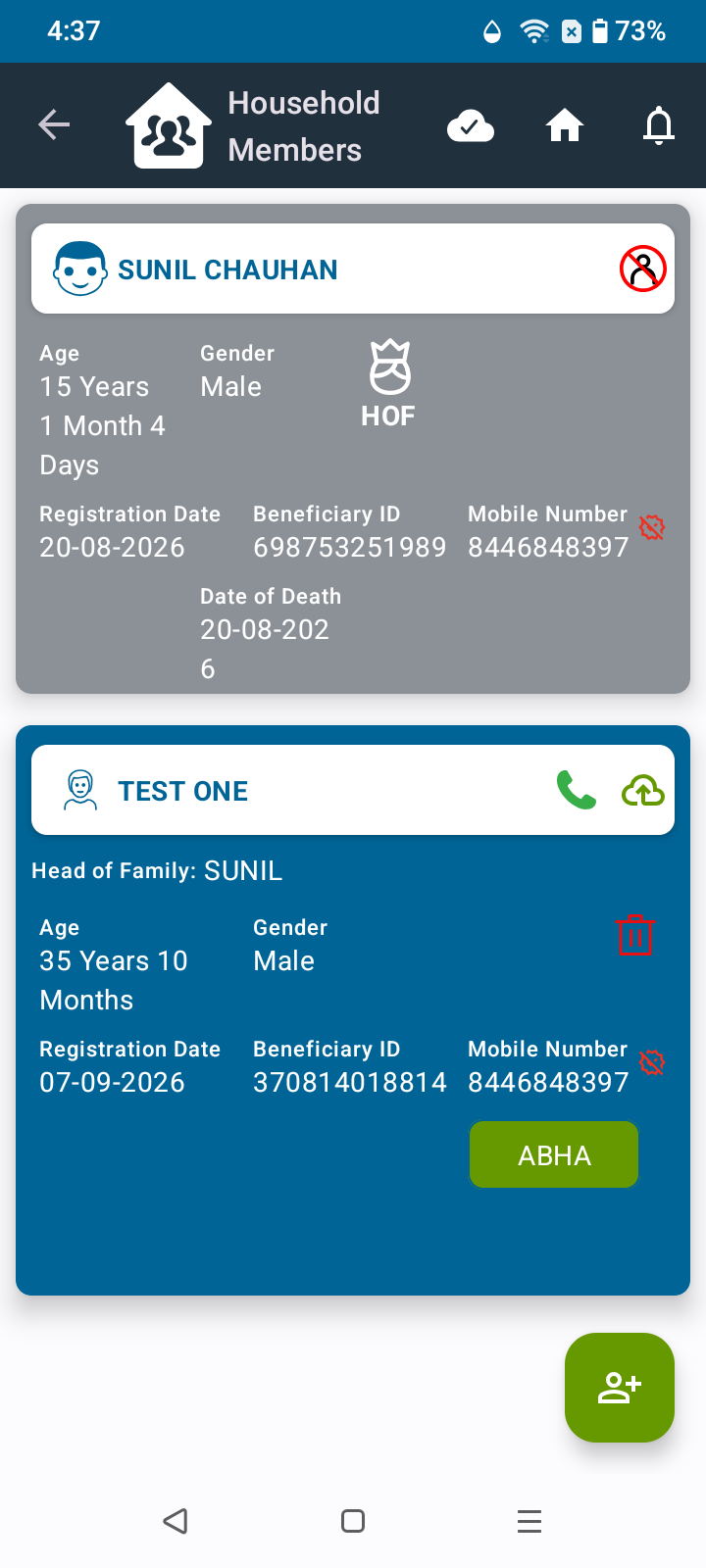
Also, in the Household Members section, there is a “ ” (Plus) button for adding members. Currently, the button is blue, while the beneficiary cards are also blue, making the button difficult to identify clearly.
Please change the “+” button color to green for better visibility and easy identification.
Current Behaviour
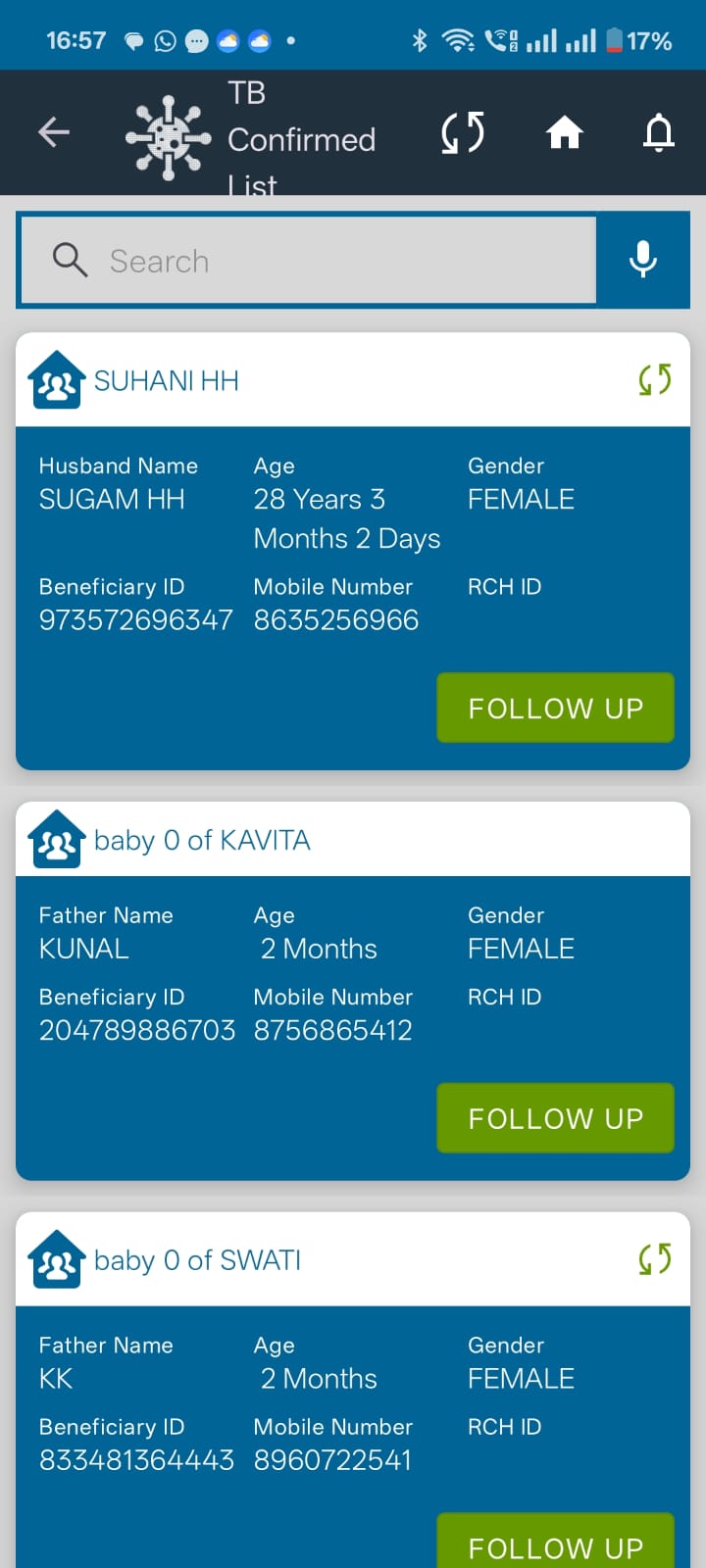
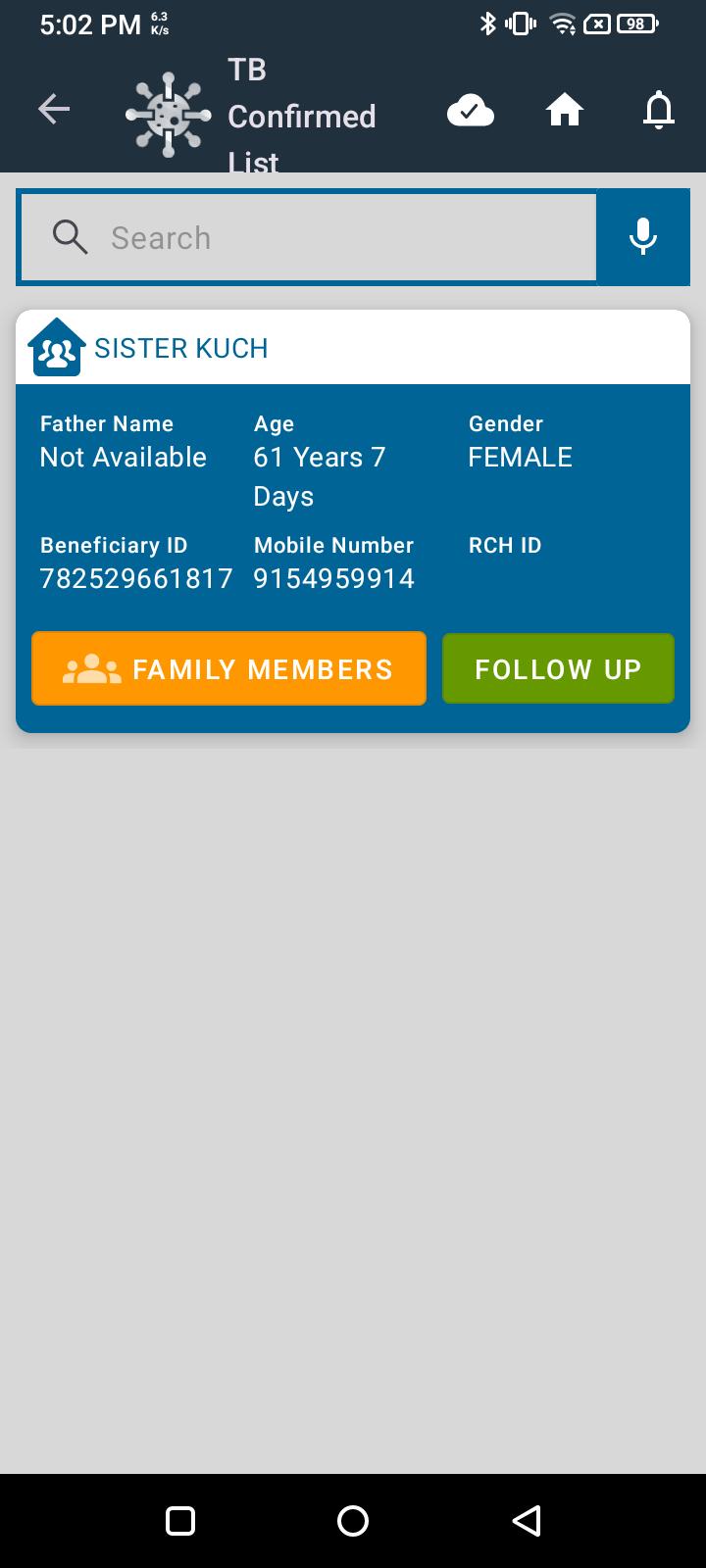
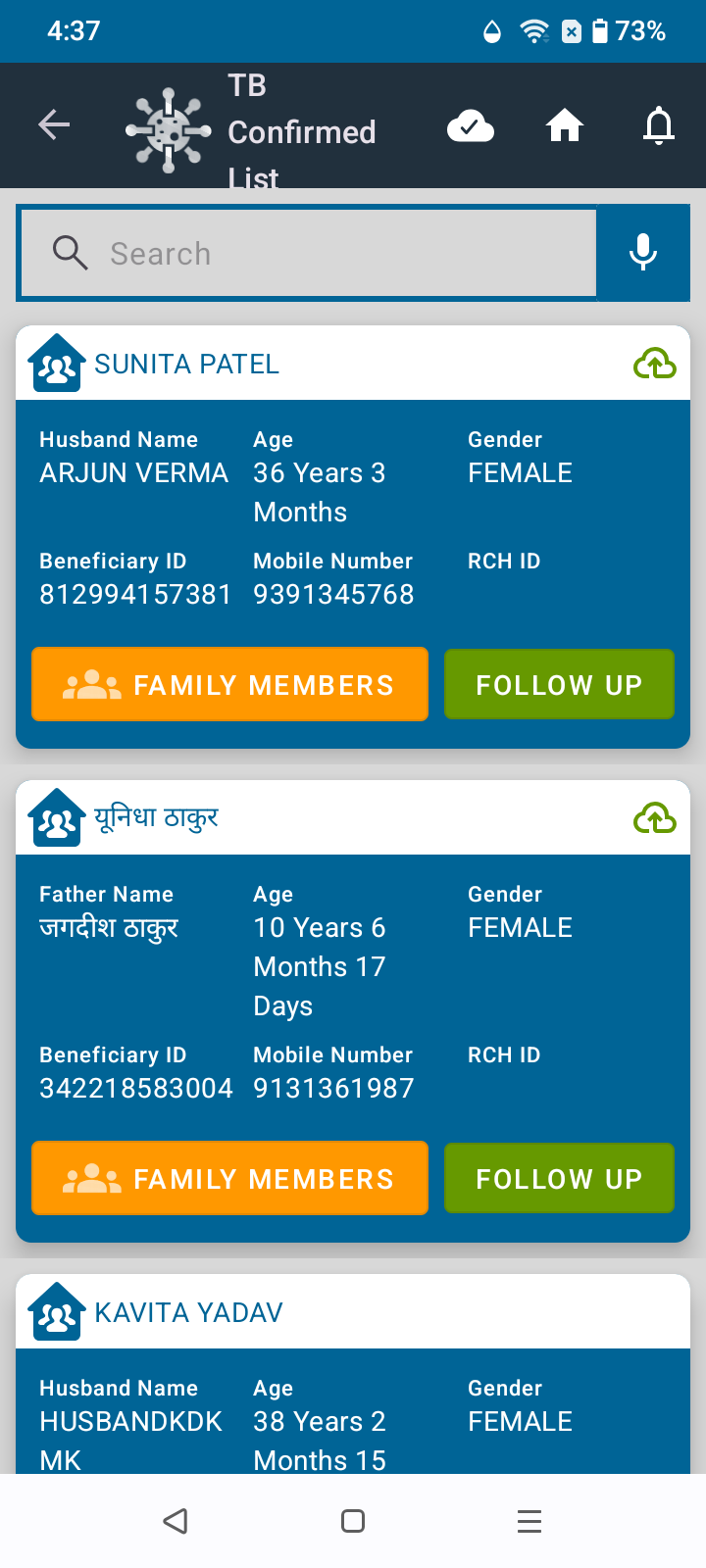
The Confirmed TB Cases list displays confirmed TB cases at the household level. However, there is currently no direct option to view the family members associated with the household and initiate their TB screening.
Requirement / Expected Behaviour
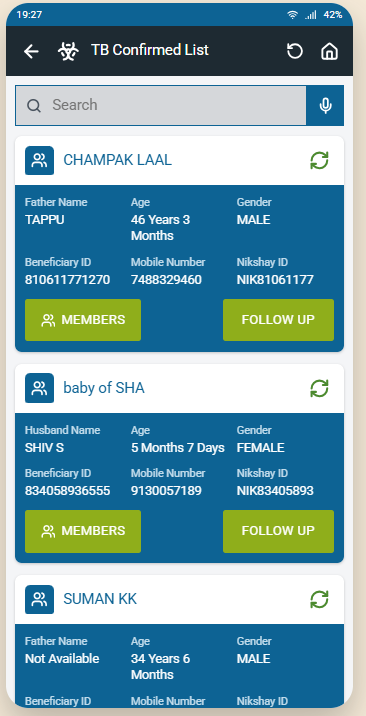
A “Members” button should be added to the existing Confirmed TB Case card.
On clicking “Members”:
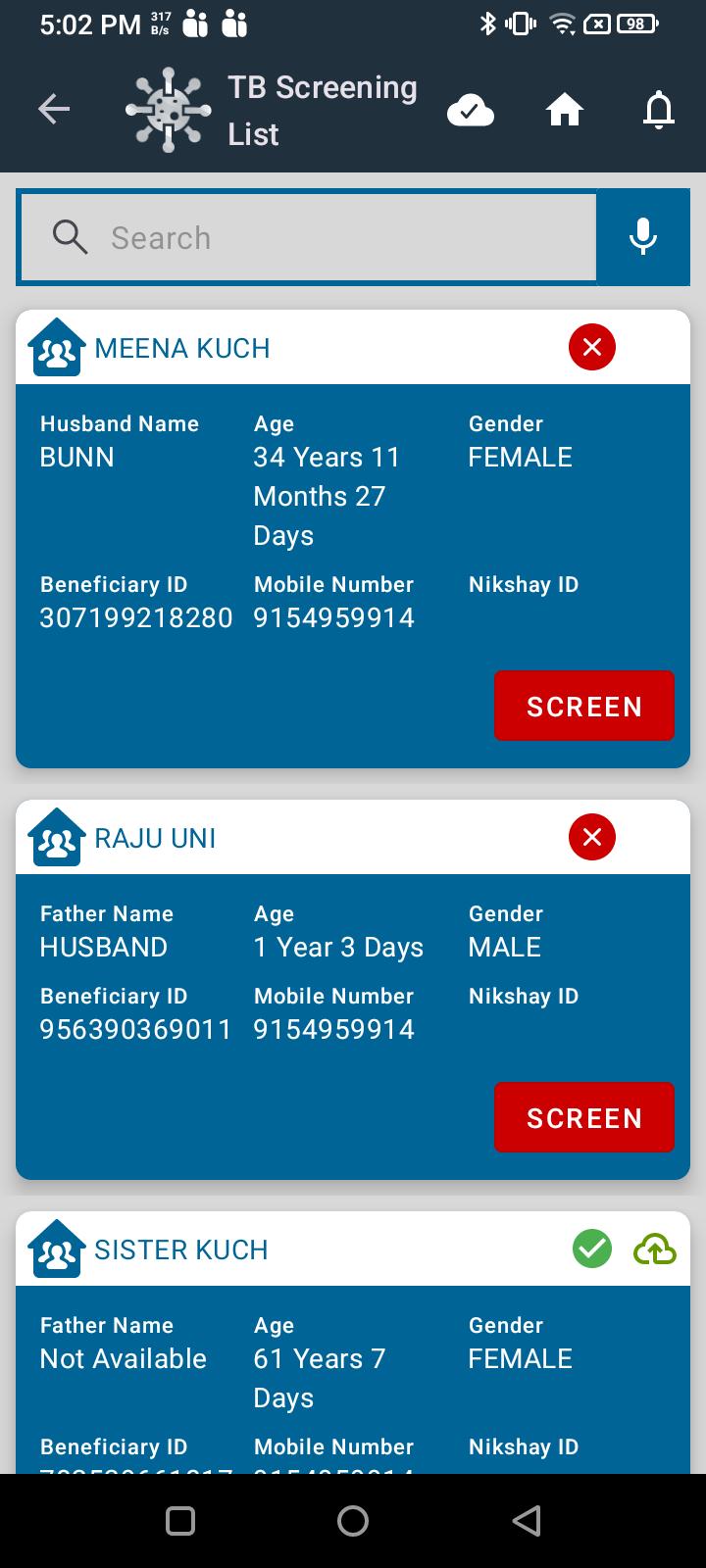
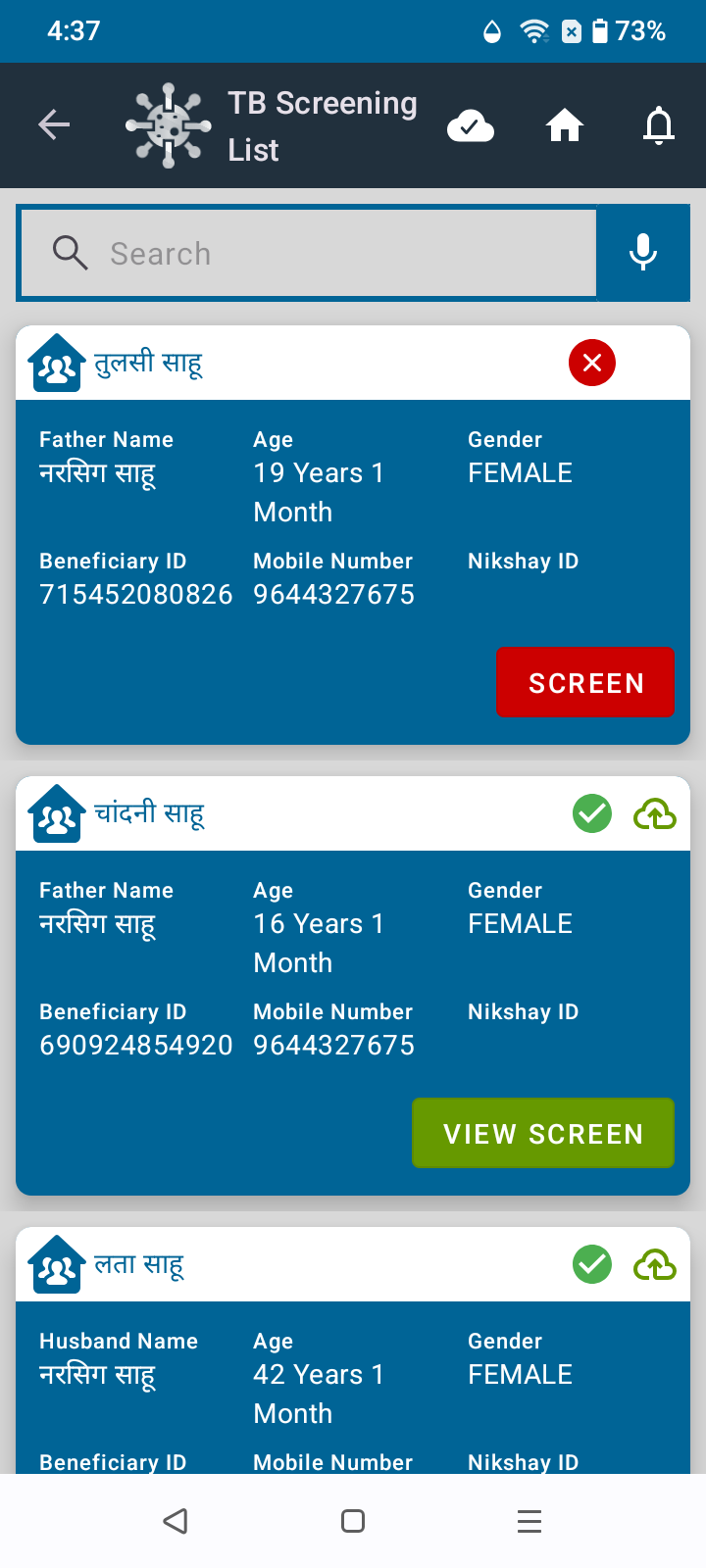
- The application should navigate to the TB Screening module
- The corresponding members of the household of the confirmed TB case should be displayed
- The list should display all members of that household.
- Post this, the flow remains as it is under the TB screening module.
Acceptance Criteria
- Members button is displayed on every Confirmed TB Case card.
- Clicking Members navigates the FLW to the TB Screening List.
- The relevant members of the household associated with the confirmed TB case is displayed.
- All family members belonging to the household are listed.
- The FLW can initiate TB Screening for the respective household members.
- The screening status of each member is maintained and updated based on the screening activity.
UI Reference: Add the “Members” button within the existing Confirmed TB Case card, following the existing Utprerona card and button design.
Also, in the Household Members section, there is a “+” (Add Member) button for adding members. Currently, the button is blue, while the beneficiary cards are also blue, making the button difficult to identify clearly.
Please change the “+” button color to green for better visibility and easy identification.