-
Type:
 Story
Story
-
Resolution: Done
-
Priority:
 Medium
-
Affects Version/s: None
-
None
-
FLW Sprint 51, FLW Sprint 52, FLW Sprint 53
-
FLW Mobile App
-
All
Applicable to both Utprerona and Mitanin
Module : Disease Control → Tuberculosis → TB Screening
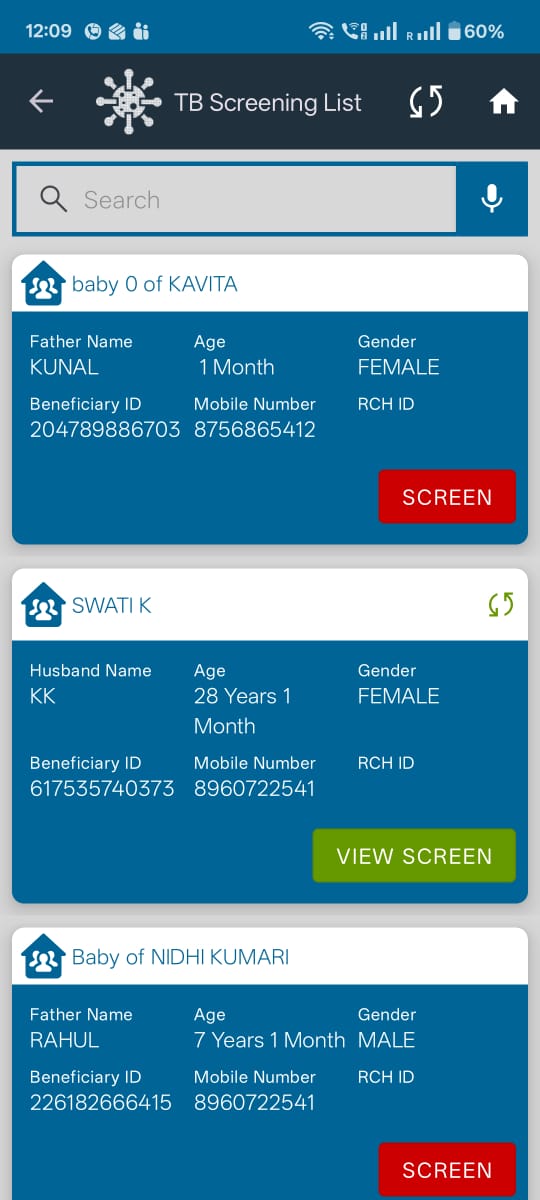
Background : Currently, the TB Screening List displays individual beneficiaries who are eligible for TB screening. However, ASHAs generally approach TB screening at the household level.
Current Behaviour
- The TB Screening List displays individual beneficiary cards.
- Each card contains beneficiary details (Name, Age, Gender, Beneficiary ID, etc.) along with a View Screen/Screen action.
Expected Behaviour
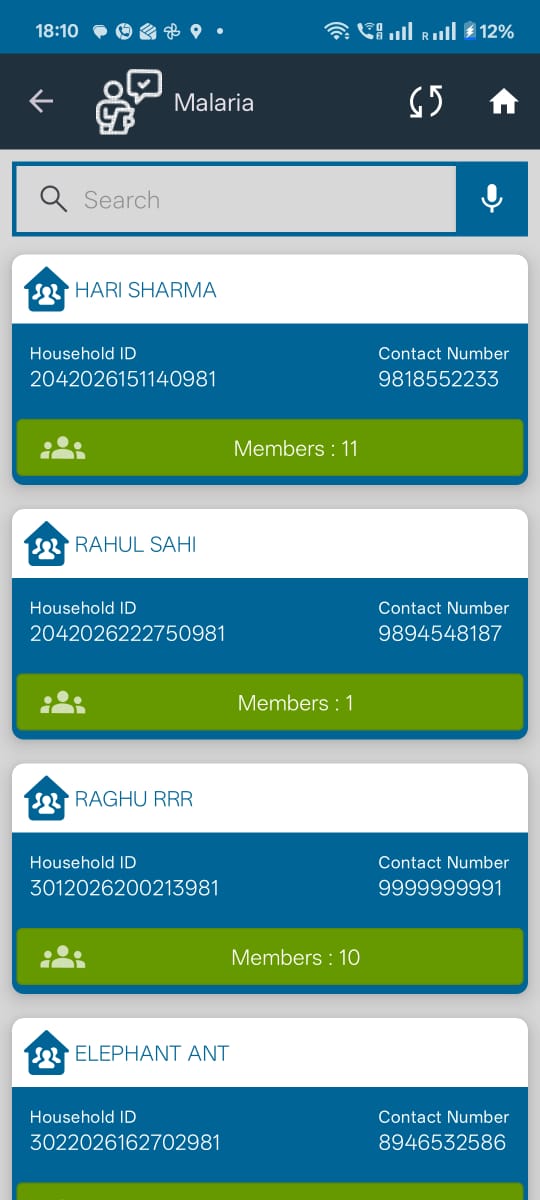
1. The TB Screening List should display Household details instead of individual beneficiaries.
Each household card should be similar to the existing All Household listing and display:
- Household Head Name
- Household ID
- Contact Number
- Number of Household Members
2. Selecting a household should navigate to a Household Member List, where:
- All household members are displayed.
- On every Family Member’s card show status of ‘TB Screening’ like Green check mark symbol for “Screened” and Red cross mark symbol “Unscreened”
3. One every patient card, where right now RCH ID is getting displayed : display Nikshay ID
Proposed User Flow
Disease Control
→ Tuberculosis
→ TB Screening List (Households)
→ Show Household Details
→ Click on Members
→ Household Member List
→ Show green check mark for Screened and red cross mark for Unscreened
→ Can see Niskshay ID on patient card in place of RCH ID
Acceptance Criteria
Scenario 1: Display Household List
Given the user navigates to Disease Control → Tuberculosis → TB Screening
When the TB Screening List is opened
Then
- The system shall display a list of Households instead of individual beneficiaries.
- Each household shall appear only once.
- Each household card shall display:
Household Head Name
Household ID
Contact Number
Number of Household Members - Each household card shall include a "Members" button to view household members.
Scenario 2: View Household Members
Given the user is on the TB Screening Household List
When the user clicks the "Members" button on a household card
Then
- The system shall navigate to the Household Member List for the selected household.
- All members belonging to the selected household shall be displayed.
Scenario 3: Display Screening Action for Household Members
Given the user is viewing the Household Member List
When the list is displayed
Then
- Each household member card shall display an action button based on the TB screening status:
"Unscreened" in Red with a cross symbol on top of the card - if TB screening is pending.
"Screened" in Green with a check symbol on top of the card - if TB screening has already been completed.
Scenario 4 : On the patient card
Show Nikshay ID and not RCH ID