-
Type:
Bug
-
Resolution: Done
-
Priority:
 Medium
-
Affects Version/s: None
-
None
-
FLW Mobile App
-
UAT
Description:
Multiple issues have been identified in the Village Level Form module across different sections:
- Photo Upload/View Issue
- After uploading an image successfully, clicking on View still allows the image upload option.
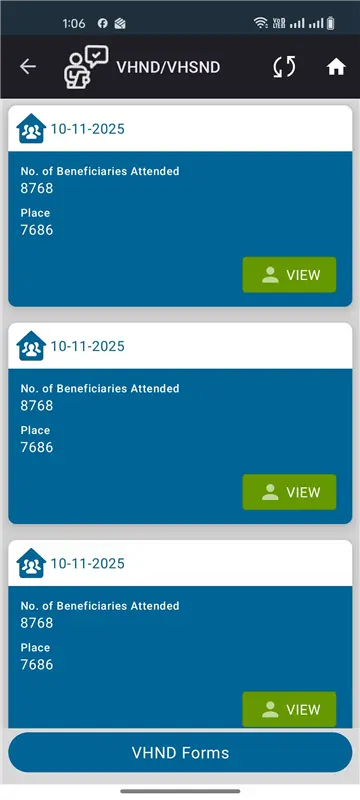
- Duplicate Existing Records
- Multiple existing cards/records are being displayed for the same month.
- Pulse Polio Campaign Issues
- The date format displayed in Pulse Polio Campaign is different from the format used in other modules.
- Newly added entries are displayed at the bottom of the list instead of appearing at the top.
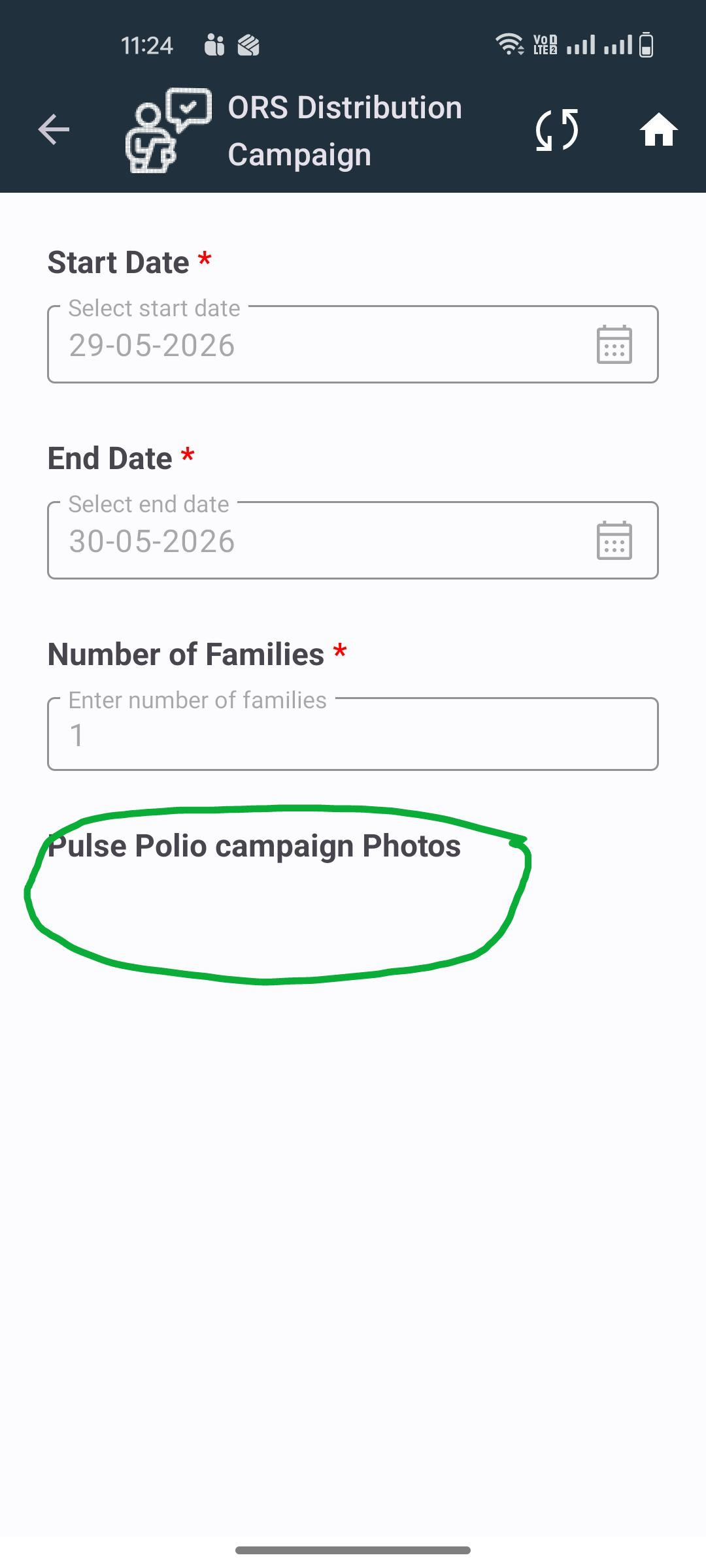
- ORS Module Issues
- New ORS entries are also appearing at the bottom of the list instead of the top.
- Inside the ORS form, incorrect text/label is displayed. The form is showing Pulse Polio photo upload-related text instead of ORS-related content.
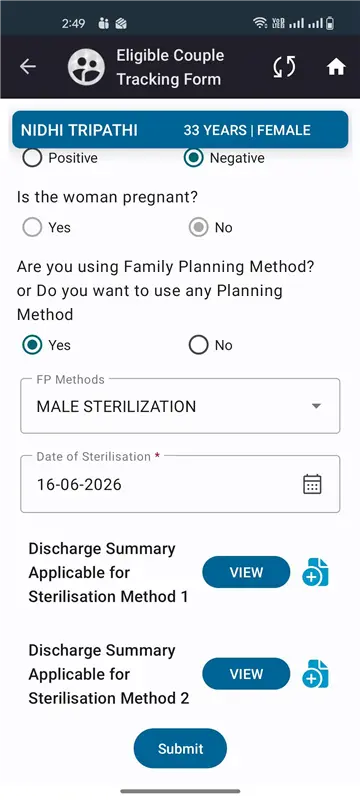
- EC Tracking – Family Planning Method Issues
- Image upload is not working in the Family Planning Method section.
- Uploaded images are not visible in View mode.
Expected Result:
- Uploaded images should be viewable and should not re-upload in View mode.
- Only valid records for the selected month should be displayed.
- Date format should be consistent across all modules.
- Newly created records should appear at the top of the list.
- Correct module-specific labels and content should be displayed.
- Image upload and view functionality should work properly in EC Tracking – Family Planning Method.