-
Type:
Task
-
Resolution: Done
-
Priority:
 High
High
-
Affects Version/s: None
-
None
-
FLW Mobile App
-
All
BRD Reference: BR-05–08, §9
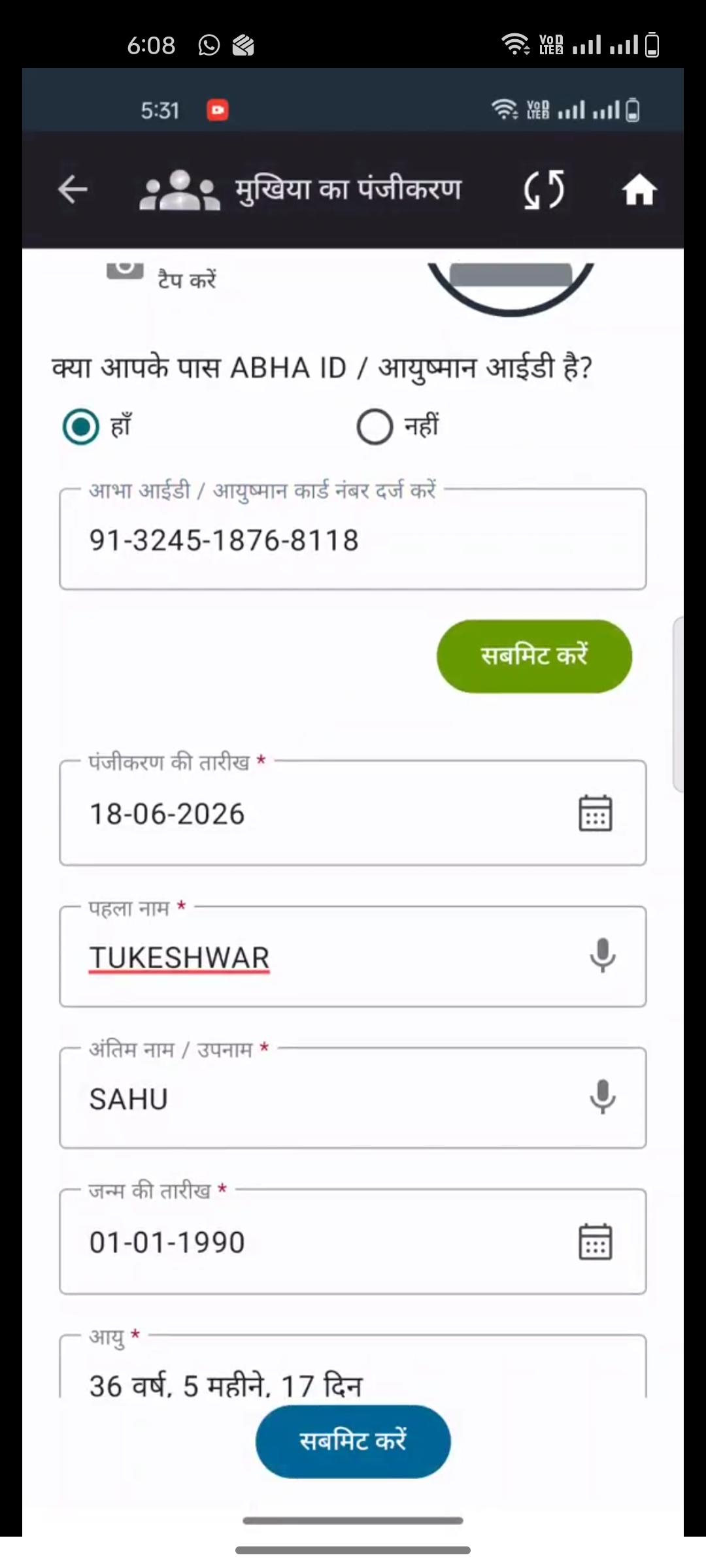
• personName → split on last space: last word = Last Name, remainder = First Name. Single-word name: First Name only, Last Name blank. Both fields non-editable after pre-fill. (BR-05)
• dob_secc → pre-fill Year of Birth (editable). Day and Month are not returned by API — render as blank mandatory fields for ASHA to fill. (BR-06)
• gender (M/F/null) → Male/Female/Not Specified. Pre-filled, editable. Null must not block registration. (BR-07, BR-17)
• mobileNo (null) → leave blank, editable. Null must not block or crash. (BR-07, BR-18)
• district / block / villagename → pre-fill into address fields, editable. (BR-07, BR-16)
• rural_Urban (R/U) → Rural/Urban. Pre-filled, editable. (BR-07)
• cardNo and abhaId → stored as system identifiers; not rendered as editable fields on the form. (BR-08)
• familyid → stored and displayed to ASHA for household grouping reference; not editable; not auto-nested. (BR-12) --currently not done
Acceptance Criteria
• Name fields locked and non-editable; all others editable.
• Null gender and mobile do not throw errors or block submission.
• cardNo and abhaId not visible as input fields.
• familyId displayed for ASHA reference on confirmation/form screen.