-
Type:
Bug
-
Resolution: Done
-
Priority:
 High
High
-
Affects Version/s: None
-
FLW Mobile App
-
UAT
Description:
Multiple UI, usability, validation, and workflow-related issues have been observed in the Disease Control → Leprosy Module, causing confusion for end users and impacting the screening and follow-up process.
Issues Observed:
1. Screening Button Color Issue
- The Screening button is displayed in Green color.
- Users are getting confused due to the current color scheme.
- The button color should be aligned with the workflow and UI standards.
2. "Other" Field Behavior Issue
- During Leprosy Screening, when Other is selected, the corresponding text field does not behave properly.
- Users have to enter the value multiple times before it is accepted.
- Entered values are not retained consistently.
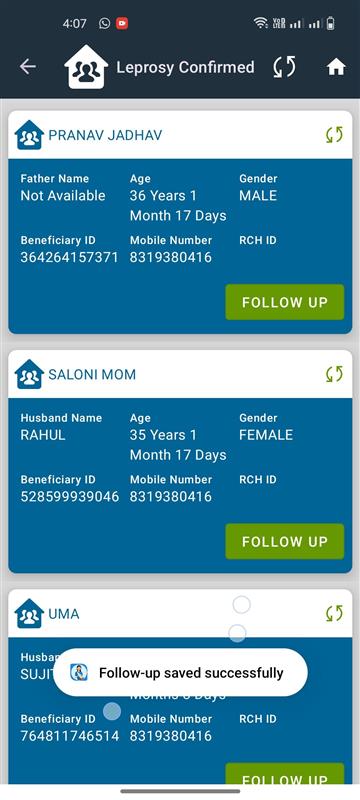
3. Suspected and Follow-up Button UI Issue
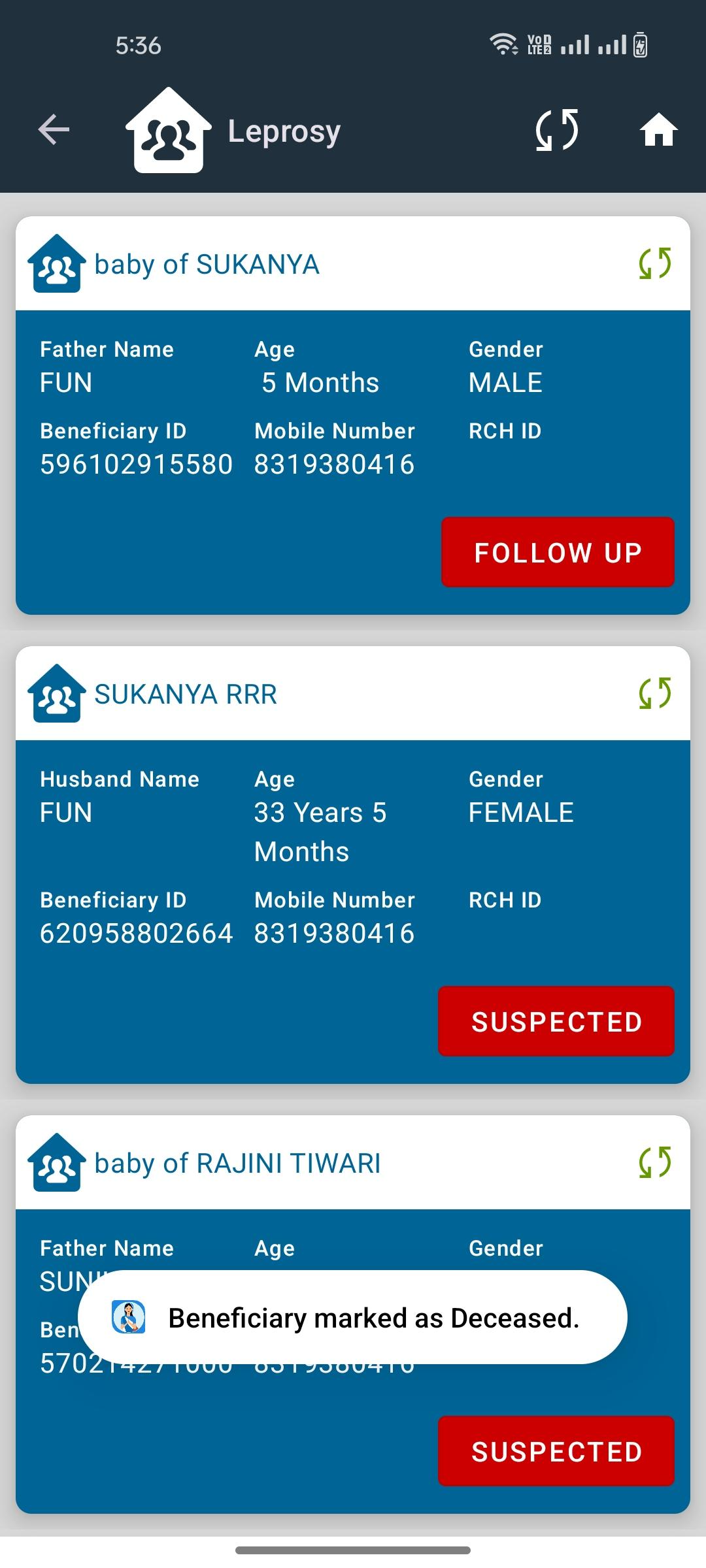
- After screening, beneficiaries move to Suspected Leprosy Cases.
- The Suspected and Follow-up buttons are displayed in Red color.
- This creates confusion as red generally indicates an alert/error state.
- Appropriate button colors should be used according to the workflow.
4. View Option Missing After Follow-up
- After successful Follow-up submission, the action should change to View.
- Currently, users cannot easily verify previously submitted follow-up details.
5. Incorrect Success Message Displayed
- After completing Screening, Suspected Case, and Follow-up activities, the success message displayed is:
- "Beneficiary Marked as Deceased"
- This is incorrect and misleading.
- Appropriate success messages should be displayed based on the action performed.
Reference:
Attached video for reference and better understanding of the reported issues.