-
Type:
 Story
Story
-
Resolution: Done
-
Priority:
 Low
Low
-
Affects Version/s: None
-
None
-
FLW Sprint 49, FLW Sprint 50
-
FLW Mobile App
-
All
Apply the §9.2, §9.3, §11, and §12 revisions to the single-ASHA Monthly Detail screen, the Verify/Reject behaviour, and the audit log. The Beneficiary-Level Detail sub-screen behaviour is unchanged. The same flow must also apply to CHO and ANM logins, since they follow a similar verification process at their own stage.
Activity display:
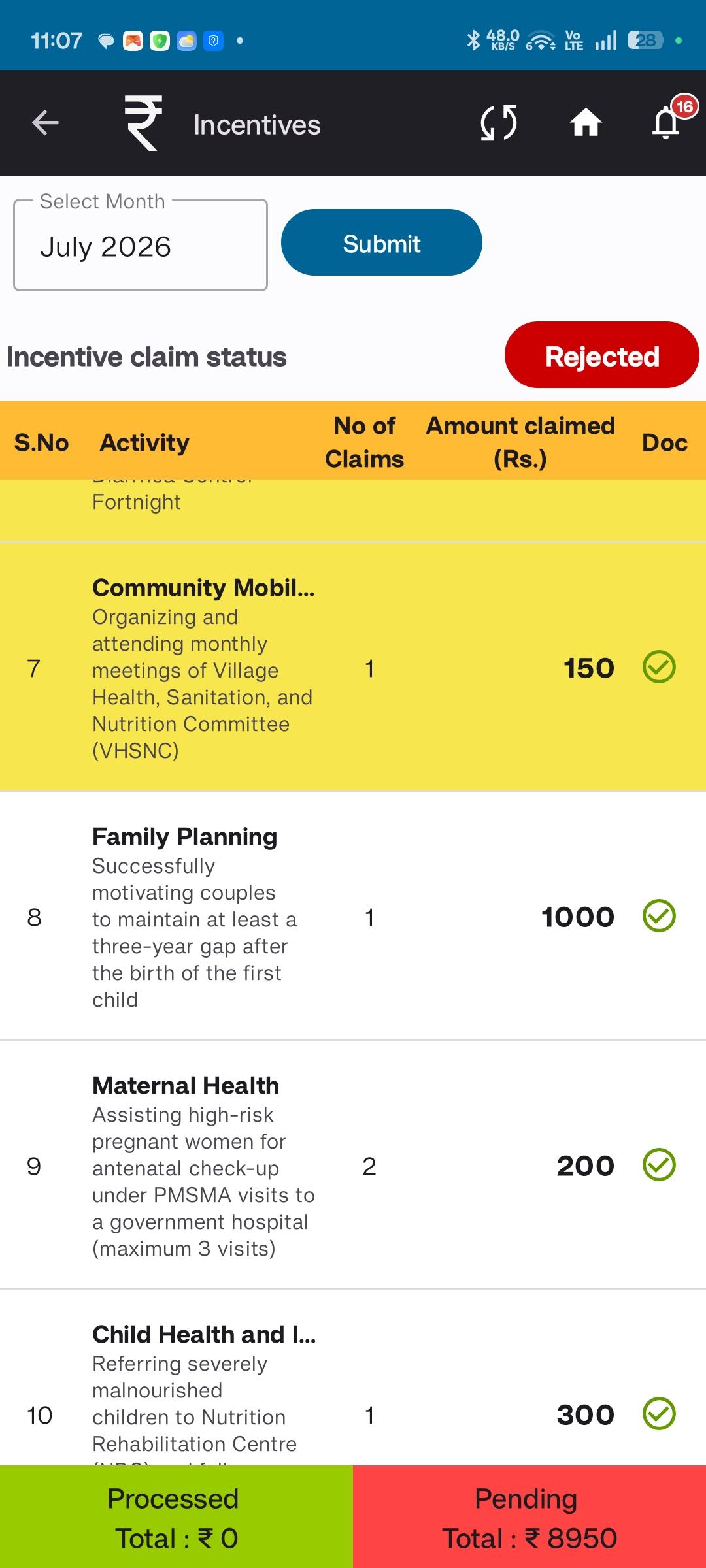
- Replace the flat list of expandable activity cards with collapsible accordions grouped under nine fixed program categories, in this order (Assam master-sheet S.No order): Child Health · Immunization · Maternal Health · ASHA Incentive under JSY · Family Planning · Adolescent Health · Umbrella Programmes · NCD · Other Incentives.
- On first load, every non-empty category opens expanded. The user can collapse a category after reviewing it.
- All nine categories are always rendered — even when the ASHA has no claims under one. Empty categories show "No claims this month" and are not expandable.
- The category header strip always shows: category name · total number of claims · total ₹ amount. These stay visible whether the category is expanded or collapsed.
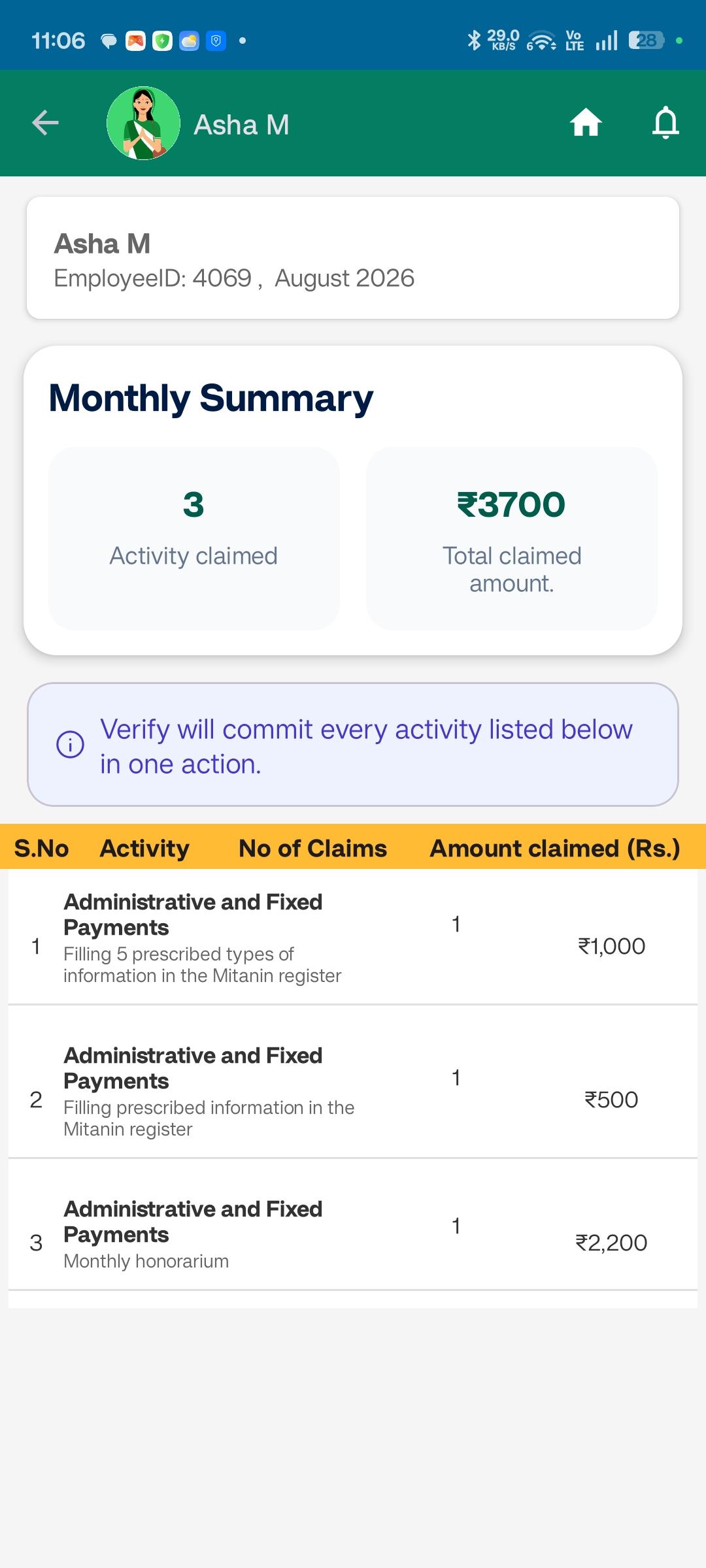
- Show a one-line banner above the first category: "Verify will commit all claims listed below in one action."
- Each activity row shows four columns: S.No (Assam master-sheet 1–84) · Activity Name (full master-sheet description; the category name is no longer repeated as a subtitle on every row) · No. of Claims (aggregated) · Amount Claimed in ₹ (aggregated, read-only).
- Activity rows no longer have a per-row status chip or per-row Verify/Reject buttons.
- Tapping an activity row still opens the existing Beneficiary-Level Detail sub-screen. Returning preserves the accordion state.
Verification model — single ASHA-month action:
- Replace per-activity Verify/Reject with a single global Verify and a single global Reject pinned to the screen footer. One action covers every claimed activity in the ASHA-month in one transaction.
- Add a single mandatory document-verification checkbox at the footer ("I have verified supporting documents on ASHA's device") just above the Verify and Reject buttons. Per-activity checkboxes are removed. Both buttons stay disabled until this checkbox is ticked.
- Verify: in one transaction, moves every claimed activity in the ASHA-month to the next stage — "Verified by Supervisor" for Supervisor login, "Verified by CHO" for CHO login, "Verified by ANM" for ANM login.
- Reject: opens the existing 8-reason multi-select (Incomplete documentation, Incorrect data (system error), Beneficiary data mismatch, Calculation error, Duplicate claim, Ineligible activity, Outside service period, Other). "Other" still requires mandatory remarks. The selected reasons and remarks apply to the entire ASHA-month — every claimed activity is sent back to the ASHA as Pending for correction. The ASHA is then notified via the in-app rejection notification owned by Ticket 4 (Notifications).
- The "verify only once per ASHA-month unless rejected" rule still applies. On rejection + ASHA resubmission, the ASHA-month re-enters the Supervisor queue and flows again through CHO/ANM.
CHO / ANM mirror:
- The same screen layout, accordion structure, footer document-check, single Verify/Reject pair, 8-reason rejection logic, and audit-log shape apply to CHO and ANM logins.
- Status transitions and audit Action Type values reflect the role of the actor — e.g., Verify produces "Verified by CHO" or "Verified by ANM" at those stages instead of "Verified by Supervisor".
Audit log (shape changes to match the new verification model):
- Write one audit entry per actor action per ASHA-month (previously one entry per activity action).
- Action Type values at Supervisor level: "Verify ASHA-Month" or "Reject ASHA-Month". The same pattern applies at the CHO and ANM stage.
- Activity ID is null at the aggregate level. Keep the column nullable so future activity-level granularity can populate it.
- All other audit fields stay: Actor ID (Supervisor / CHO / ANM), ASHA ID, Timestamp, Document-verification confirmation flag, Rejection reasons (if applicable), Remarks (optional, mandatory when reason = Other).
Affected screens/modules: ASHA Monthly Detail screen (Supervisor, CHO, ANM variants); Verify/Reject API; Activity workflow service; Audit log datastore.
- relates to
-
AMM-2433
Rework ASHA Monthly Detail screen for ASHA-month verification (Supervisor, CHO, ANM) — with audit log change
-

- Closed
-
