-
Type:
 Story
Story
-
Resolution: Done
-
Priority:
 Low
Low
-
Affects Version/s: None
-
None
-
FLW Sprint 46, FLW Sprint 47, FLW Sprint 48, FLW Sprint 49, FLW Sprint 50
-
FLW Mobile App
-
All
Updates to the existing Supervisor Dashboard, plus a new drill-down screen that opens from two places on the dashboard.
Dashboard changes:
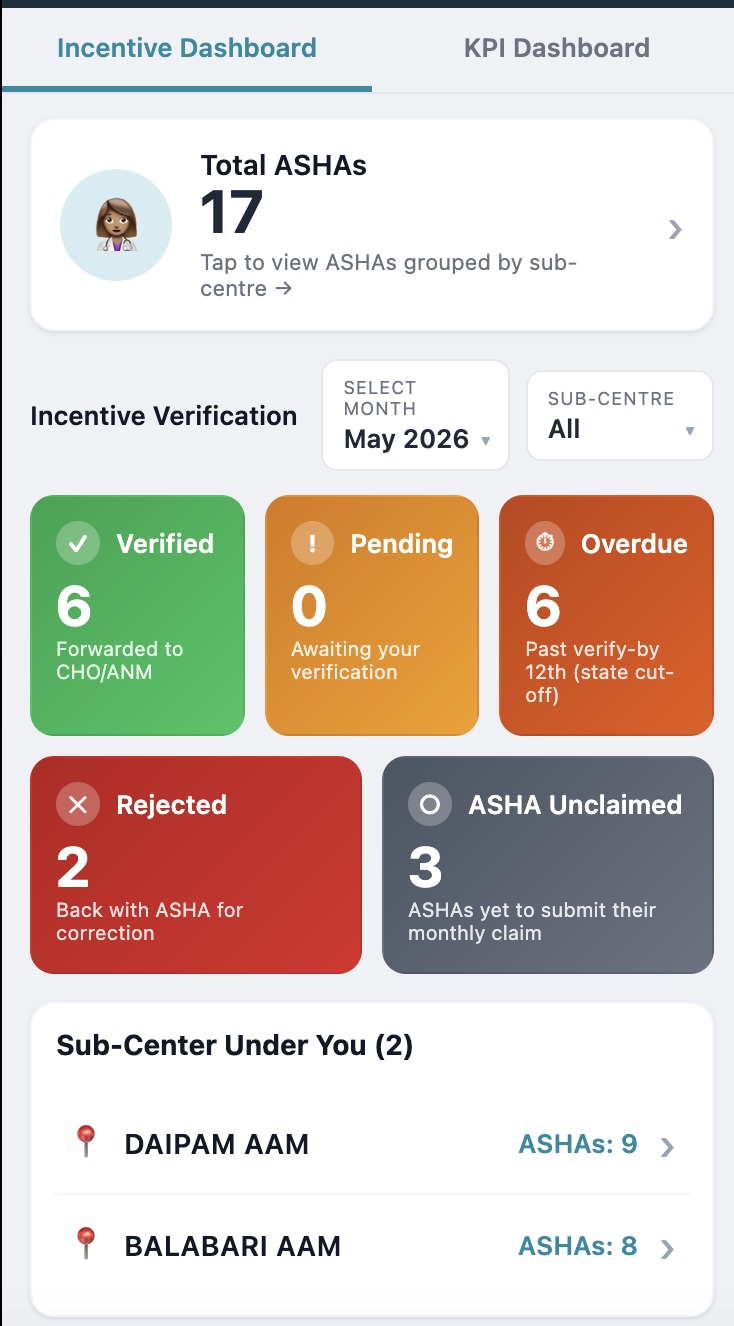
- Change the Month selector default from previous month to current month. All tiles and lists load on the current month on first open.
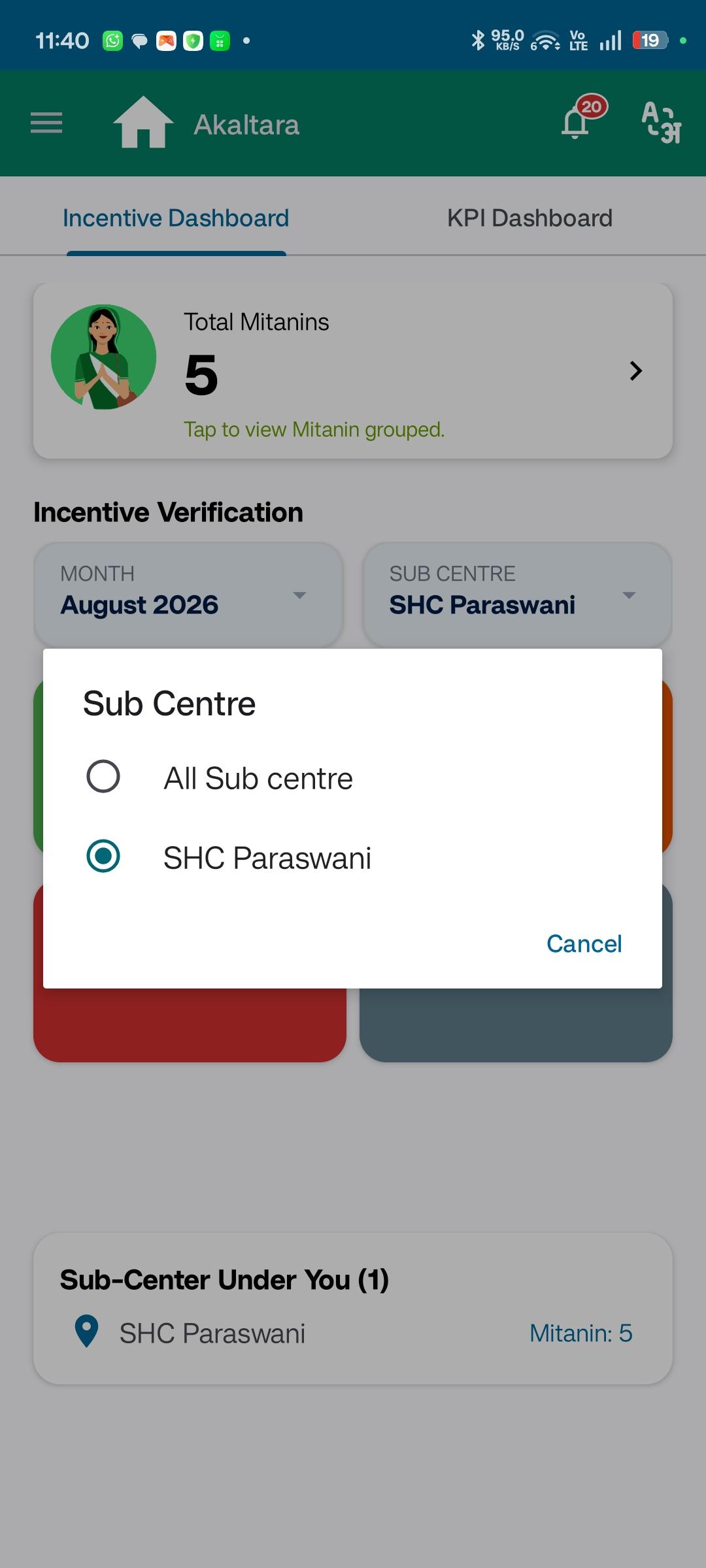
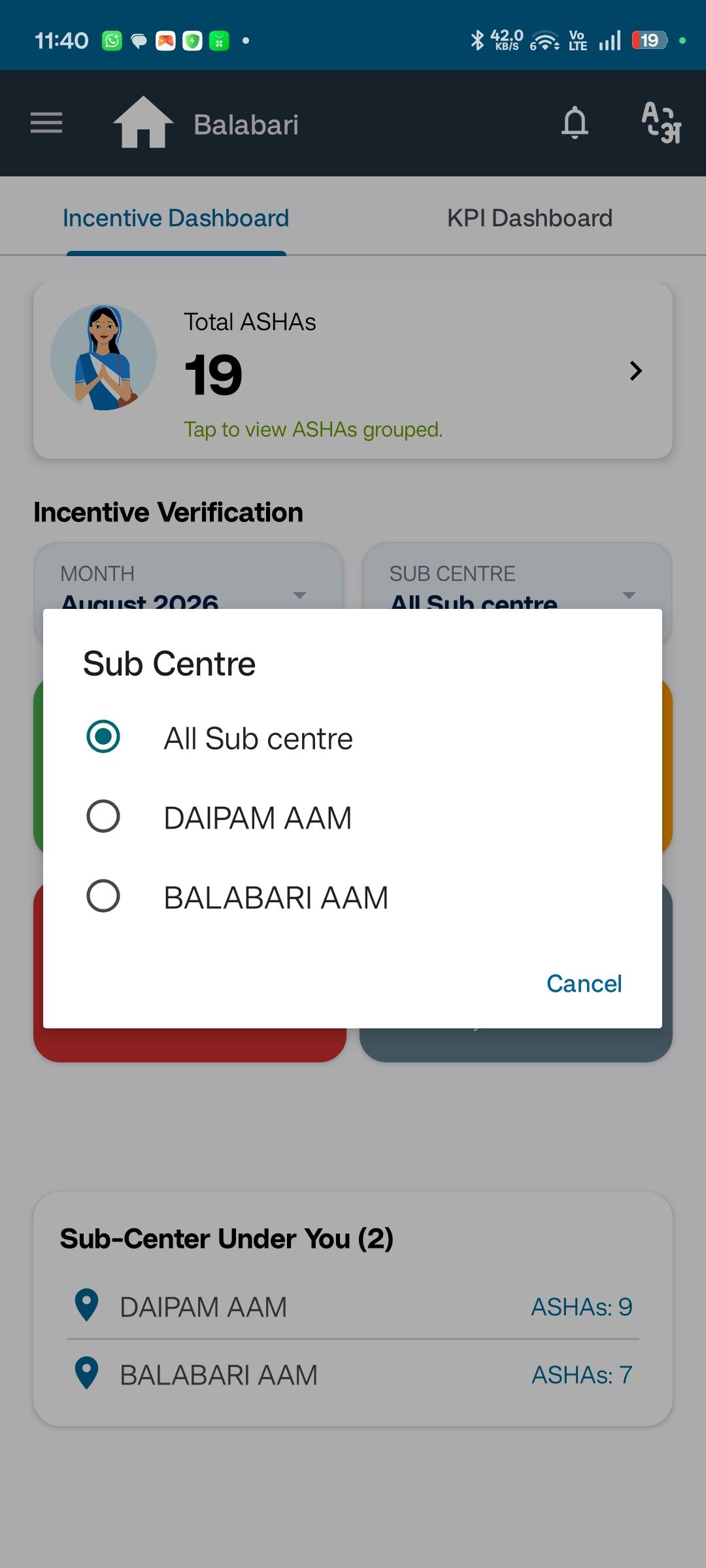
- Add a Sub-centre filter dropdown next to the Month selector. The dropdown lists every sub-centre mapped to the logged-in Supervisor plus an "All" option (default = All). Changing the selection re-aggregates every tile count to the new scope.
- Replace the 4 plain white status tiles with 5 colour-filled tiles in two rows:
- Row 1 (primary): Verified · Pending · Overdue.
- Row 2 (secondary): Rejected · ASHA Unclaimed. The "ASHA Unclaimed" tile is new and counts ASHAs who haven't submitted any claim for the selected month. The count comes from the status engine in Ticket 2.
- Each tile uses a filled status-appropriate colour from the design system. White-background tiles are removed. The same colour tokens must be reused on the CHO/ANM dashboards.
- Make the Total ASHAs tile clickable. Tap opens the new drill-down screen (below) listing every ASHA mapped to the Supervisor, grouped by sub-centre.
- Make every row in the "Sub-Center Under You" list clickable. Tap opens the drill-down screen scoped to that single sub-centre.
New drill-down screen ("Incentive Verification"):
- Search bar at the top with placeholder "Search ASHA…". Filters ASHAs by name within the current scope.
- Below the search bar, ASHAs are listed in sub-centre groups. Each sub-centre name appears as a section header followed by its ASHAs. When the user entered via a specific sub-centre row, only that sub-centre is shown.
- Each ASHA row shows the ASHA's full name and a status chip. The chip is a single-letter badge using the same colour as the matching dashboard tile — V (Verified), P (Pending), R (Rejected), O (Overdue), U (Unclaimed). No full-word status text is shown on the chip.
- Tap an ASHA row to open the existing single-ASHA Monthly Detail screen.
- The drill-down screen must inherit the Month and Sub-centre selections active on the dashboard at the time of navigation.
Affected screens: Supervisor Dashboard; new ASHA Monthly Detail drill-down screen.
- blocks
-
AMM-2423 Asha Supervisor Module - API Changes.
-

- Closed
-
