-
Type:
 Story
-
Resolution: Unresolved
-
Priority:
 High
-
Affects Version/s: None
-
Sprint 59, Sprint 60
-
Platform
-
Dev
What this is
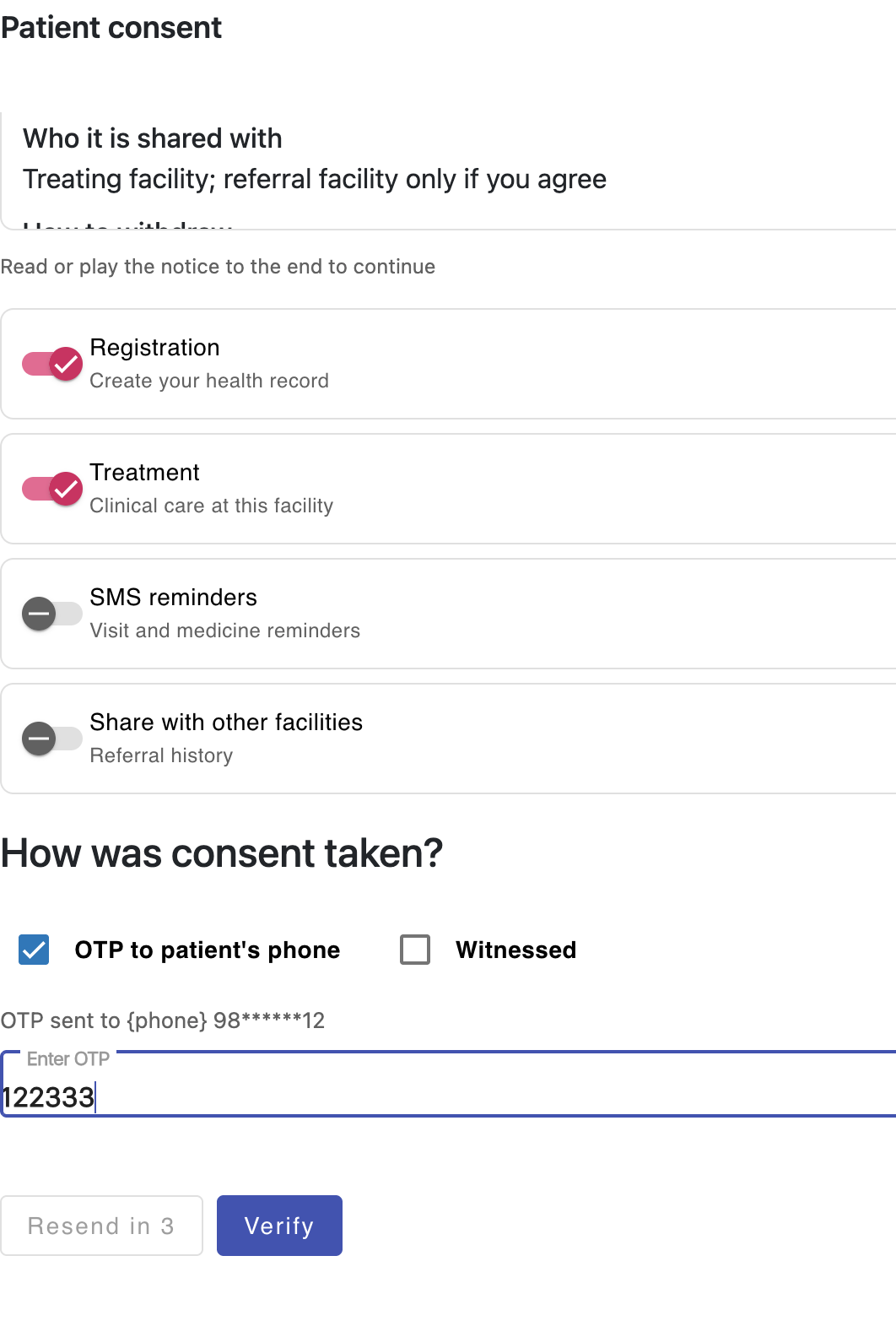
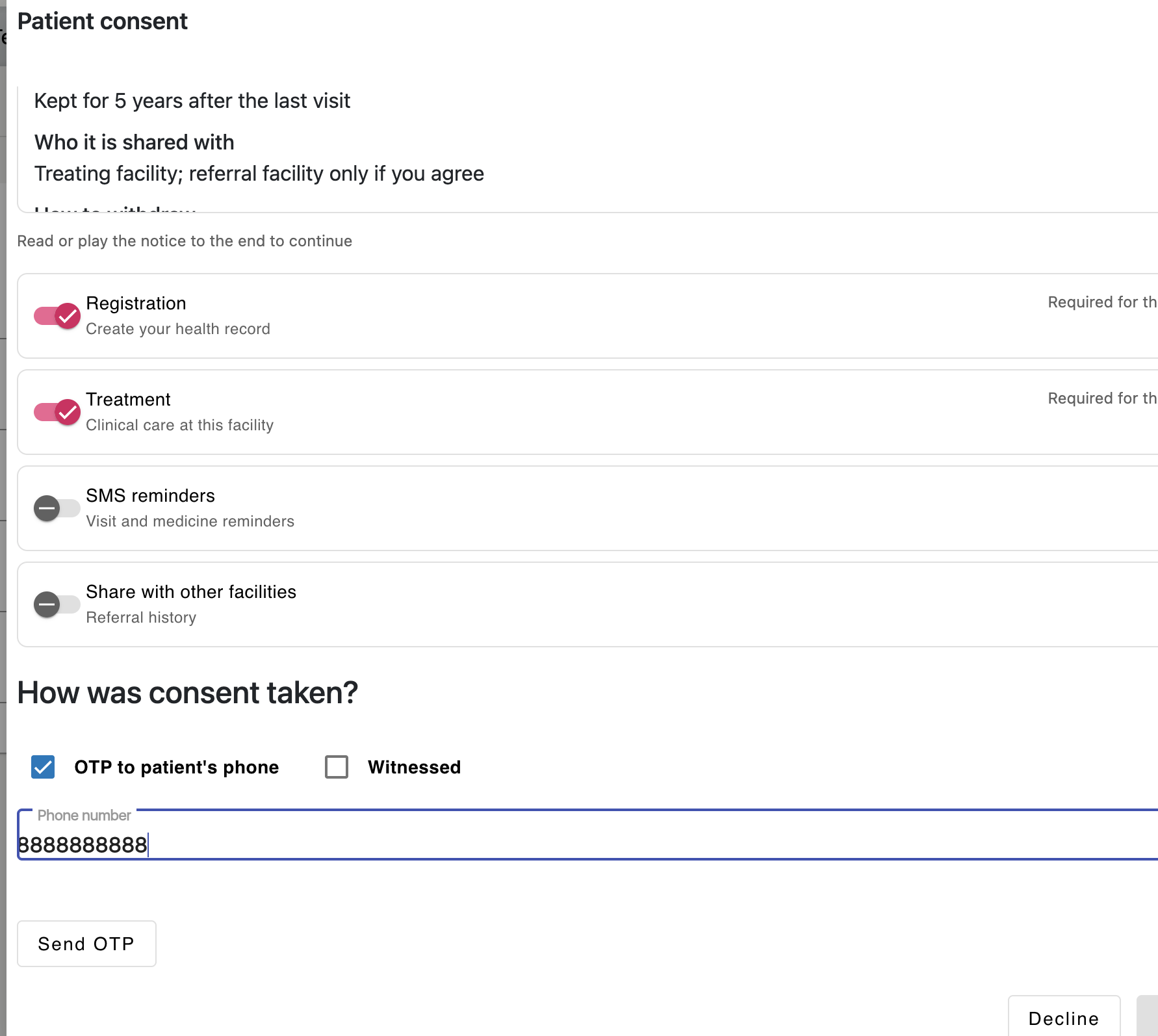
Ways to take consent from a patient who cannot read, or when extra proof is needed.
Steps
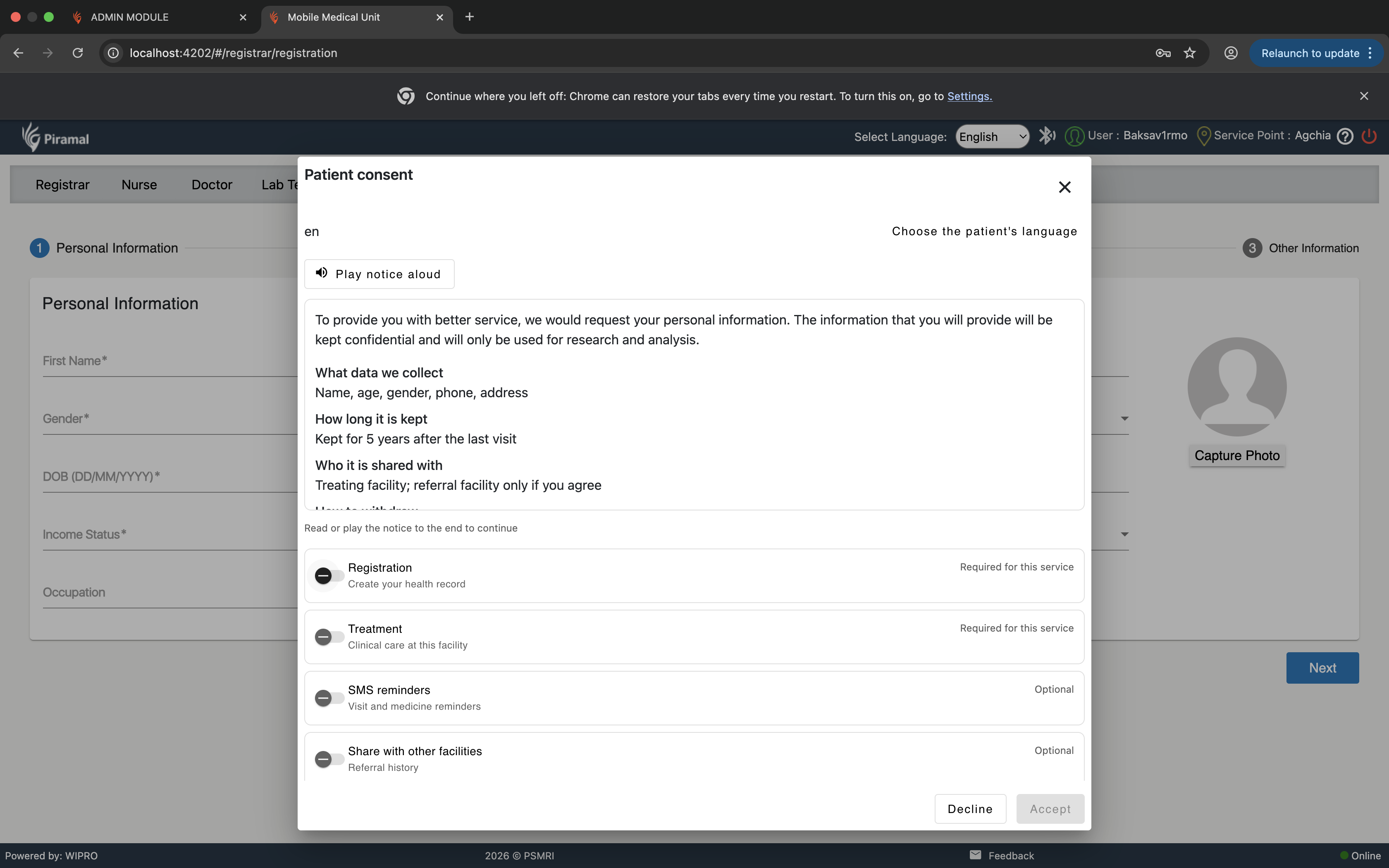
- Read aloud: The worker plays the audio notice or reads it aloud. The worker ticks a confirmation box. Save the worker's ID and that the audio was played to the end.
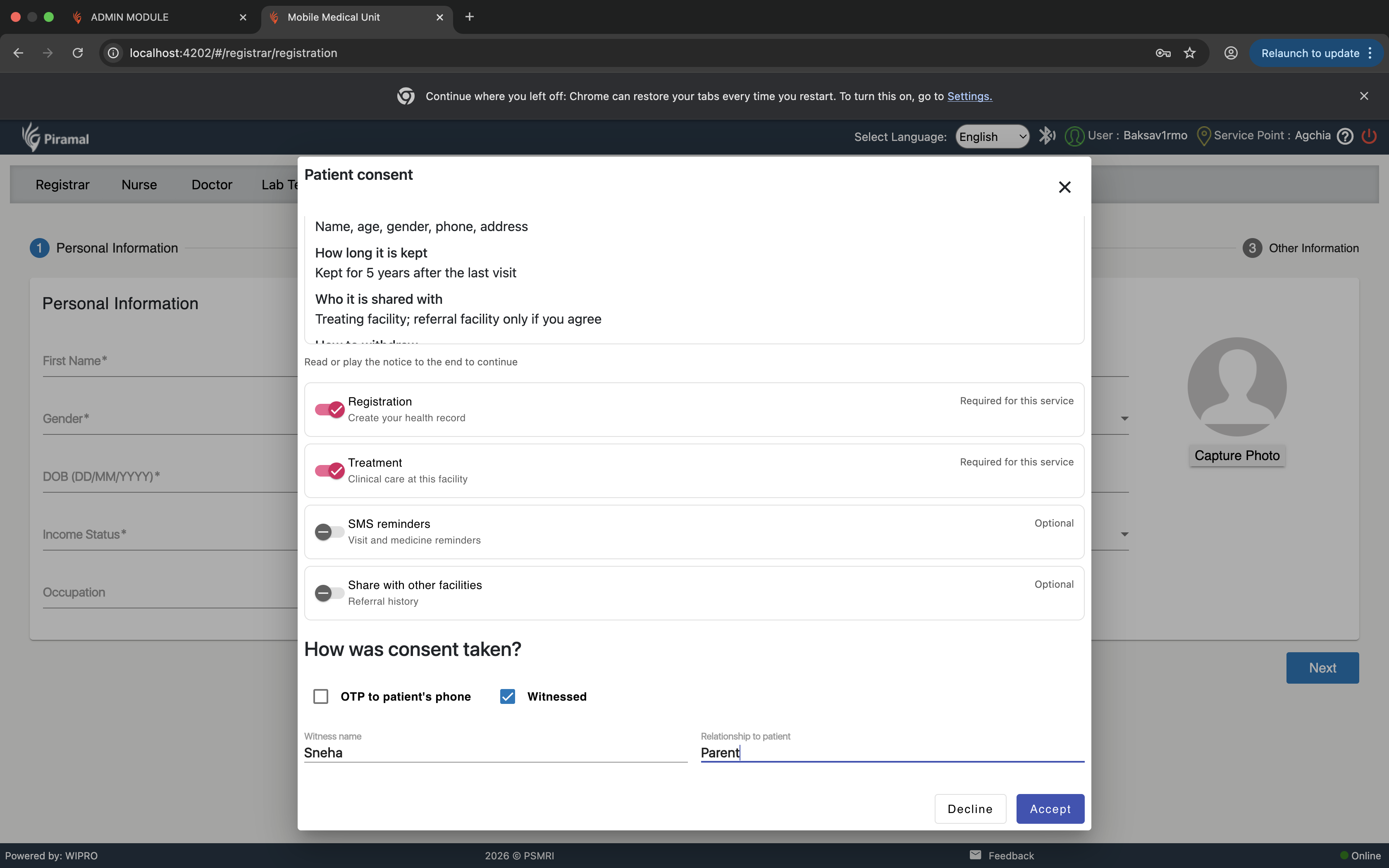
- Witnessed: Ask for the witness's name and relationship before saving.
- Signature / thumb + photo: Capture the signature or thumb image and a photo. Save the images and their hash.
- Do not allow saving until the proof for the chosen mode is given.
Done when
- Read aloud cannot be saved without the worker's confirmation tick.
- Witnessed cannot be saved without the witness name and relationship.
- Signature/thumb + photo cannot be saved without the images.
Source: DPDPA Compliance Proposal v14, sections 3.1 (rule 6), 7 (H2)