-
Type:
 Story
-
Resolution: Unresolved
-
Priority:
 High
-
Affects Version/s: None
-
Sprint 59, Sprint 60
-
STOP TB
-
Dev
What this is
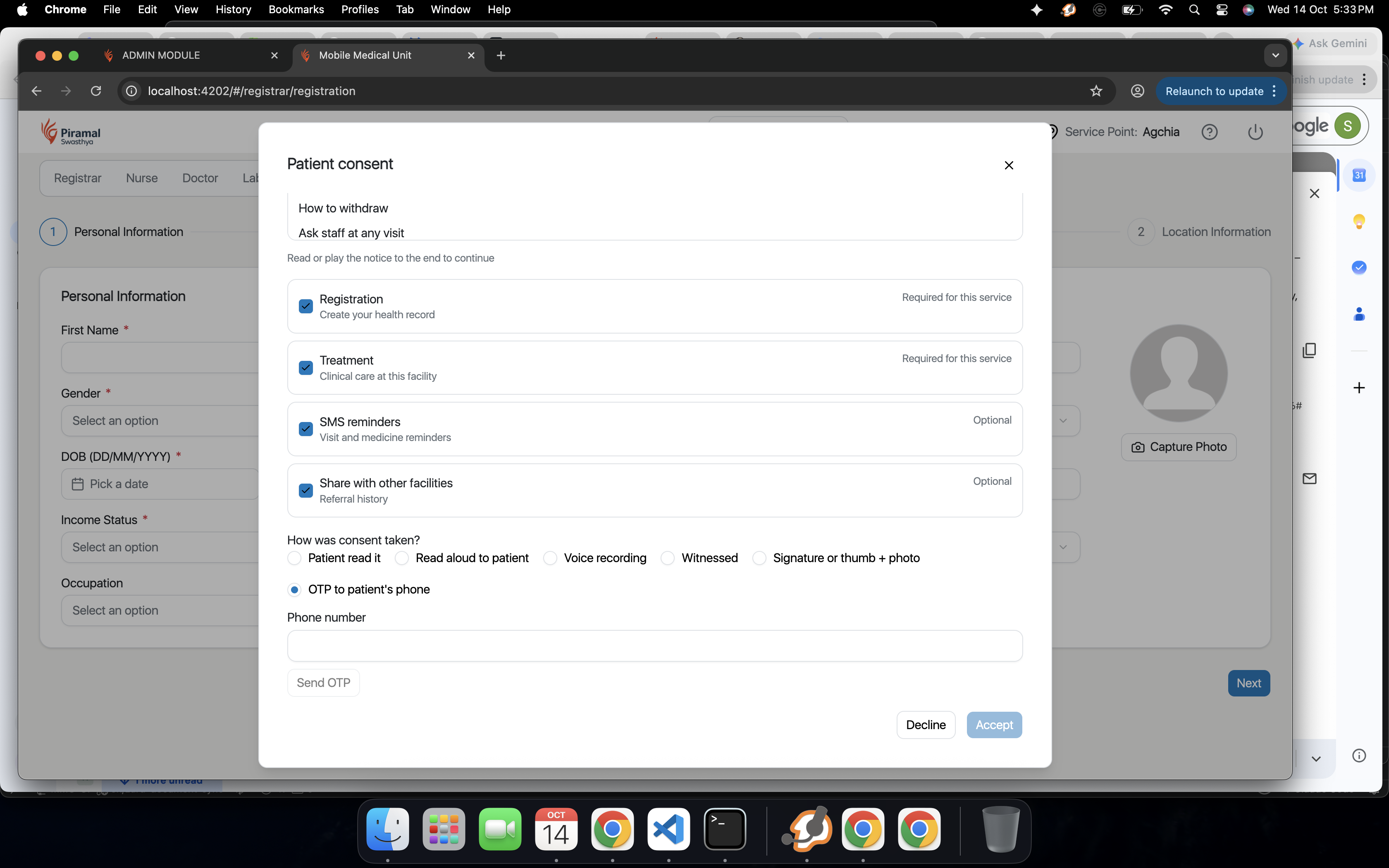
One consent screen, built in Common-UI, that replaces today's consent pop-up. For this release it is added to STOP TB camp registration and revisit.
Steps
- The patient picks a language first.
- Show the notice in that language, as text or audio. The notice lists each data item, why it is used, how long it is kept, who it is shared with, how to withdraw, and how to complain (to the DPO or the Data Protection Board).
- Keep Accept locked until the notice has been scrolled to the end or the audio has played to the end.
- Show mandatory purposes first. Show optional purposes (SMS reminders, sharing with family or other facilities, research) as separate switches. All switches start off.
- Make Decline as visible as Accept.
- If the screen is closed without a decision, save nothing as consent. Keep data entry blocked and show "Consent pending" next time.
- The worker picks how consent was taken (the mode), and the screen asks for the matching proof.
- If the patient is under 18 or needs a guardian, switch to the guardian step.
- If a mandatory purpose is declined, explain that the service cannot continue and stop data entry.
- When consent is saved, unlock the registration form.
Done when
- Accept stays locked until the notice is fully shown.
- All switches start off.
- Closing the screen saves no consent.
- Declining a mandatory purpose stops data entry.
- The old consent pop-up is no longer used in STOP TB camp registration and revisit.
Source: DPDPA Compliance Proposal v14, sections 3.1, 6 (C1 to C4, C17), 7 (H1)