-
Type:
 Story
Story
-
Resolution: Unresolved
-
Priority:
 Medium
-
Affects Version/s: None
-
Admin
-
All
As a Super Admin, I want to create new or missing Villages in the Village master under a selected State, District and Block using a bulk upload feature by uploading the villages thru a excel sheet.
So that at a time multiple villages are created in a single time instead of creating single Village from Village master UI screen.
Feature details:
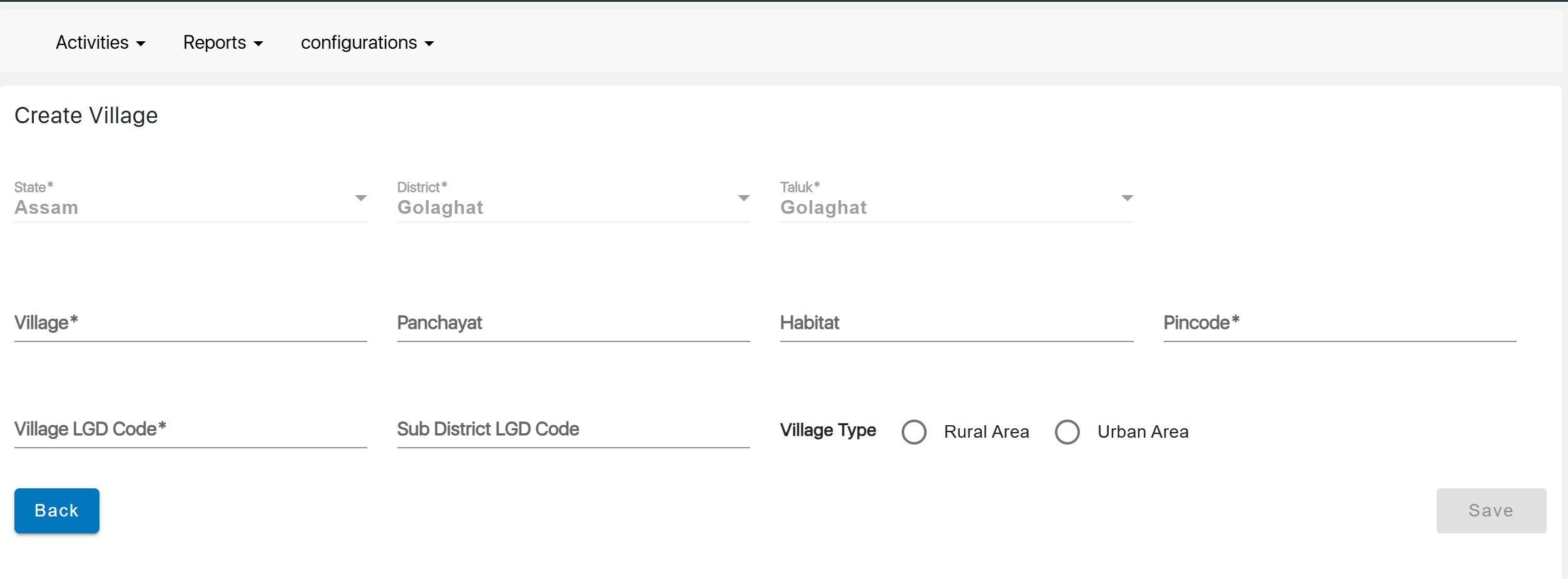
In Super Admin module, under Activities >> Village Master >> Add Village
Now Select: State, District and Block and upload Villages from excel
Provide an option for "Bulk upload Villages" Radio button
On selecting "Bulk upload Villages" Radio button, disable single entry villages fields and can do bulk upload as follows:
- Template Download:
- Admin can download a predefined Excel template for adding Village details.
- Template should contain all required fields for creating Villages in the master
- Template must clearly mark all mandatory fields with a star and provide field descriptions or acceptable formats.
- Template Completion:
- Admin can fill in the template with all Village details, ensuring all mandatory fields are completed with valid data.
- File Upload:
- Admin can upload the completed Excel file.
- The system must validate the uploaded file format and structure to ensure it matches the template.
- Validation Process:
- System validates each record in the uploaded file.
- Records with valid data are processed, and Villages are created.
- Validate creating duplicate Villages using LGD codes
- Records with invalid or missing data are flagged and logged with specific error reasons.
- Acceptance Criteria:
- Upon processing the file, the system displays a summary:
- Success Count: Number of Villages created successfully .
- Error Count: Number of Villages failed to create validation.
- Provide an error log file for failed records, specifying the reason for failure for each record.
- Ensure the admin can download the error log file for review and correction.